Note
Access to this page requires authorization. You can try signing in or changing directories.
Access to this page requires authorization. You can try changing directories.
Azure DevOps Services | Azure DevOps Server | Azure DevOps Server 2022
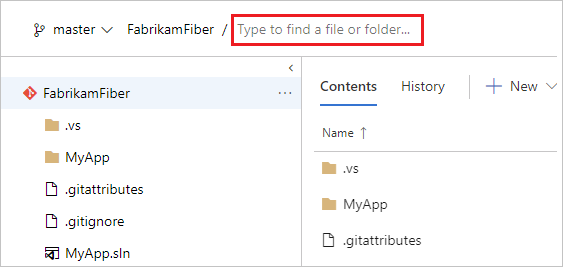
Quickly find and go to a file or folder in your Git repository by using the path control on the Files page.
Usage
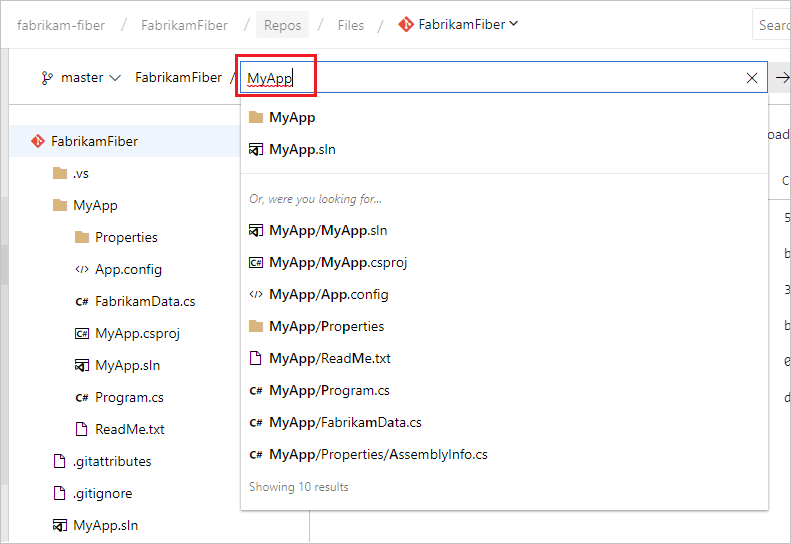
While you browse your Git repository, start typing in the path control box to search for the file or folder that you're looking for. The interface lists the results that start from your current folder followed by matching items from across the repo.
Hot key navigation
To open the Find a File experience, use the t shortcut on the keyboard on the Files or Commits pages in the Repos view. Use the Up and Down arrows to cycle through the results, and select Enter to open a result. To close the Find a File experience, select Esc.