Note
Access to this page requires authorization. You can try signing in or changing directories.
Access to this page requires authorization. You can try changing directories.
Congratulations on being a Microsoft Ignite Challenge Sweepstakes winner and receiving a 50% discount certification exam voucher! You will have received an email from ‘MindHub Pro by Pearson VUE’ that contains your voucher code and expiration date.
Note that you must schedule and take your chosen exam by April 30, 2026. You can review the Microsoft Ignite Challenge Sweepstakes official rules for the full set terms and conditions.
The discount certification exam voucher is eligible for any Microsoft Certification exam conducted by Pearson Vue. It is not eligible for any GitHub Certification exam.
If you have not received an email from ‘MindHub Pro by Pearson Vue’, validate you’ve completed these steps.
- Reviewed the official rules page.
- Registered for and completed one of the below nine Microsoft Ignite challenges prior to December 15, 2025 (regardless of individual challenge end date).
- Create Agentic AI Solutions with Azure AI Foundry
- Build Scalable AI Apps on Azure Database for PostgreSQL
- Fabric Data Engineer (DP-700) Ignite & Fabric Data Days Skills Challenge
- Fabric Analytics Engineer (DP-600) Ignite & Fabric Data Days Skills Challenge
- Azure Data Fundamentals | Ignite Skills Challenge
- Secure and govern AI
- Code Smarter and Faster with GitHub Copilot
- Azure Migration Mastery Skills Challenge
- Modernize and Innovate Skills Challenge
- Completed the sweepstakes entry form.
If you have completed the above steps, you may not have been randomly selected as a winner. Review the Microsoft Ignite Challenge Sweepstakes Official Rules and FAQ for more information.
Steps to redeem
Select one of the Microsoft Certification exams that are listed on Microsoft Learn.
a. The discount voucher is eligible for any Microsoft Certification exam conducted by Pearson Vue.
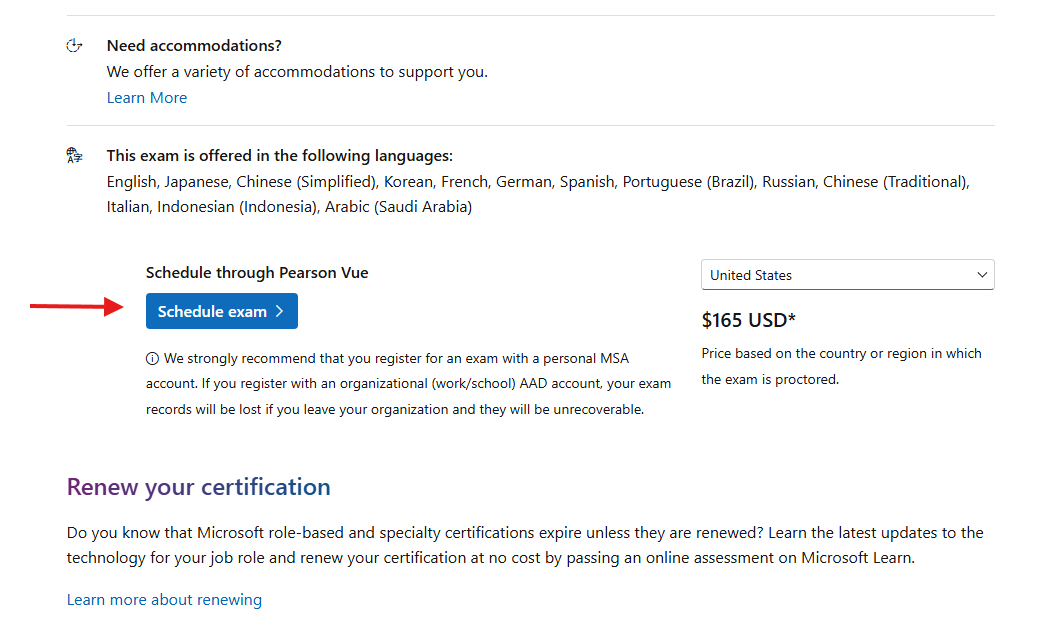
b. The discount voucher is not eligible for any GitHub Certification exams.Review the exam details, scroll down and click the “Schedule through Pearson Vue” schedule exam button. Some exams may have two options, make sure to select the Pearson Vue option.
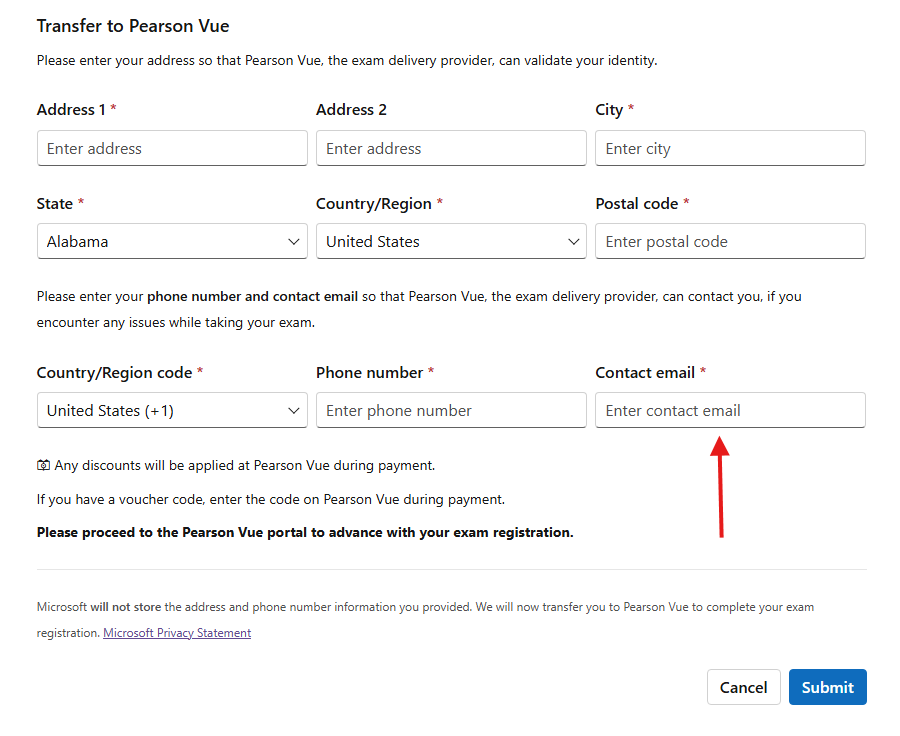
If you are not logged in to your Microsoft Learn profile, you will be asked to do so at this point. After doing so, you will be asked to provide additional information for transfer to Pearson Vue. Complete the form and be sure to provide the same contact email address in which you received your voucher code.
You will be directed to Pearson Vue and prompted to select how you want to take your exam. Options may vary depending on which exam you have selected. Choose your preference and continue, noting that the voucher code you received is not a “Private Access Code”.
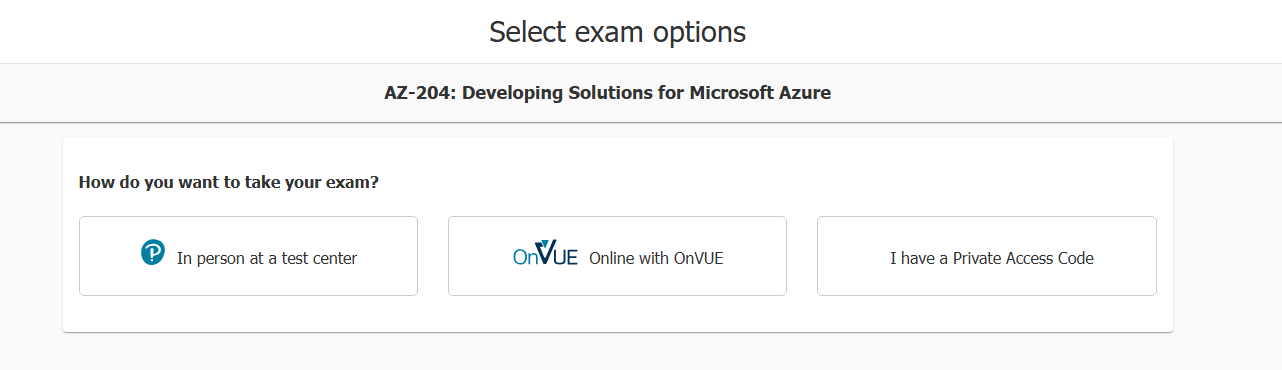
If you select “In person at a test center”, proceed to step 5.
If you select “OnVUE online with OnVUE”, proceed to step 6.
If you have selected to take the exam in person, you will next be prompted to:
a. Select your preferred exam language. Languages provided vary based on exam selected.
b. Agree to Pearson VUE exam terms and Microsoft Certification terms.
c. Select your preferred testing center.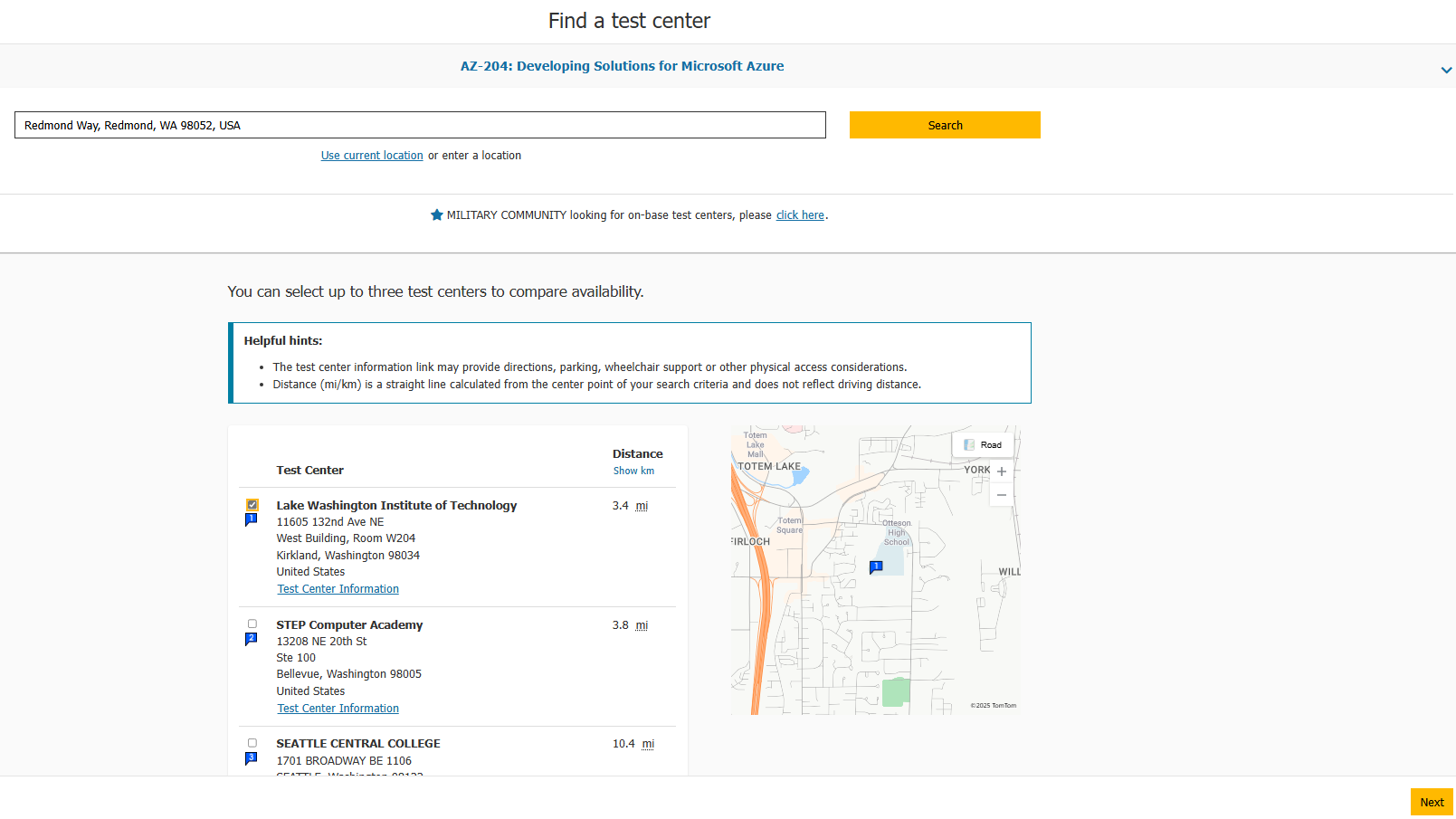
Testing center options will vary based on your location.
d. Select your preferred exam date and time.
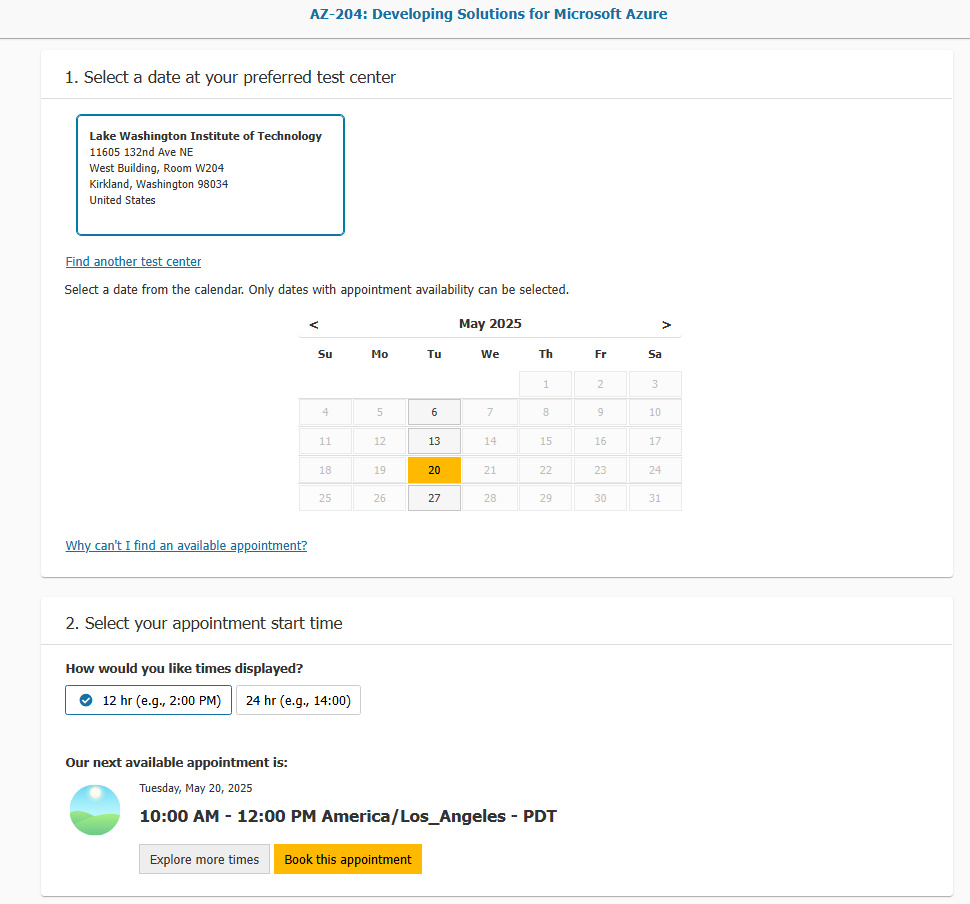
Date and time selected must be before April 30, 2026, to use your voucher. If an exam date beyond April 30, 2026 is selected, you will not be able to apply, the voucher to the cost of the exam.
e. Next you will be asked to confirm your exam scheduled date and contact information. Review and proceed to checkout. It will still display the cost of the exam—this is expected, continue to proceed to checkout.
f. In the next screen, you will see an option for Add Voucher or Promo Code. Enter the voucher code you received via email from ‘MindPro Hub by Pearson VUE’.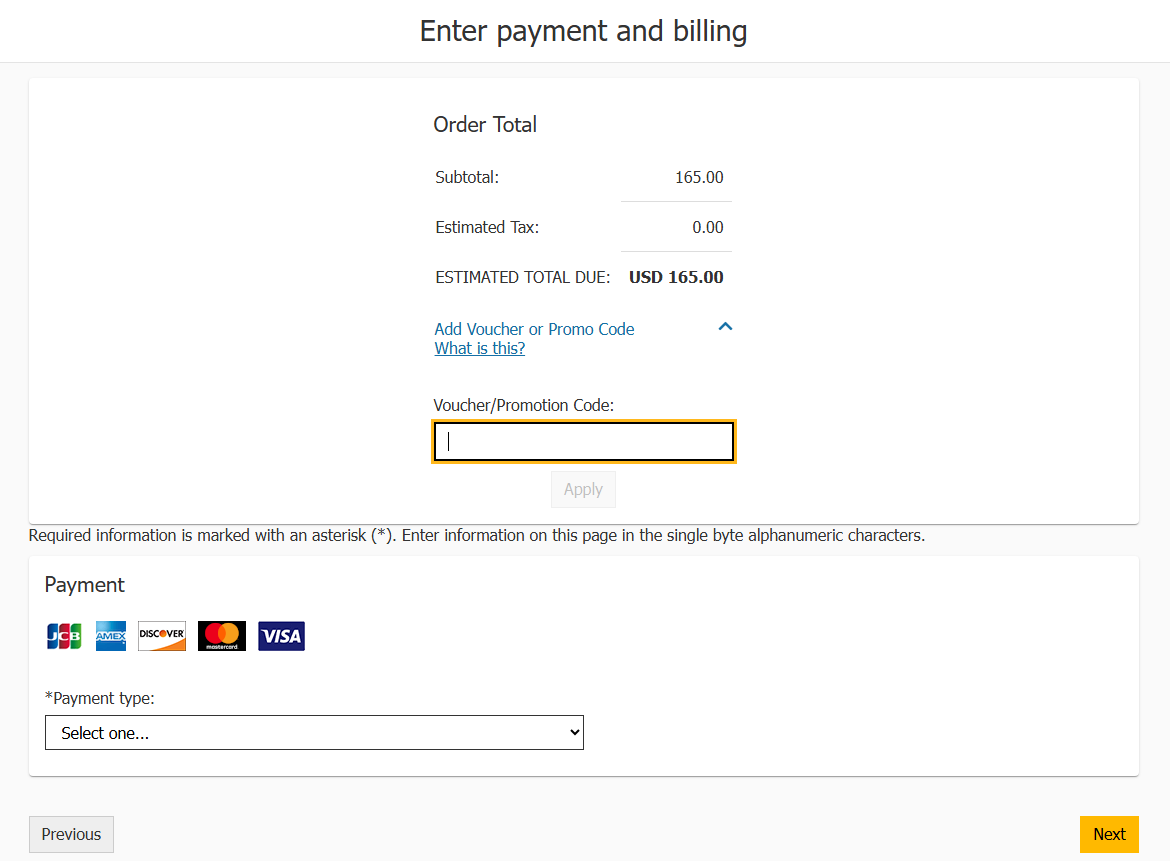
After entering the code, click ‘Apply’ to have it applied to the order, then select ‘Next’ to complete your transaction and schedule your exam!
If you experience any issues attempting to redeem your voucher, please contact mindhubprohelp@pearson.com.
If you have selected to take the exam online, you will next be prompted to:
a. Select your preferred exam language. Languages provided vary based on the exam selected.
b. Agree to Pearson VUE exam terms and Microsoft Certification terms.
c. Select your preferred proctor language. Language availability will vary based on exam selection.
d. Confirm your preferred time zone (will default to browser setting), exam date and time.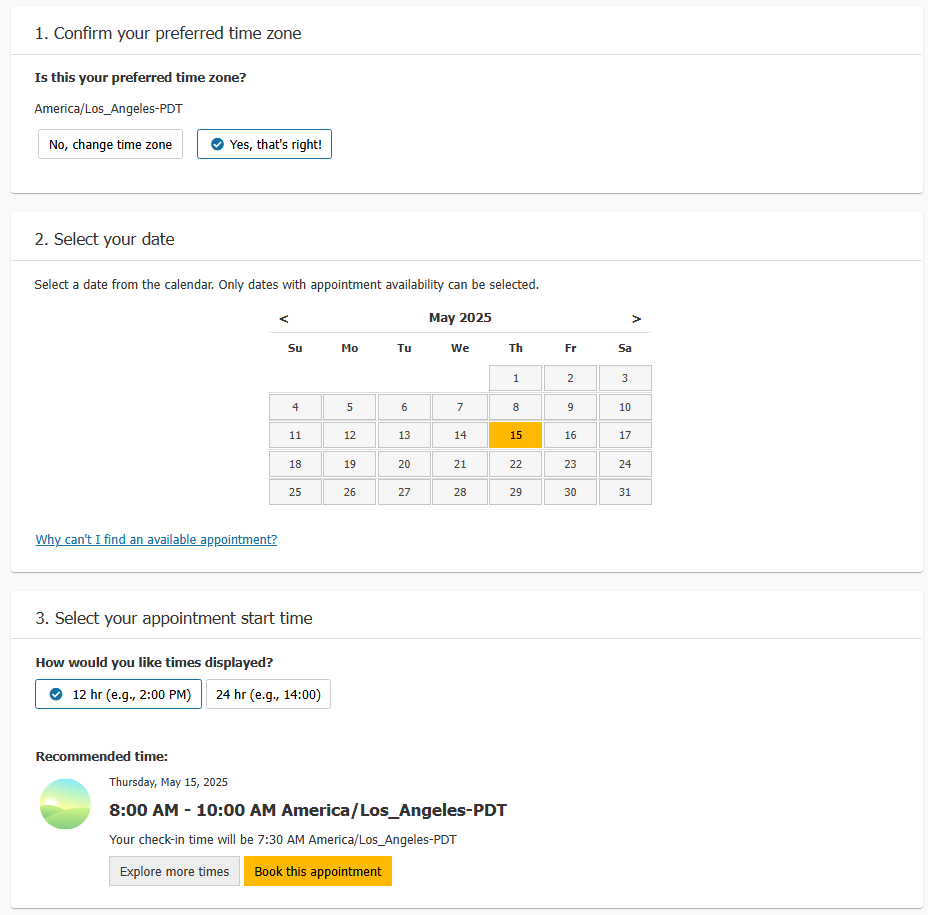
Date and time selected must be before April 30, 2026 to use your voucher. If an exam date beyond April 30, 2026 is selected, you will not be able to apply the voucher to the cost of the exam.
e. Next you will be asked to confirm your exam scheduled date and contact information. Review and proceed to checkout. It will still display the cost of the exam—this is expected, continue to proceed to checkout.
f. In the next screen, you will see an option for Add Voucher or Promo Code. Enter the voucher code you received via email from ‘MindPro Hub by Pearson VUE’.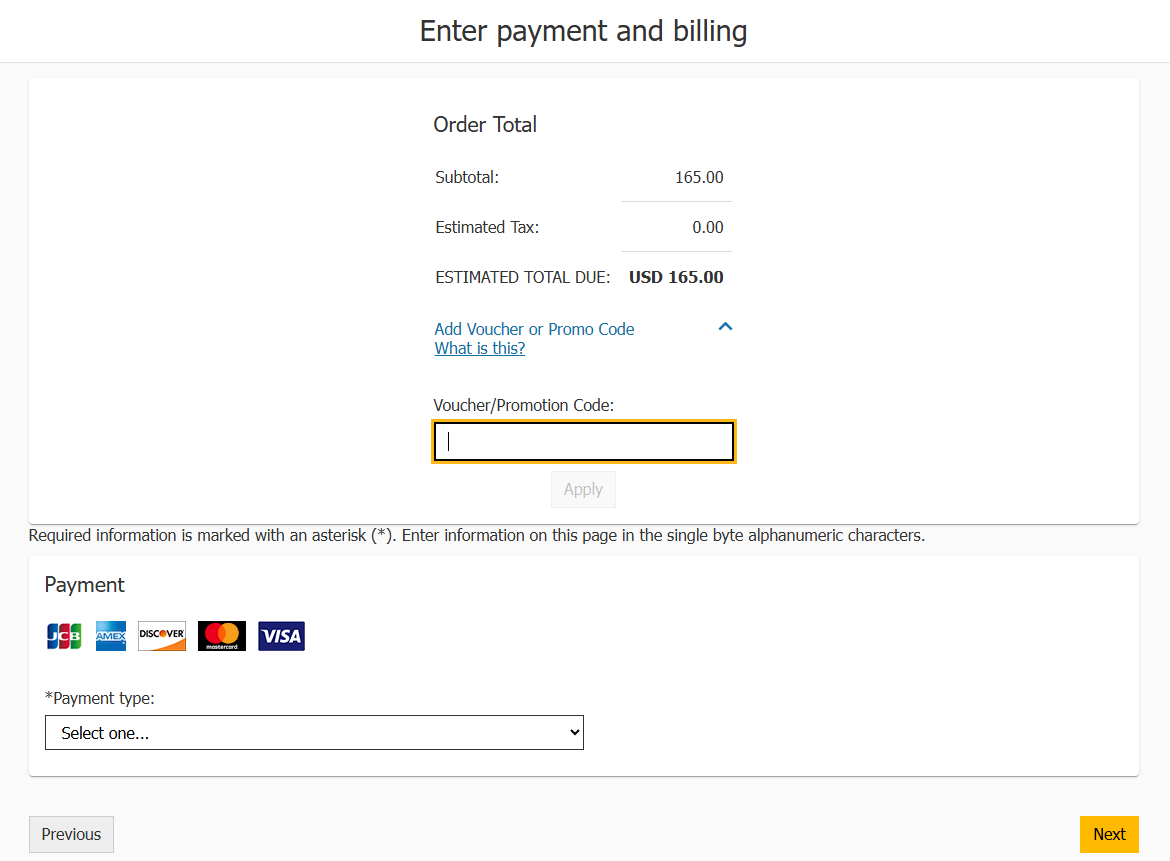
After entering the code, click ‘Apply’ to have it applied to the order, then select ‘Next’ to complete your transaction and schedule your exam!
If you experience any issues attempting to redeem your voucher, please contact mindhubprohelp@pearson.com.