Note
Access to this page requires authorization. You can try signing in or changing directories.
Access to this page requires authorization. You can try changing directories.
APPLIES TO: Business Central 2022 release wave 1 and later
When developing control add-ins, it's important to provide the best possible experience and performance so that users can maintain their productivity without interruption. If the client detects a slow or unhealthy control add-in, it presents the user with a reduced functionality warning, similar to the following examples.
Busy control add-in
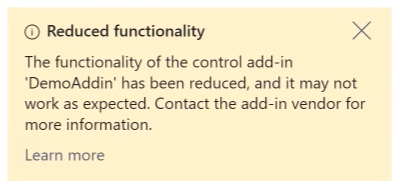
A user can close the dialog, but it reappears if the control add-in continues to run slowly. Continuous warnings are issued for nonresponsive or low performing control add-ins. If the problem persists, communication is throttled based on the volume of requests to Business Central. If traffic doesn't decrease, the service rejects incoming calls, causing the control add-in to malfunction partially or completely.
Excessive payload
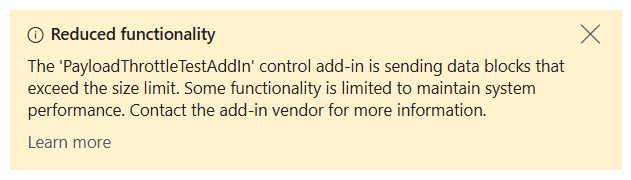
In this instance, the payload is too large and the request is rejected immediately. The solution is to send smaller payload
Learn more in Control add-in resiliency in Business Central.
Code examples
Bad code example
The following example illustrates problematic code that might cause performance issues by invoking the trigger repeatedly without waiting for previous calls to complete.
function invokeALTriggerTheWrongWay() {
    // Invoke the trigger every 10 seconds, ignoring
    // whether the previous call has completed
    window.setInterval(() => {
        Microsoft.Dynamics.NAV.InvokeExtensibilityMethod(
            "MyTrigger",
            arguments,
            false);

        invokeALTriggerTheWrongWay();
    },
    10000);
}
Good code example
The following example illustrates the right implementation where the trigger is invoked only when the previous call is completed.
function invokeALTriggerTheRightWay() {
    Microsoft.Dynamics.NAV.InvokeExtensibilityMethod(
        "MyTrigger",
        arguments,
        false,
        () => {
            // Invoking the AL trigger has completed, invoke
            // the AL trigger again in 10 seconds
            window.setInterval(() => {
                invokeALTriggerTheRightWay();
            },
            10000);
        },
        () => { /* error handling and perhaps retrying */ });
}
Related information
Control add-in resiliency
InvokeExtensibilityMethod method
GetEnvironment method