Note
Access to this page requires authorization. You can try signing in or changing directories.
Access to this page requires authorization. You can try changing directories.
A semantic model in Fabric is a logical description of a domain, like a business. Semantic models hold information about your data and the relationships among that data. One way to create an ontology (preview) is to generate it directly from a semantic model. You can also pull data into a single ontology (preview) from more than one semantic model.
Important
This feature is in preview.
Note
You need both Read and Build permissions on the semantic models to generate an ontology from a semantic model and query the semantic models using ontology.
Process overview
Ontology generation automatically creates the following elements:
- A new ontology item (preview) in your Fabric workspace, with a name that you choose.
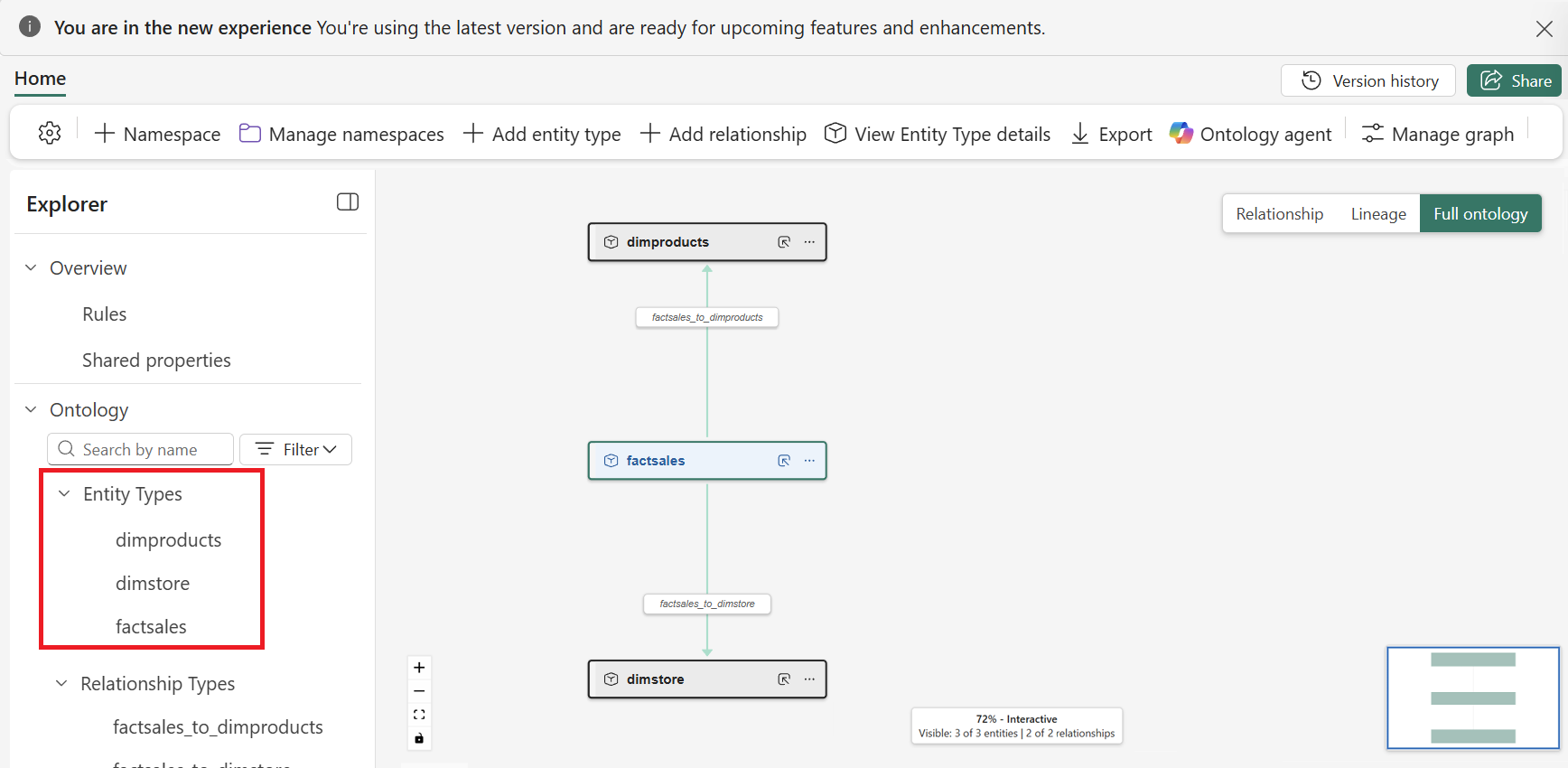
- Entity types in the ontology that match the tables in your semantic model.
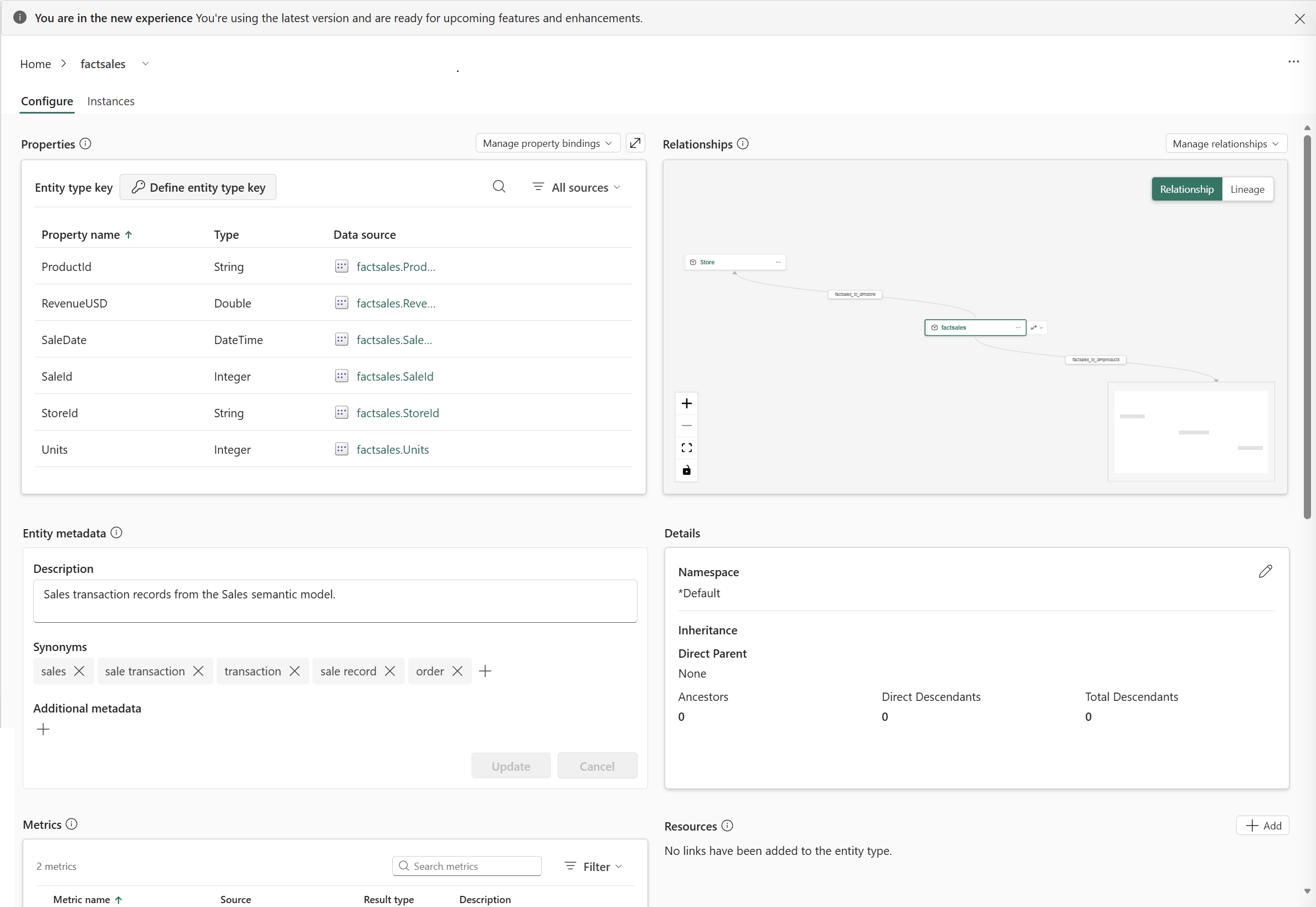
- Properties on each entity type based on the columns in your tables, and data bindings that link your data rows to these properties.
- Relationship types between entity types that follow relationships defined in the semantic model.
- Metrics on entity types based on DAX measures in the semantic model. For more information, see Use metrics in ontology (preview).
After generating an ontology, complete these actions manually:
- Bind time series data to entity types. Ontology generation doesn't create properties for time series data automatically.
- Review entity type keys and add any that are missing, especially for multi-key scenarios.
- Bind relationship types to data.
- Rename entity types or relationships to friendly names as needed.
- Review the entire ontology to make sure entity types, their properties and data bindings, metrics, and relationships are complete.
Adding multiple semantic models
You can source data for a single ontology from more than one semantic model by using the ontology agent. When you use the ontology agent in an existing ontology and ask it to include another semantic model, the agent reads the new model, reconciles overlapping concepts like shared customer or order tables, and binds everything into one connected ontology. Combining semantic models is useful when the data for a domain—such as a full customer 360 view—spans separate models for retention, sales, support, and returns.
By generating an ontology from multiple semantic models, you can:
- Bring related concepts that live in separate semantic models into one ontology.
- Let the agent normalize duplicate entities and create relationships that span models.
- Query across the combined domain, including relationships that no single source model captures on its own.
Note
Currently, you can add a second semantic model to an existing ontology only through the ontology agent.
Prerequisites
Before you add semantic models to an ontology, ensure you have:
- A Fabric workspace with a Microsoft Fabric-enabled capacity.
- Ontology item (preview) enabled on your Fabric tenant.
- One or more related semantic models in your workspace that represent parts of the same business domain (for example,
Customer_retentionandSupport_operations).- Both Read and Build permissions on the semantic model(s). This is required to generate an ontology from the semantic models and query the semantic models using ontology.
- Basic familiarity with the ontology agent.
Create the ontology item
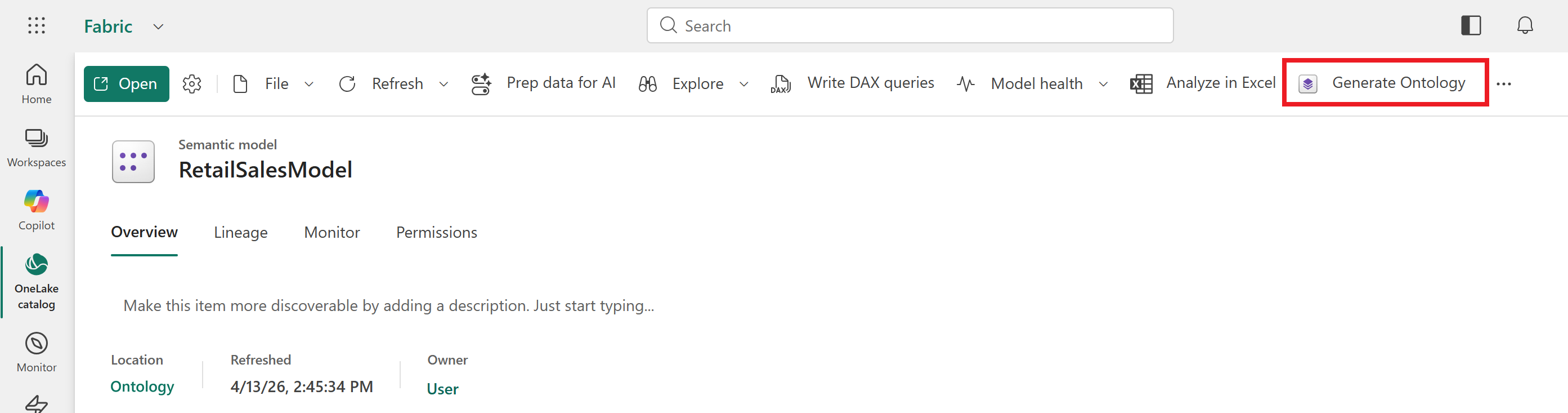
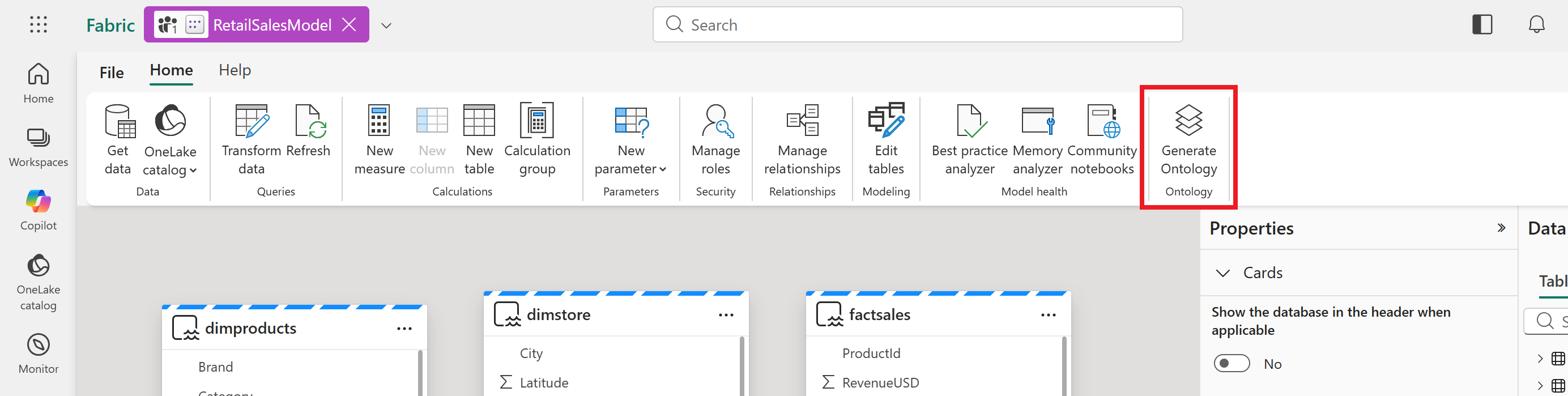
To generate an ontology from a semantic model, select Generate Ontology from the semantic model ribbon. This button is available whether or not the semantic model is open. If you don't see the Generate Ontology option, it might be hidden in the ... action menu.
Note
You can also create an empty ontology item from scratch and use the ontology agent to add semantic model data afterwards.
Enter the new ontology details when prompted and select Create.
After you create the ontology, review it and confirm it contains the entity types that you expect.
Open each entity type to view its details. Confirm that the entity type includes all information from the semantic model, including Properties, Relationships, and Metrics.
Add more semantic models with the ontology agent
Add one or more semantic models to an existing ontology by using the ontology agent.
With the ontology open, select Ontology agent and set the agent to Act mode.
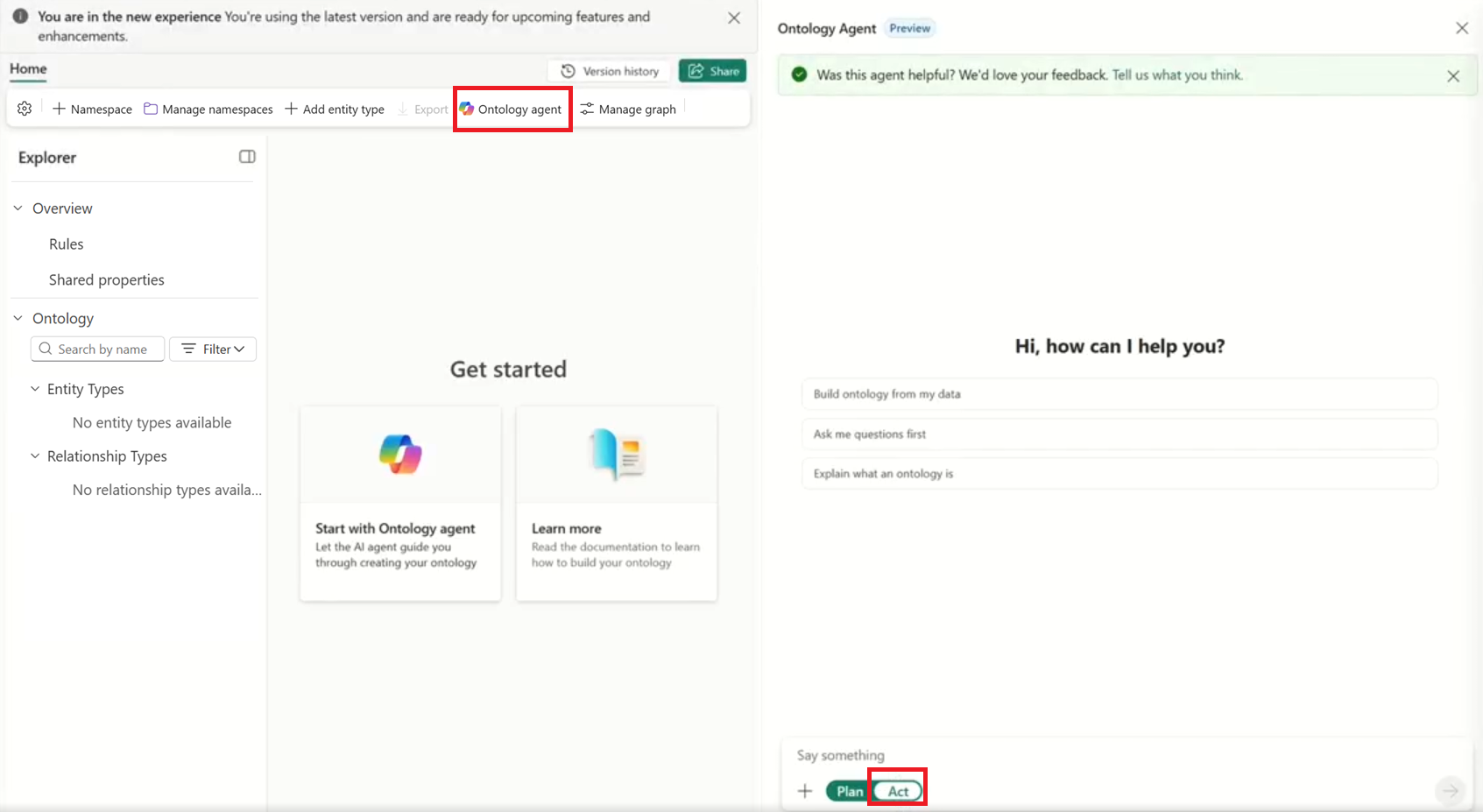
Prompt the agent to include additional semantic models that your Fabric account has access to. Here's an example query:
Use the following semantic models in this workspace to create a full 360 customer ontology to understand customer orders, support tickets, returns, sales details, and order details:
- customer_retention
- support_operations
- returns_refunds
- exec_sales_overview
Submit the query and let the agent process the request. The agent summarizes what it did and exposes its reasoning steps, including how it resolved conflicts between overlapping tables in the multiple models.
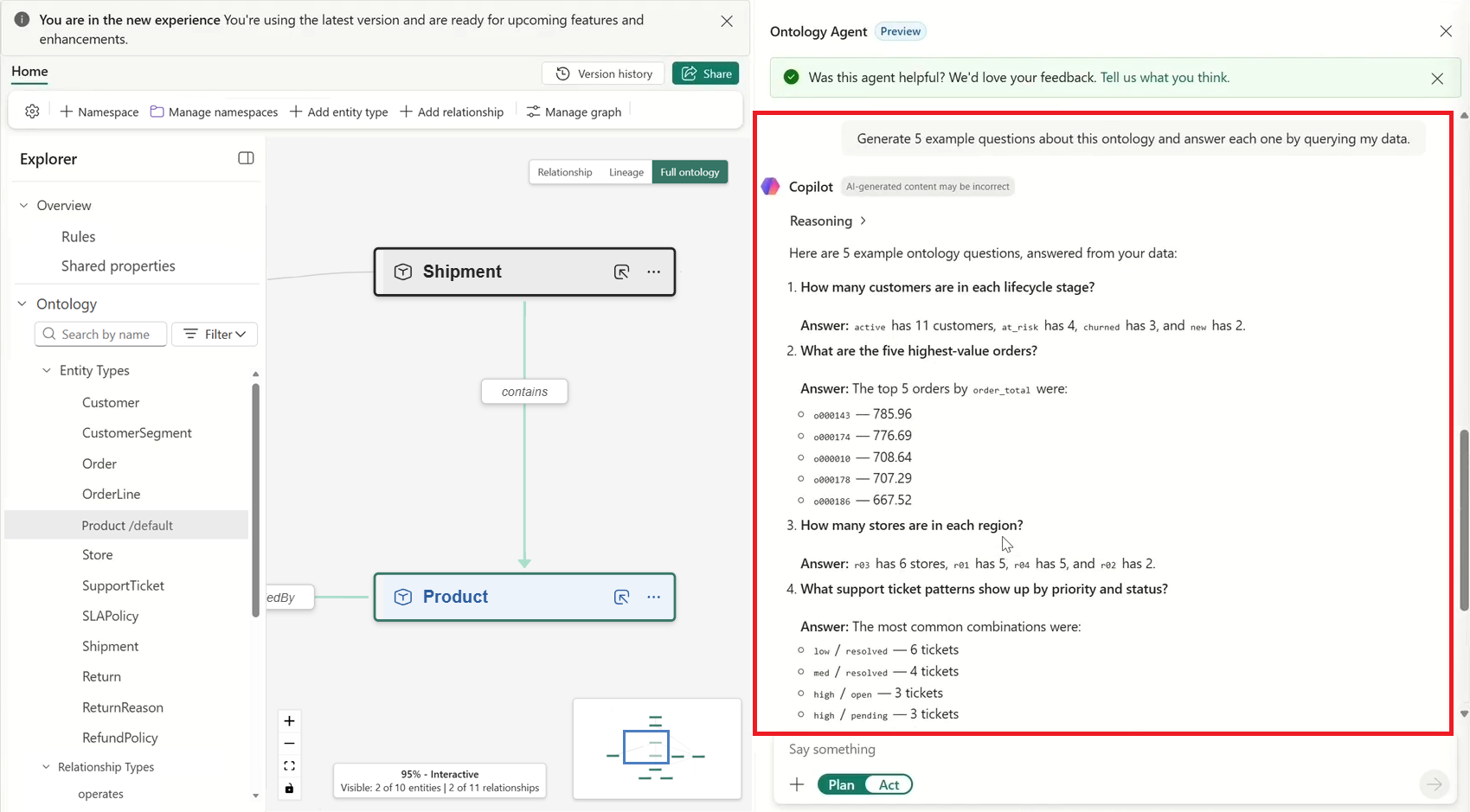
Confirm that the expected objects from all semantic models are present in the ontology, with no unintended duplicates.
Test and query the ontology
After you build the ontology with semantic model data, use the agent to validate it and run queries across all source models.
In the chat pane, select the Test the ontology suggestion.
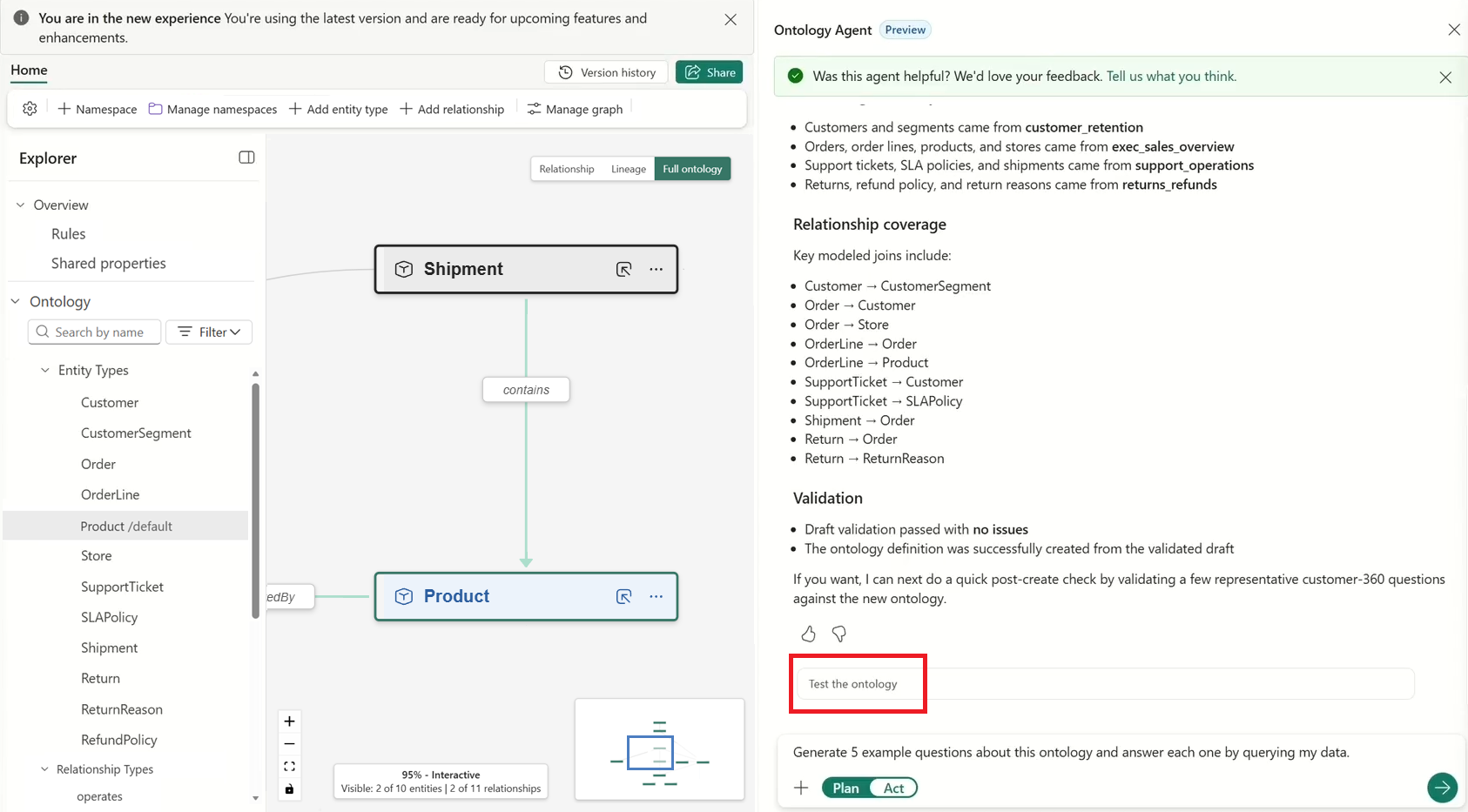
The agent generates a set of representative questions and answers them by querying the bound data.
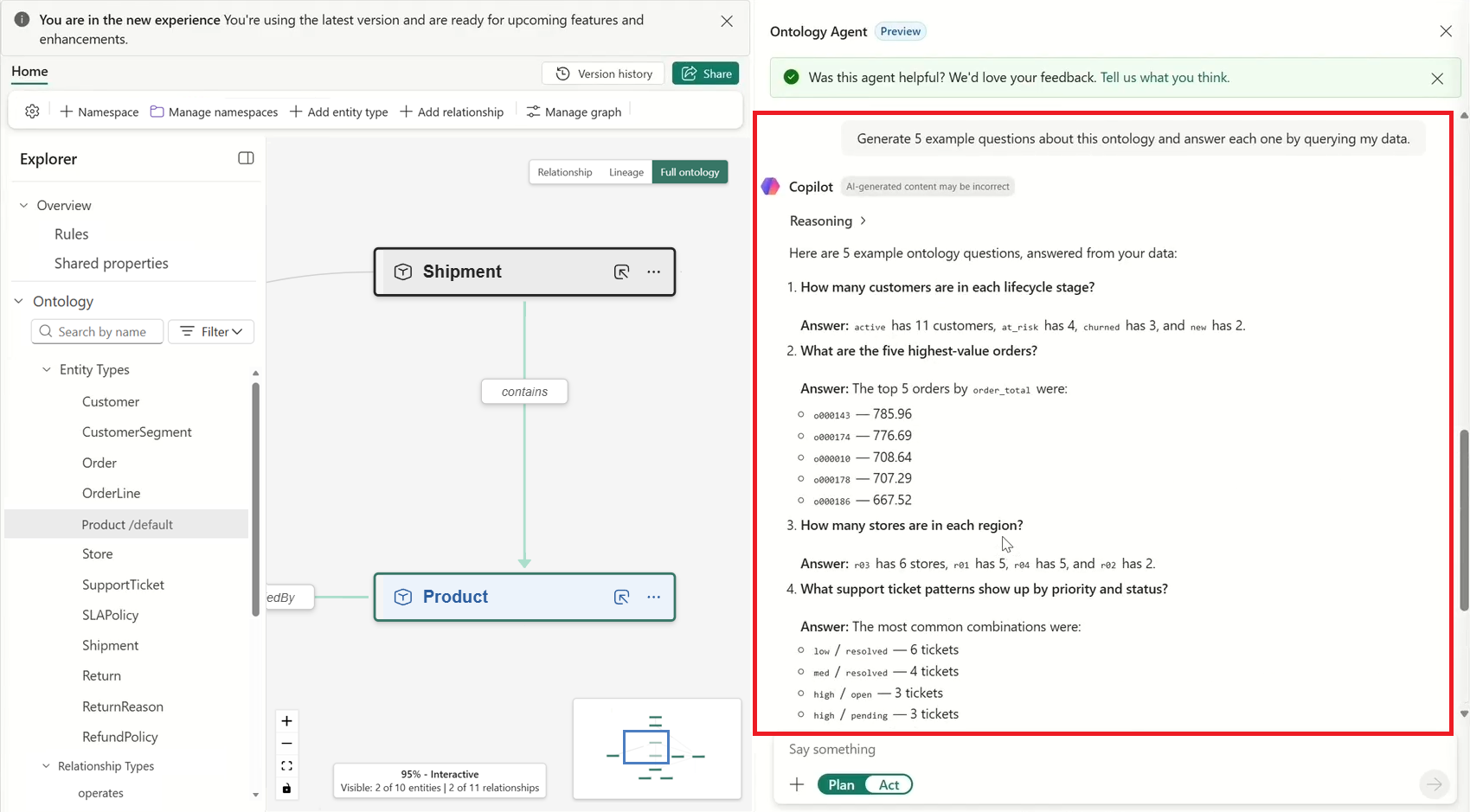
Ask your own question in plain language to query across the combined models. For example, ask Show me the total orders by store, where order data comes from one semantic model and store data comes from another.
The agent uses the relationships it created between orders, stores, and products to answer the question, even though the data originates in separate semantic models.
Note
You need both Read and Build permissions on the semantic models to generate an ontology from a semantic model and query the semantic models using ontology.