Note
Access to this page requires authorization. You can try signing in or changing directories.
Access to this page requires authorization. You can try changing directories.
Note
Support for targeted messages is available in public developer preview.
Targeted messaging enables users and agents to privately communicate with each other in channels, group chats, and meeting chats.
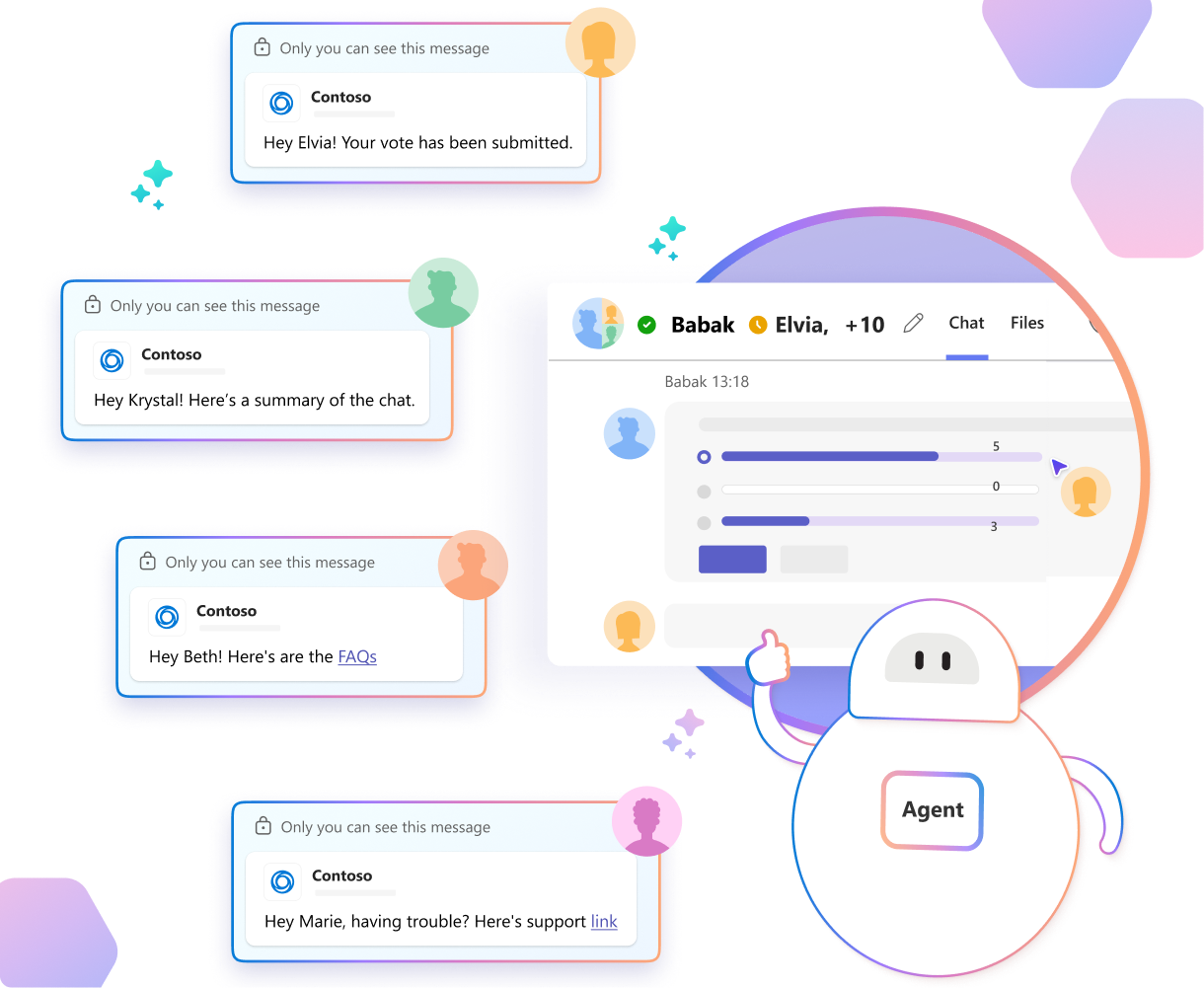
With targeted messages, a user can privately send a message or command to an agent that remains in the context of a group conversation. When the agent responds in the chat or channel, it can use a targeted message to make the response visible only to that user. Agents can also proactively send targeted messages to users to privately communicate contextual information, offer assistance, or provide reminders relevant to the group conversation.
Targeted messaging isn't available in one-on-one chats, where the conversation is already private anyway. Targeted messages can only be sent between a single user and a single agent, not between two users or two agents.
What are targeted messages
Targeted messages are private one-to-one messages between a user and an agent in a group conversation. They're presented in the flow of the conversation, but only the sender and their single recipient can see them. Targeted messages disappear from Teams clients after 24 hours to avoid cluttering conversations, but might be retained in secure storage to comply with organizational retention requirements.
Sending targeted messages to any user in a group conversation is a capability of all Teams agents. To be eligible to receive targeted messages, an agent must opt in via its configuration; see Receive targeted messages.
Targeted messaging enables users to privately interact with agents without distracting other users or exposing interactions and information that aren't meant for the group. Consider the following scenarios:
- A user can ask an agent to generate a summary of the discussion without the other participants seeing the request or the response.
- A user can privately ask for information from an agent with the intent of sharing it with the group, but wants to confirm the contents of the message first. The agent can respond privately, with a suggested action requesting the user's approval to share its response. When the user approves, the agent resends the message publicly.
- A user can direct and monitor background work with agents, referencing the context of the conversation, without distracting the other participants.
- An agent can detect a new user entering a large, long-running conversation and proactively send them a private welcome message and a summary.
Important
Targeted messaging is a fundamental part of agent design for group conversations, and requires careful handling of user privacy expectations. For more information, see Best practices and design guidance.
Key aspects of targeted messages
Targeted messages:
- Can be used only for one-to-one interactions between an agent and a user in channels, group chats, and meeting chats.
- Support all the capabilities of standard messages like buttons, images, Adaptive Cards, and files, but don't support reactions, replies, or forwarding.
- Generally operate the same way as standard messages, with the same API operations. Users and agents can modify or delete targeted messages after sending them, but can't change their visibility. If a scenario calls for a private message to be made public, the sender should delete it and resend it as a standard message; see Best practices and design guidance.
- Expire 24 hours after being sent. When a targeted message expires, Teams deletes it from all clients, although it might be retained in secure storage based on organizational policy.
- Aren't visible to untargeted users, even if they're using an older version of the Teams client that doesn't support targeted messages.
User experience
Targeted messages sent or received by a user are presented in the flow of the conversation with an indicator stating Only you can see this message.
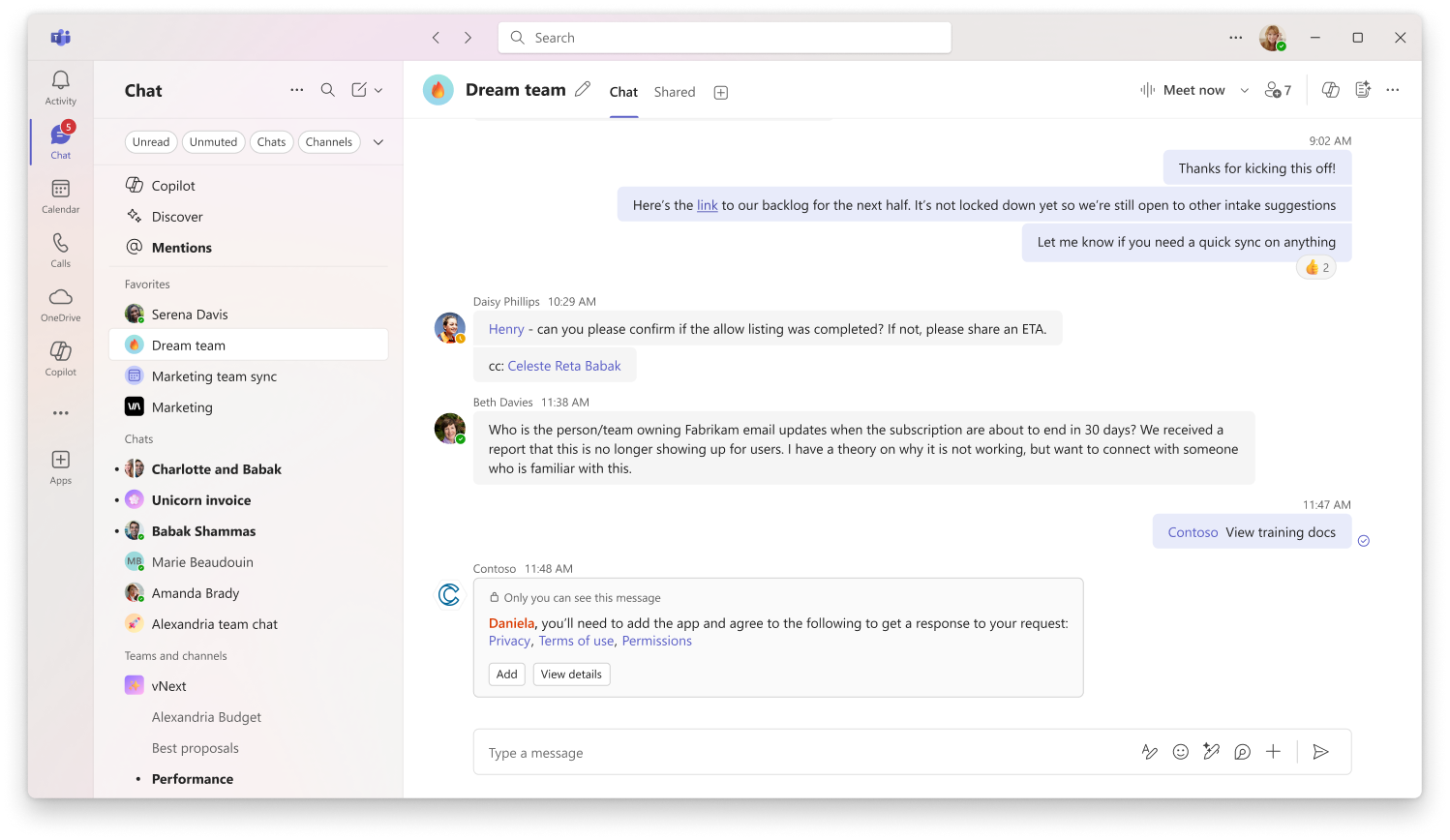
Users send targeted messages to an agent in a channel, group chat, or meeting chat by invoking its name as a slash command.
When a user enters a / in an empty compose box, Teams displays an autocomplete menu containing built-in commands for common tasks. If the conversation includes agents that are eligible to receive targeted messages, the menu will also include a targeted-message command for each of them, named after the agent and displaying its icon.
Activating an agent's targeted message command switches the compose box to targeted message mode. After the user composes a message and selects Send, the resulting message will be targeted to the agent and can't be seen by other participants in the conversation.
For more about slash commands, including how to register extra named slash commands that can be dispatched to your agent, see Expose slash commands from agents and apps.
Implement targeted messages
Targeted messages are sent and received using the same operations as standard single-recipient messages in the Teams SDK, but have a boolean property indicating whether they're targeted.
Receive targeted messages
An agent must opt in via its manifest to be able to receive targeted messages. If not opted in, Teams won't give users the option to send a targeted message to the agent.
Agents that opt in to receive targeted messages should always check the visibility of messages they receive and take it into consideration when generating responses and tracking the context of a conversation. For more information, see Best practices and design guidance.
To opt in to receive targeted messages, an agent's bots entry in its app manifest must include a true value for the supportsTargetedMessages property.
{
    "bots": [
        {
            "botId": "{{BOT_ID}}",
            "scopes": ["personal", "team", "groupChat"],
            "supportsTargetedMessages": true
        }
    ]
}
Agents receive messages via standard message events. Targeted messages can be distinguished from public messages as shown in the following snippets.
  teams.OnMessage(async (context, cancellationToken) => {
    if (context.Activity.Recipient?.IsTargeted == true){
      // Handle message event
    }
  });
Send a targeted message
All agents in Teams are automatically eligible to send targeted messages.
To send a targeted message, use WithRecipient to specify a single recipient by their ID, and provide a value of true for the isTargeted argument. The recipient must be a member of the chat or channel.
app.OnMessage(async context =>
{
// Using WithRecipient with isTargeted=true explicitly targets the specified recipient
await context.Send(
        new MessageActivity("This message is only visible to you!")
            .WithRecipient(context.Activity.From, isTargeted: true)
    );
});
If attempting to send a targeted message results in an error, consider sending a 1:1 chat message as a fallback.
Update or delete a targeted message
Targeted messages can be updated and deleted in the same way as standard messages, with the following limitations:
- The visibility of a targeted message can't be changed
- Targeted messages expire after 24 hours and are automatically deleted from clients. Attempting to modify or delete an expired message results in an error.
To update a targeted message, use one of the following code snippets:
// Update
var response = await context.Send(
    new MessageActivity("Original targeted message")
        .WithRecipient(context.Activity.From, true), cancellationToken);
var conversationId = context.Activity.Conversation.Id;
var messageId = response.Id;

var updatedMessage = new MessageActivity("This message has been updated!");
await context.Api.Conversations.Activities.UpdateTargetedAsync(conversationId, messageId, updatedMessage);
Delete a targeted message using one of the following code snippets:
// Delete
await context.Api.Conversations.Activities.DeleteTargetedAsync(conversationId, messageId);
Best practices and design guidance
Targeted messaging is a fundamental part of group conversations that include agents. Users expect agents to respect the privacy boundaries it creates.
Agents that can receive targeted messages should always check the visibility of messages received in group contexts and use it to inform response generation and conversation context tracking.
When designing agent interactions for group conversations, choosing between public and targeted messages in different situations requires careful judgment:
- A targeted request to an agent should result in a targeted response, unless the user or the situation explicitly calls for a public response.
- Public messages should be used in situations that are purely informational and don't require user-specific context. They should benefit the entire group and shouldn't contain any private information.
- Take care when using Adaptive Cards in targeted messages. Although the message itself is targeted, interactions with a card can still generate public activity that users might not expect.
Consider using suggested actions to ask a user if they'd like to share a targeted message publicly. If the user approves, delete the original message and resend it as public. If the message includes the user's original request in a quoted reply, consider providing the option to approve without including it in the public message.
Errors
Targeted message operations can return 400 Bad argument when the payload is invalid. On create, this error usually means the recipient is missing. Call WithRecipient(account, isTargeted: true) with a valid Account object. The same requirement applies to the Send TM API.
400 Bad argument can also occur when recipient data is included where it shouldn't be. Don't pass a recipient on update or delete, and don't include it in the Edit TM API payload.
403 BotNotInConversationRoster means the bot isn't a member of the conversation. Install the bot in the conversation before sending targeted messages. 404 ActivityNotFoundInConversation means the message ID wasn't found. The message might have been deleted or expired after 24 hours. In that case, send a new targeted message or wait for user input, based on business logic.
In prompt preview scenarios, 400 INVALID_TARGETED_MESSAGE_ID means the targeted message ID is invalid. Verify that the ID is correct. 404 TARGETED_MESSAGE_EXPIRED_OR_DELETED means the referenced message was deleted or expired after 24 hours. In that case, send a new targeted message or wait for user input, based on business logic.
More details on other messaging error codes can be found here.
Related content
Collaborate with us on GitHub
The source for this content can be found on GitHub, where you can also create and review issues and pull requests. For more information, see our contributor guide.
Platform Docs