Note
Access to this page requires authorization. You can try signing in or changing directories.
Access to this page requires authorization. You can try changing directories.
You can choose which types of knowledge sources your agents can reference. The Knowledge sources for agents setting controls access to sources like SharePoint, public websites, and documents such as files.
You can access the knowledge sources for agents setting from two places in the Power Platform admin center:
- The environment group rule policy.
- The Security Hub.
This setting is available at both the environment and environment group level. The configuration structure is similar to other settings: if an admin sets the control at the environment group level, then it's distributed to the environment level and can't be modified there.
Manage knowledge sources for agents
To manage knowledge sources for agents:
Sign in to the Power Platform admin center.
On the navigation pane, select Security.
Select the Data and privacy setting.
Select the Knowledge sources for agents setting.
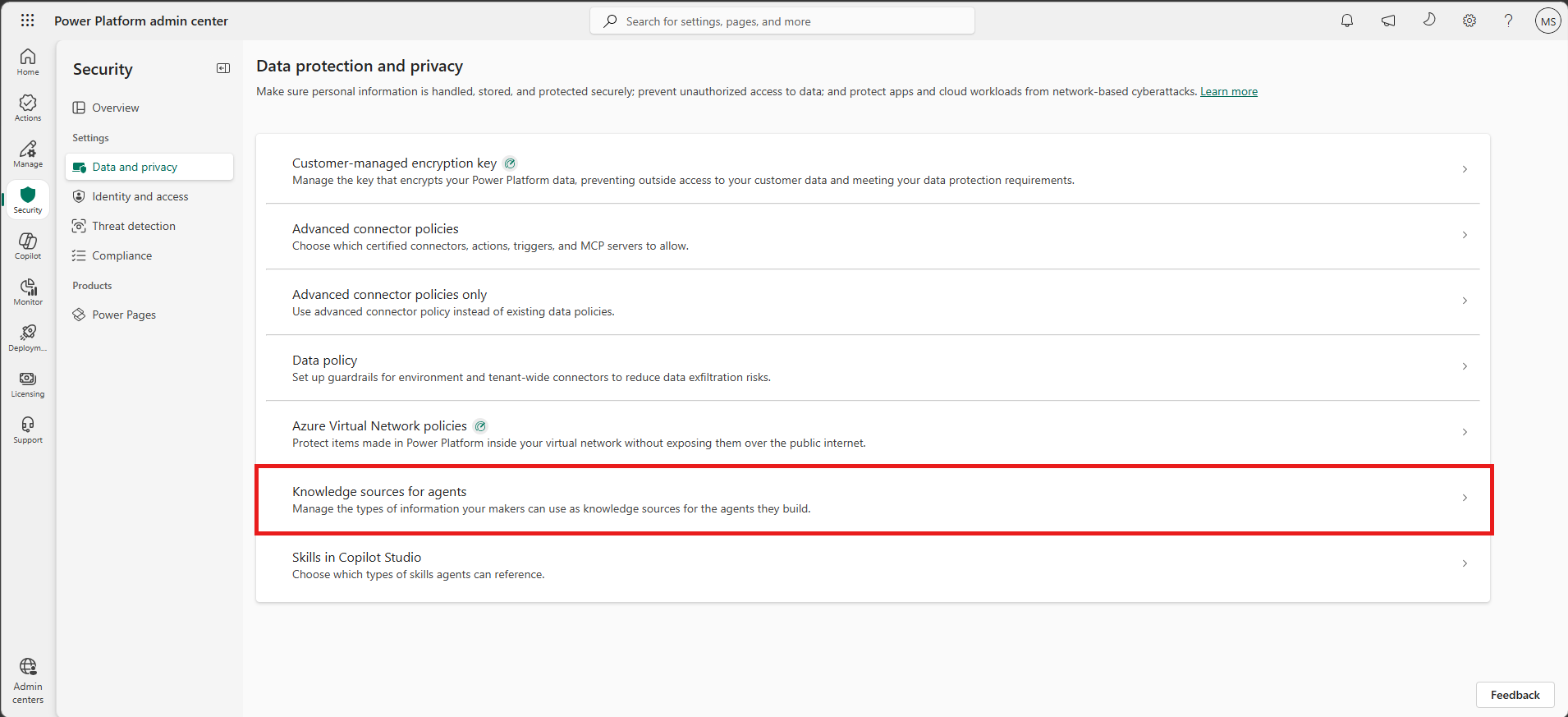
In the side pane, choose whether to sort by Environment groups or by Environments.
Select the environment group or environment that you want to configure.
After you select your environment group or environment, select Manage knowledge sources.
Select the type of information that you want to manage knowledge sources for:
- SharePoint + OneDrive: Configures whether agents can use SharePoint and OneDrive sites as knowledge sources. Choose from three options:
- None: Don't use any SharePoint and OneDrive sites as knowledge sources.
- All: Use all SharePoint and OneDrive sites as knowledge sources.
- Custom: Select which SharePoint and OneDrive sites agents can use. Agents reference them in priority order, starting with the first URL. Select either Allow or Deny under Access for each URL.
- Public websites: Configures whether agents can use public websites as knowledge sources.
- None: Don't use any public websites as knowledge sources.
- All: Use all public websites as knowledge sources.
- Custom: Select which public websites agents can use. Agents reference them in priority order, starting with the first URL. Select either Allow or Deny under Access for each URL.
- Documents: Configures whether people can upload documents to their agents to use as knowledge sources.
- Yes: Agents can use uploaded documents as knowledge sources.
- No: Agents can't use uploaded documents as knowledge sources.
- SharePoint + OneDrive: Configures whether agents can use SharePoint and OneDrive sites as knowledge sources. Choose from three options:
Select Save.