Note
Access to this page requires authorization. You can try signing in or changing directories.
Access to this page requires authorization. You can try changing directories.
If a stage runs slowly but reads, writes, and shuffles little data, the query itself is usually the bottleneck.
Use this page after you rule out skew and spill and high I/O in the longest stage. If the stage has only one task, see Long Spark stage with one task.
A slow stage with little I/O can have these causes:
- Reading a lot of small files
- Writing a lot of small files
- Slow UDFs
- Cartesian join
- Exploding join or explode
Use the SQL DAG to identify almost all of these issues.
Open the SQL DAG
To open the SQL DAG, scroll to the top of the job page and click Associated SQL Query:

The DAG appears. If it doesn't, scroll to find it:
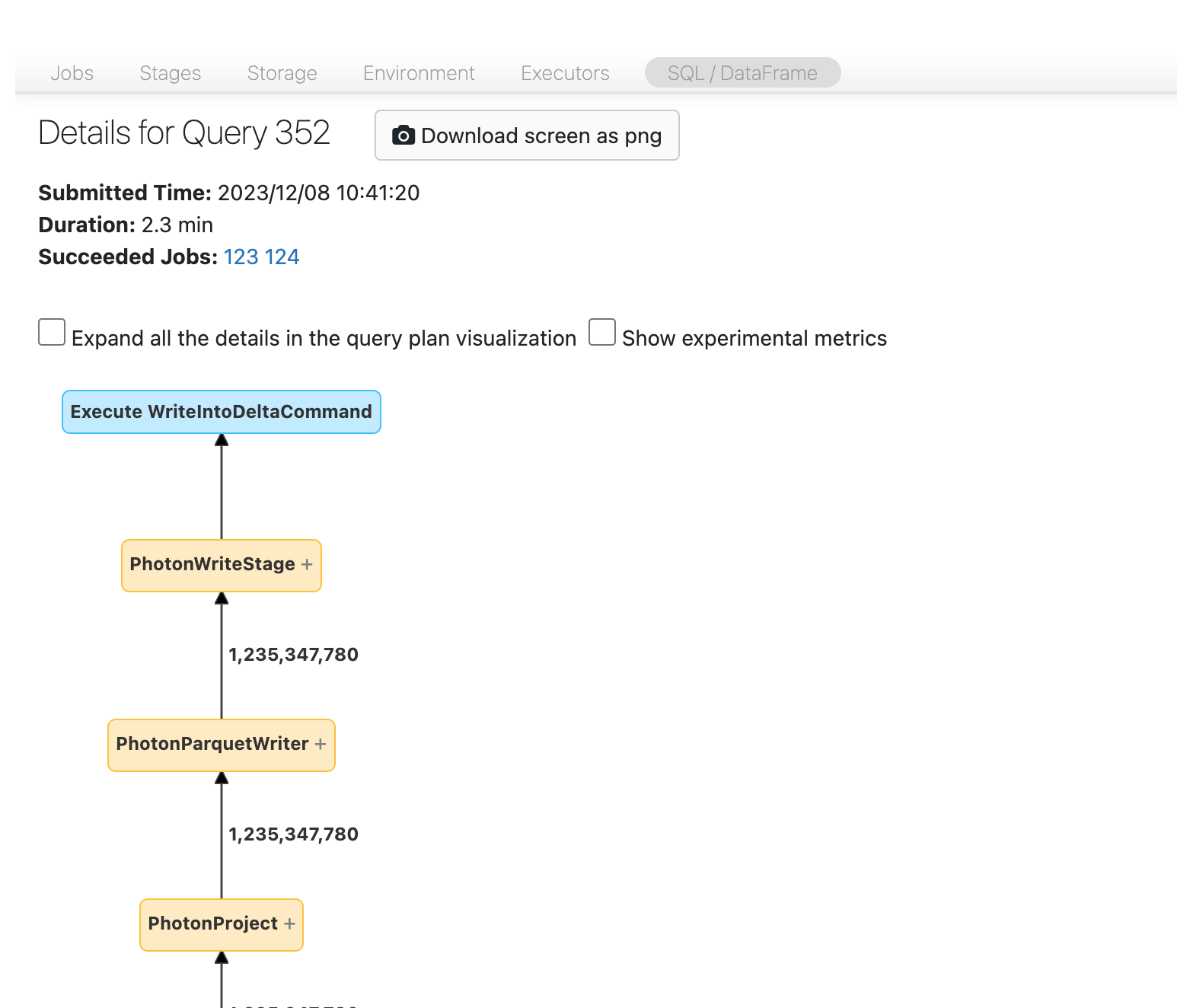
Study the DAG to identify where time is spent. Some nodes show their duration directly. For example, this node shows a duration of 2.1 minutes and includes the stage ID:

Other nodes show their duration only after you click them. In this example, the write node's duration is 1.4 minutes:
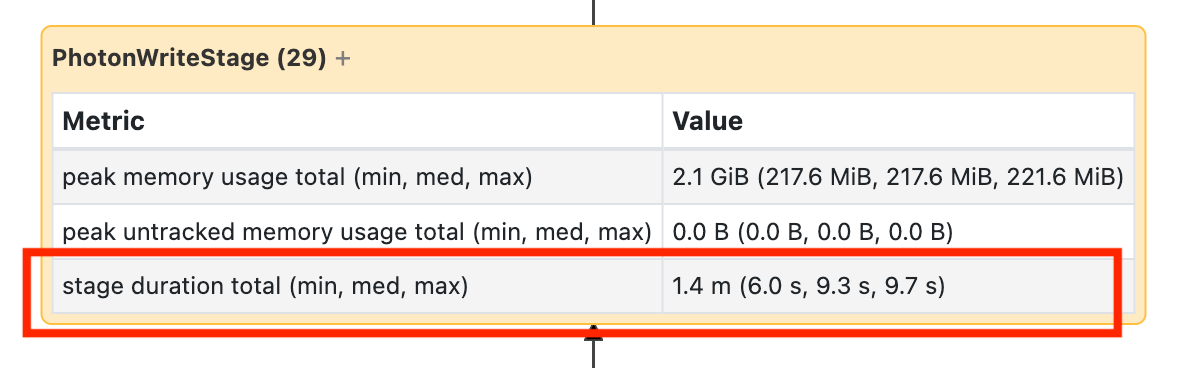
These times are cumulative and represent the sum of executor time across all tasks, not elapsed wall-clock time. They correlate with elapsed time and cost.
Click an operator to see metrics such as output rows, peak memory, and spill size. For definitions of the operator metrics that Spark reports, see SQL metrics in the Apache Spark web UI documentation.
Reading a lot of small files
If a scan operator consumes most of the time, click it and check the number of files read:
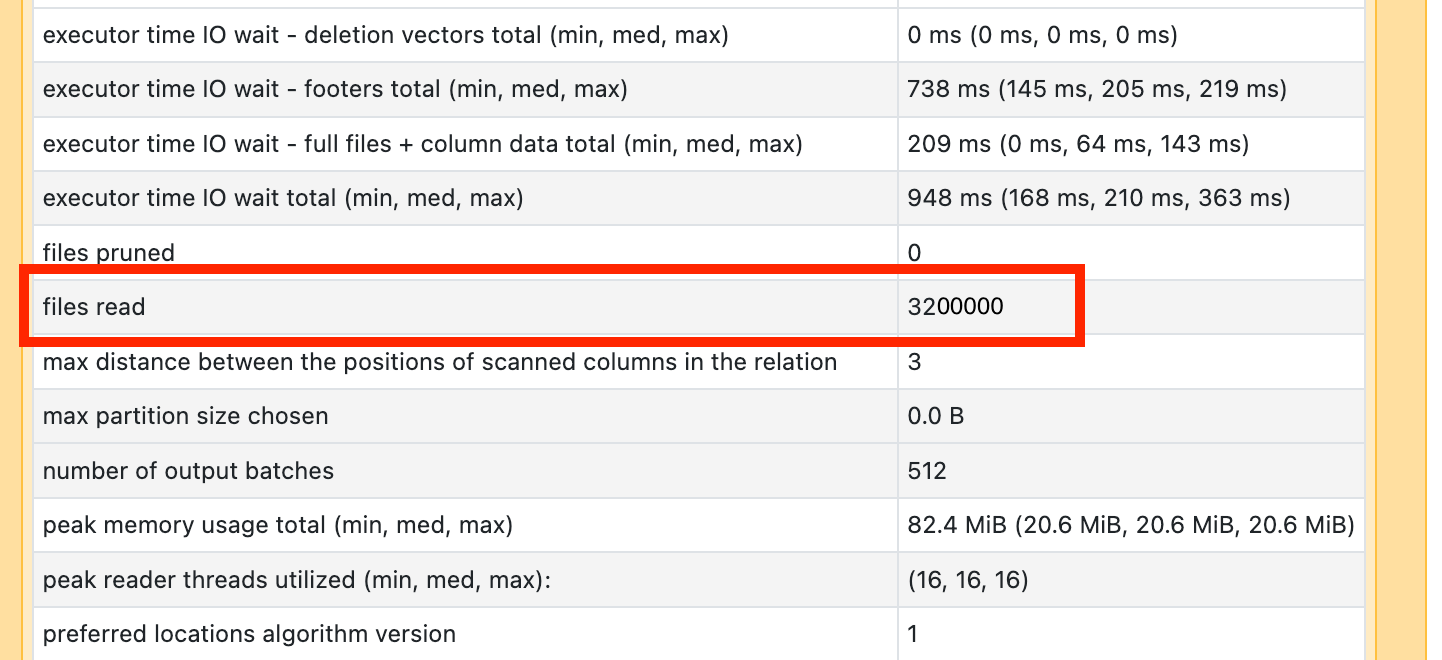
If the query reads tens of thousands of files or more, the table might have a small file problem. Files should be at least 8 MB. Partitioning on too many columns or on a high-cardinality column most often causes small files.
Running OPTIMIZE might help. Databricks recommends also enabling predictive optimization and reconsidering the file layout.
Writing a lot of small files
If a write operator consumes most of the time, click it and check the number of files and data written:
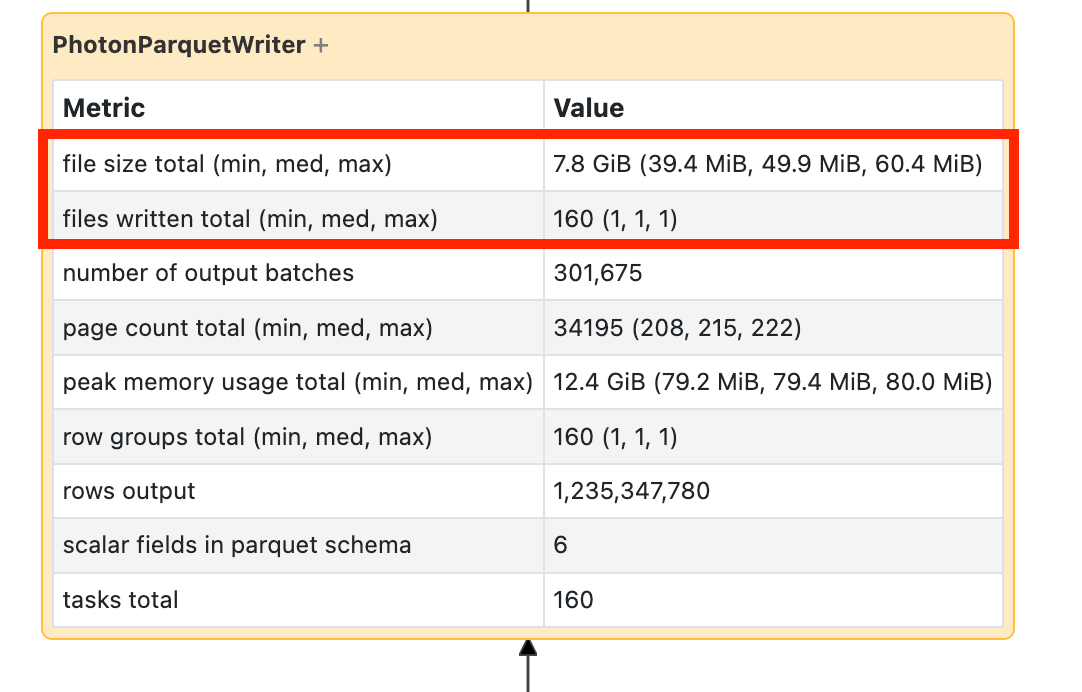
If the query writes tens of thousands of files or more, the table might have a small file problem. Files should be at least 8 MB. Partitioning on too many columns or on a high-cardinality column most often causes small files. Enable predictive optimization, reconsider the file layout, or turn on optimized writes.
Slow UDFs
If the query contains UDFs or a DAG node like this one, UDFs might be the bottleneck:
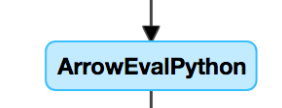
To verify, comment out the UDF and observe the pipeline speed. If the UDF is the bottleneck, rewrite it using native functions when possible. If you can't rewrite it, check the number of tasks that run the UDF. If the stage has fewer tasks than the cluster has cores, repartition() the DataFrame before you apply the UDF:
  (df
    .repartition(num_cores)
    .withColumn('new_col', udf(...))
  )
UDFs can also cause memory issues. Each task might load all the data in its partition into memory. If this data is too large, the query might become slow or unstable. Repartitioning also helps here because it makes each task smaller.
Cartesian join
Cartesian joins and nested loop joins are very expensive. If one appears in the DAG, verify that it's intentional and consider alternatives. If the join condition is a point in interval or interval overlap condition, see Range join optimization.
Exploding join or explode
If a DAG node shows a small number of input rows and far more output rows, an exploding join or explode() might be the cause:
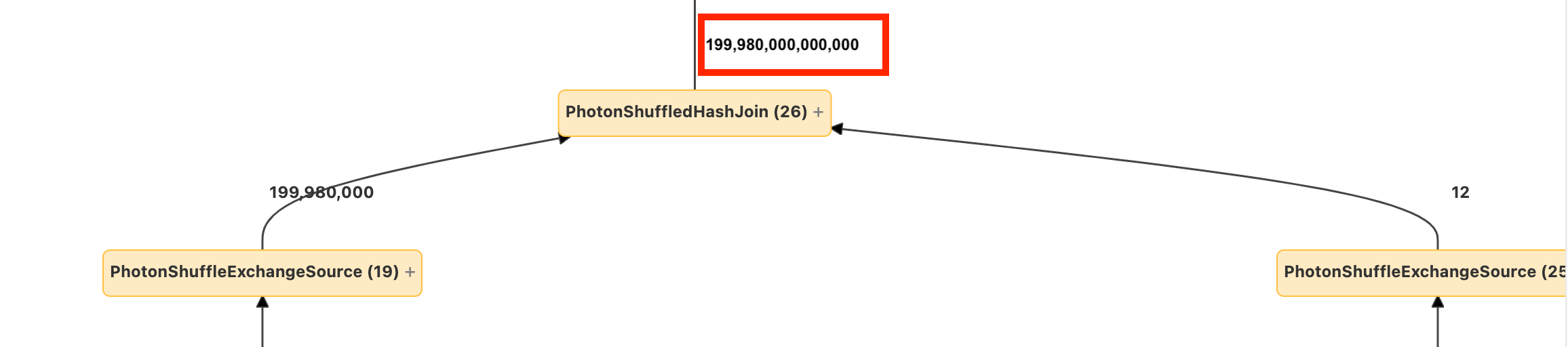
To fix an exploding join, determine which subset of the result you need, and then update the join condition or reduce the number of input rows from both relations. See EXPLODING_JOIN.