Note
Access to this page requires authorization. You can try signing in or changing directories.
Access to this page requires authorization. You can try changing directories.
In this article, you learn how to perform power cycle operations such as start, stop, and restart on the Azure Arc-enabled SCVMM Virtual Machines.
Prerequisites
Before you perform power cycle operations on a VM, make sure that you meet the following prerequisites:
- The SCVMM management server is in a Connected state and its associated Azure Arc resource bridge is in a Running state.
- The VM that you want to operate from Azure is enabled for management in Azure.
- Azure Arc SCVMM VM Contributor role or a custom Azure role with permissions to make any changes to the SCVMM VMs on which you want to perform the power operations.
Perform power cycle operations
To perform power cycle operations, follow these steps:
Sign in to the Azure portal. Go to Azure Arc > SCVMM management server and select the SCVMM server that manages the VM you want to operate.
Go to the Virtual machines inventory view under the SCVMM inventory. Alternatively, go to the inventory view for VMs enabled for management in Azure from Azure Arc > Machines.
Select the machine on which you want to perform power cycle operations.
You can now perform the following power cycle operations:
- Start: Select Start > Yes to start the machine.
- Restart: Select Restart > Yes to restart the machine.
- Stop: Select Stop > Yes to stop the machine.
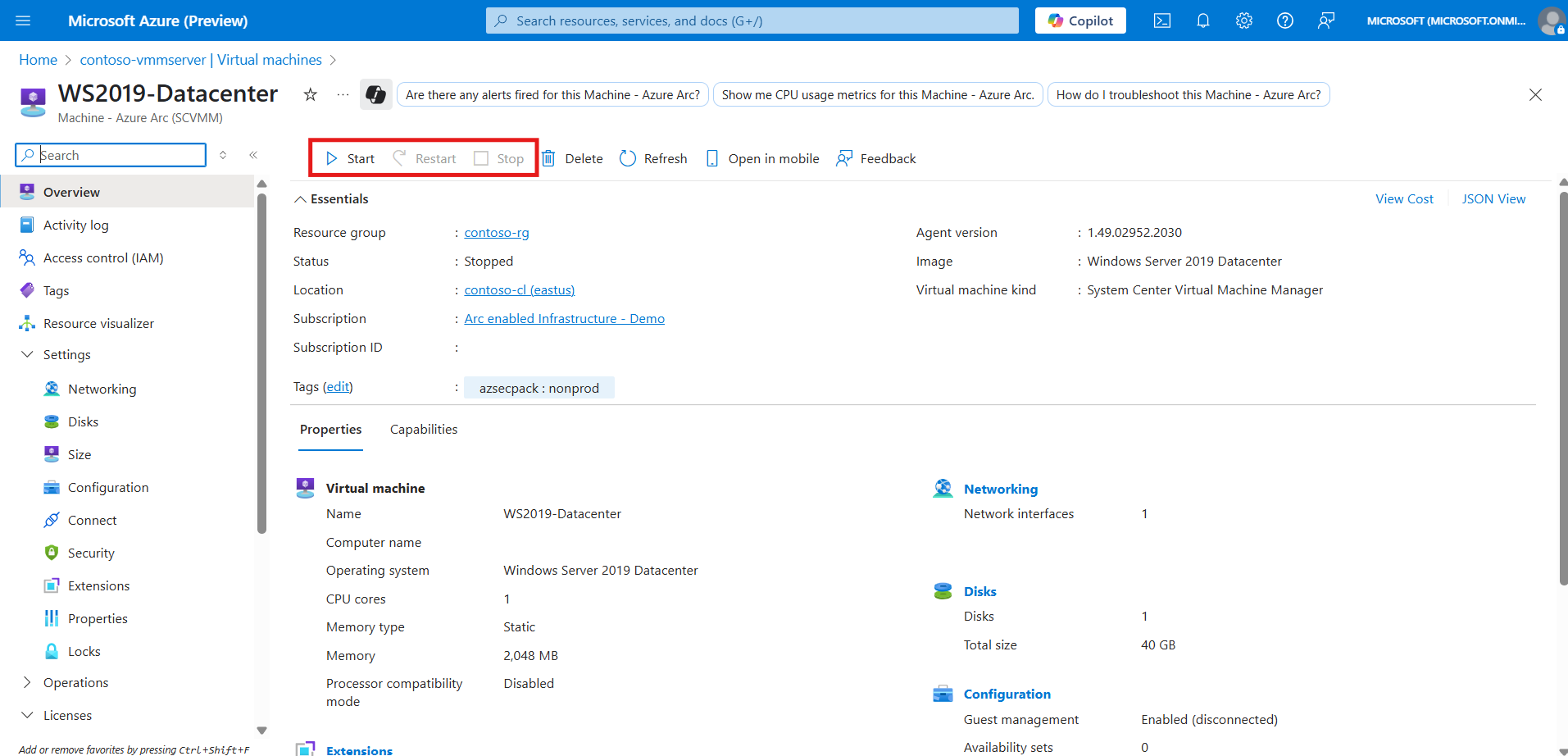
You can track the progress of the Azure operations from the Azure activity log.