Note
Access to this page requires authorization. You can try signing in or changing directories.
Access to this page requires authorization. You can try changing directories.
Azure Load Balancer is a networking service that distributes inbound traffic across a group of backend resources to improve the scalability and availability of your applications. Understanding its components helps you configure how the load balancer distributes traffic, monitor the health of backend resources, and control inbound and outbound connectivity for your workloads. This article describes each component and how it contributes to load balancing.
Azure Load Balancer includes the following key components:
- Frontend IP configuration
- Backend pool
- Health probes
- Load balancer rules
- High availability (HA) ports
- Inbound NAT rules
- Outbound rules
You configure these components in your subscription through the Azure portal, Azure CLI, Azure PowerShell, or an Azure Resource Manager template.
Frontend IP configuration
The frontend IP configuration is the IP address of your Azure Load Balancer and the point of contact for clients. A frontend IP address can be either of the following types:
- Public IP address
- Private IP address
The nature of the IP address determines the type of load balancer that you create. A private IP address creates an internal load balancer. A public IP address creates a public load balancer.
| Attribute | Public load balancer | Internal load balancer |
|---|---|---|
| Frontend IP configuration | Public IP address | Private IP address |
| Description | A public load balancer maps the public IP and port of incoming traffic to the private IP and port of the VM. The load balancer maps traffic the other way around for the response traffic from the VM. Load-balancing rules distribute specific types of traffic across multiple VMs or services. For example, they spread the load of web request traffic across multiple web servers. | An internal load balancer distributes traffic to resources inside a virtual network. Azure restricts access to the load-balanced frontend IP addresses of a virtual network. Azure never directly exposes frontend IP addresses and virtual networks to an internet endpoint, so an internal load balancer can't accept incoming traffic from the internet. Internal line-of-business applications run in Azure and are accessed from within Azure or from on-premises resources. |
| SKUs supported | Standard | Standard |
Important
On September 30, 2025, Basic Load Balancer was retired. For more information, see the official announcement. If you're currently using Basic Load Balancer, upgrade to Standard Load Balancer as soon as possible. For upgrade guidance, see Upgrading from Basic Load Balancer - Guidance.
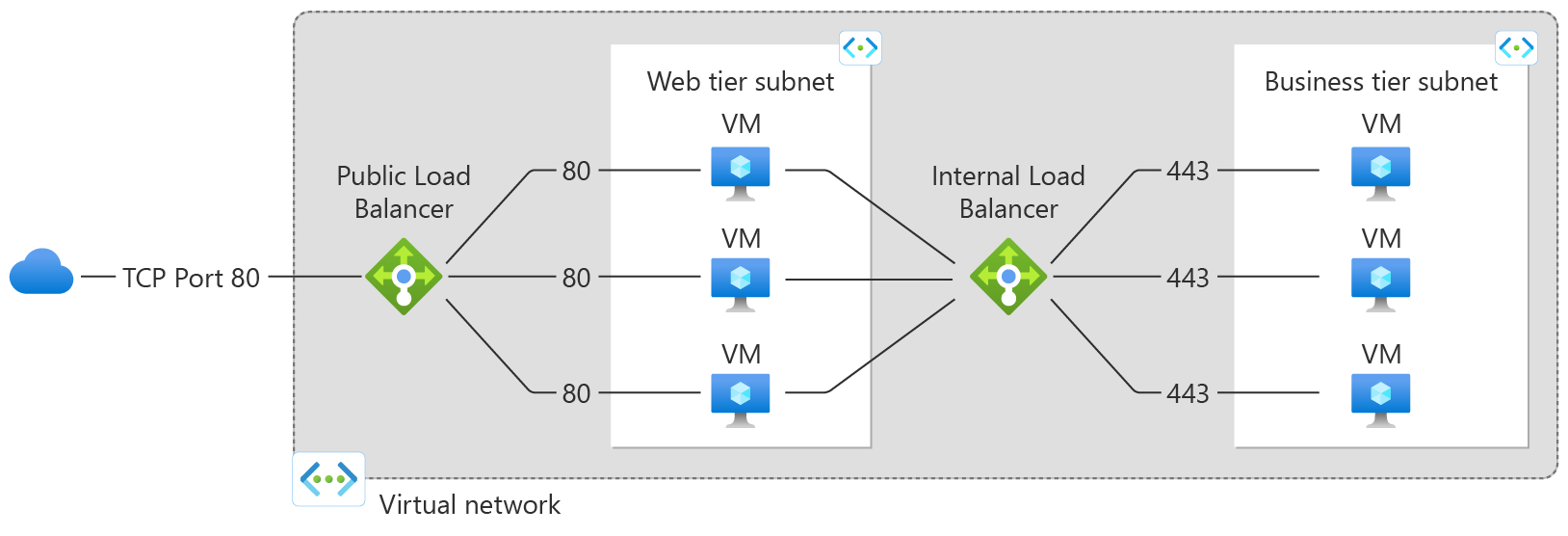
A load balancer can have multiple frontend IPs. Learn more about multiple frontends.
Backend pool
The backend pool is the group of virtual machines or instances in a virtual machine scale set that serves the incoming request. To scale cost-effectively and meet high volumes of incoming traffic, add more instances to the backend pool.
Load Balancer automatically reconfigures itself when you scale instances up or down. Adding or removing VMs from the backend pool reconfigures the load balancer without other operations. The scope of the backend pool is any virtual machine in a single virtual network.
Backend pools support adding instances by using network interfaces or IP addresses. VMs don't need a public IP address to attach to the backend pool of a public load balancer. You can attach VMs to the backend pool of a load balancer even if they're in a stopped state. You can also configure multiple backend pools with different groups of instances for a single load balancer. By creating multiple load-balancing rules, each targeting a different backend pool, you can distribute traffic to different sets of backend resources based on the load balancer frontend port and protocol.
Health probes
A health probe checks the health of the instances in the backend pool. When you create the load balancer, you set up a health probe for it to use. This health probe decides if an instance is healthy and can handle traffic.
You can set the unhealthy threshold for your health probes. When a probe doesn't respond, the load balancer stops sending new connections to the unhealthy instances. Established TCP connections to the unhealthy instance continue until one of the following events occurs:
- The application ends the flow.
- An idle timeout occurs.
- The VM shuts down.
If a single instance is unhealthy, existing UDP flows move to another healthy instance in the backend pool. If all instances are unhealthy, all existing UDP flows terminate.
Load Balancer provides different health probe types for endpoints: TCP, HTTP, and HTTPS. To learn more, see Load Balancer health probes.
Basic Load Balancer (retired) doesn't support HTTPS probes. When a single instance's probe is down, established TCP connections to that instance continue. When all instances' probes are down, Basic Load Balancer terminates all existing TCP flows to the backend pool.
Load balancer rules
A load balancer rule defines how the load balancer distributes incoming traffic to all the instances in the backend pool. The rule maps a frontend IP configuration and port to multiple backend IP addresses and ports. Load balancer rules apply to inbound traffic only.
For example, use a load balancer rule for port 80 to route traffic from your frontend IP to port 80 of your backend instances.
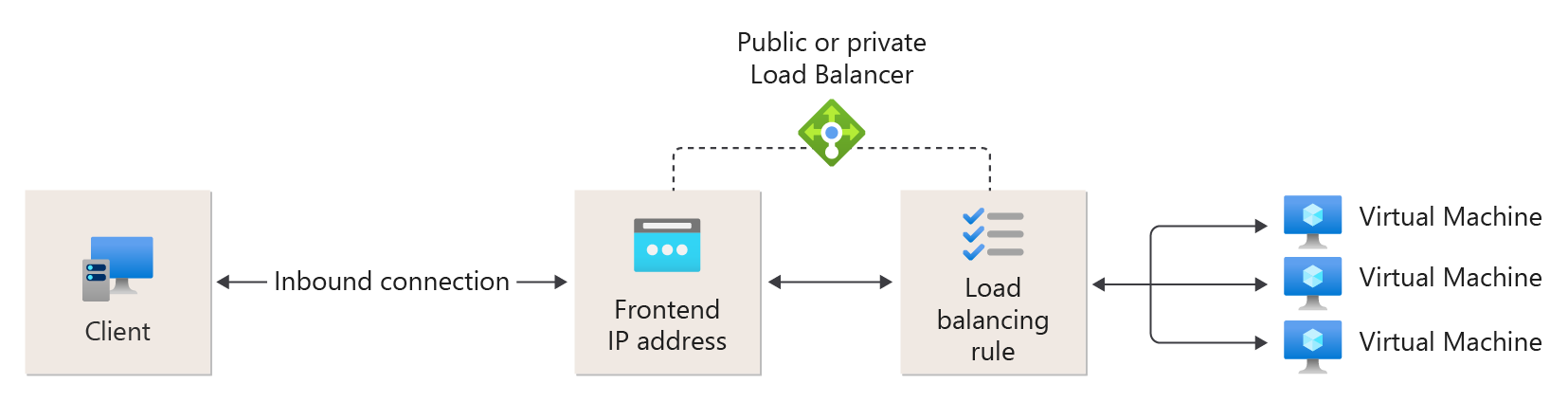
Figure: Load-balancing rules
High availability ports
A high availability (HA) ports rule is a load balancer rule that you configure with protocol set to All and port set to 0. A single HA ports rule load-balances all TCP and UDP flows that arrive on all ports of an internal Standard Load Balancer. When you enable HA ports, the rule also supports ICMP traffic.
The load balancer makes the load-balancing decision per flow based on the following 5-tuple connection:
- Source IP address
- Source port
- Destination IP address
- Destination port
- Protocol
HA ports support critical scenarios that need high availability and scale across many ports, such as network virtual appliances (NVAs) like firewalls, VPNs, or SD-WAN devices. In these scenarios, defining an individual load-balancing rule for each port isn't practical. The load balancer distributes traffic per connection flow and uses health probes to send traffic only to healthy instances.
Basic Load Balancer (retired) and public load balancers don't support HA ports. HA ports aren't intended for typical web or application workloads that require port-specific rules.
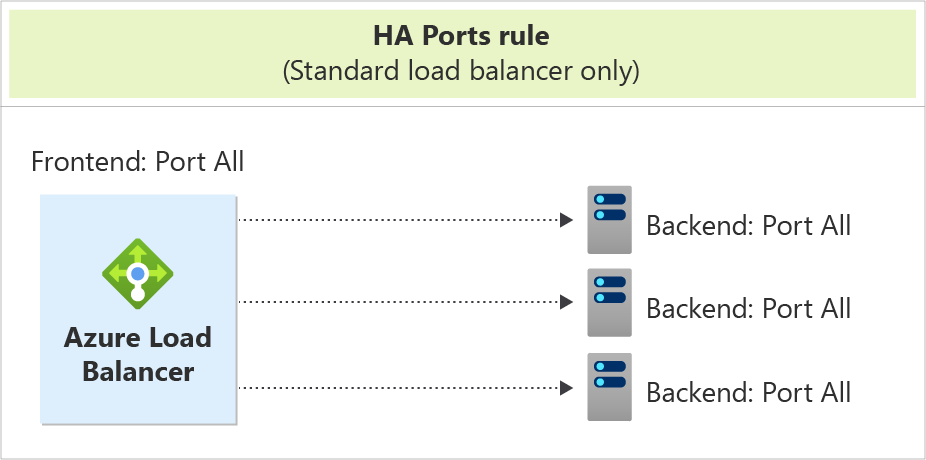
Figure: HA ports rule
Learn more about HA ports.
Inbound NAT rules
An inbound NAT rule forwards incoming traffic that arrives at a frontend IP address and port combination. The rule sends this traffic to a specific virtual machine or instance in the backend pool. Port forwarding uses the same hash-based distribution as load balancing.
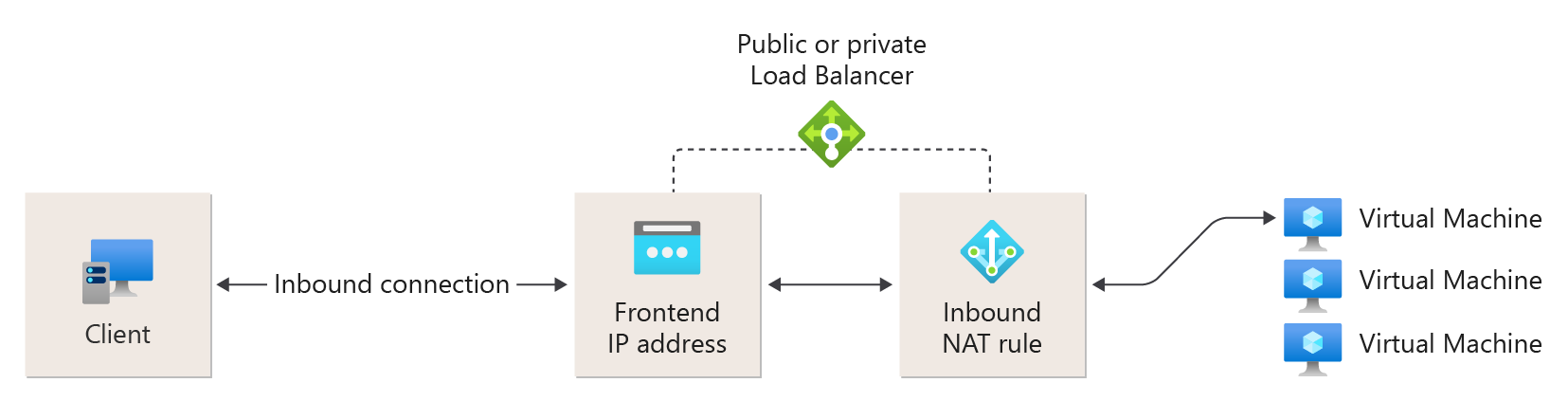
Figure: Inbound NAT rules
Outbound rules
An outbound rule configures outbound network address translation (NAT) for all virtual machines or instances that the backend pool identifies. By using this rule, instances in the backend can communicate (outbound) to the internet or other endpoints.
Learn more about outbound connections and rules.
Basic Load Balancer (retired) doesn't support outbound rules.
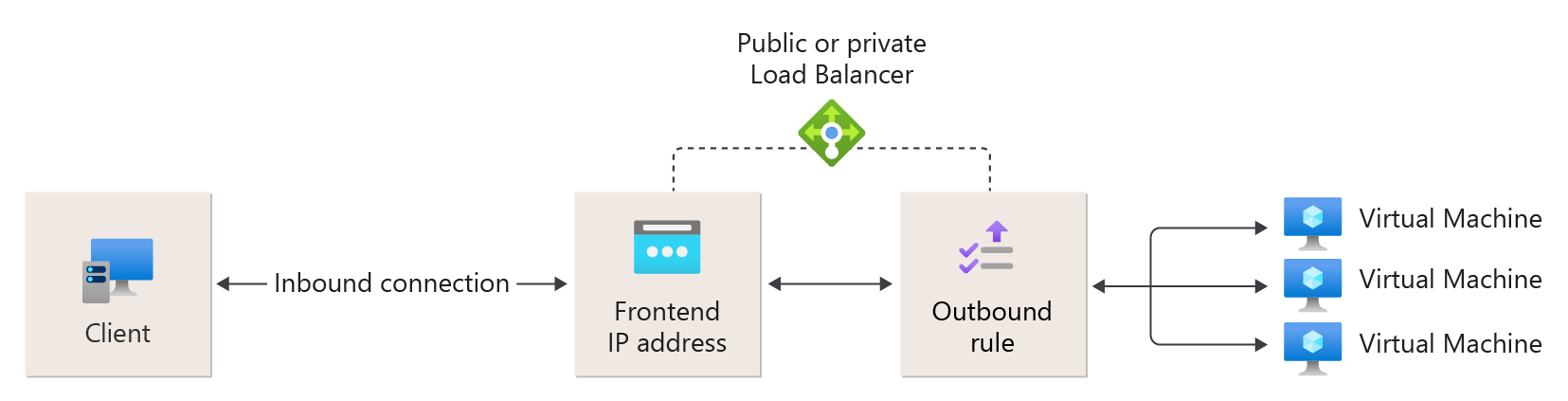
Figure: Outbound rules
Limitations
- Learn about load balancer limits.
- Load balancer provides load balancing and port forwarding for specific TCP or UDP protocols. Load-balancing rules and inbound NAT rules don't support other IP protocols, including ICMP, except that an internal Standard Load Balancer supports ICMP traffic when you enable HA ports. For more information, see HA ports overview.
- Load Balancer backend pool can't consist of a Private Endpoint.
- Outbound flow from a backend VM to a frontend of an internal load balancer fails.
- A load balancer rule can't span two virtual networks. All load balancer frontends and their backend instances must be in a single virtual network.
- Load-balancing rules don't support forwarding IP fragments. Load-balancing rules don't support IP fragmentation of UDP and TCP packets.
- You can have only one public load balancer (NIC based) and one internal load balancer (NIC based) per availability set. However, this constraint doesn't apply to IP-based load balancers.