Note
Access to this page requires authorization. You can try signing in or changing directories.
Access to this page requires authorization. You can try changing directories.
Agents created as part of Agent 365 are governed by the same policy framework used for new end users in Microsoft Teams. However, some settings require special attention due to security reasons. When an agent is created from an Agent Blueprint, it receives the default user policies that are automatically applied to new users in the organization.
You can view and update these agents’ policy assignments in Teams Admin Center, using the same experience and controls available for other users. Read more on Teams settings and policies reference.
How policies apply to Microsoft Agent 365 agents
All existing Teams user policies apply to agents.
Agents inherit the organization’s default policy assignments when they are created.
You can reassign or customize policy settings for each agent as needed.
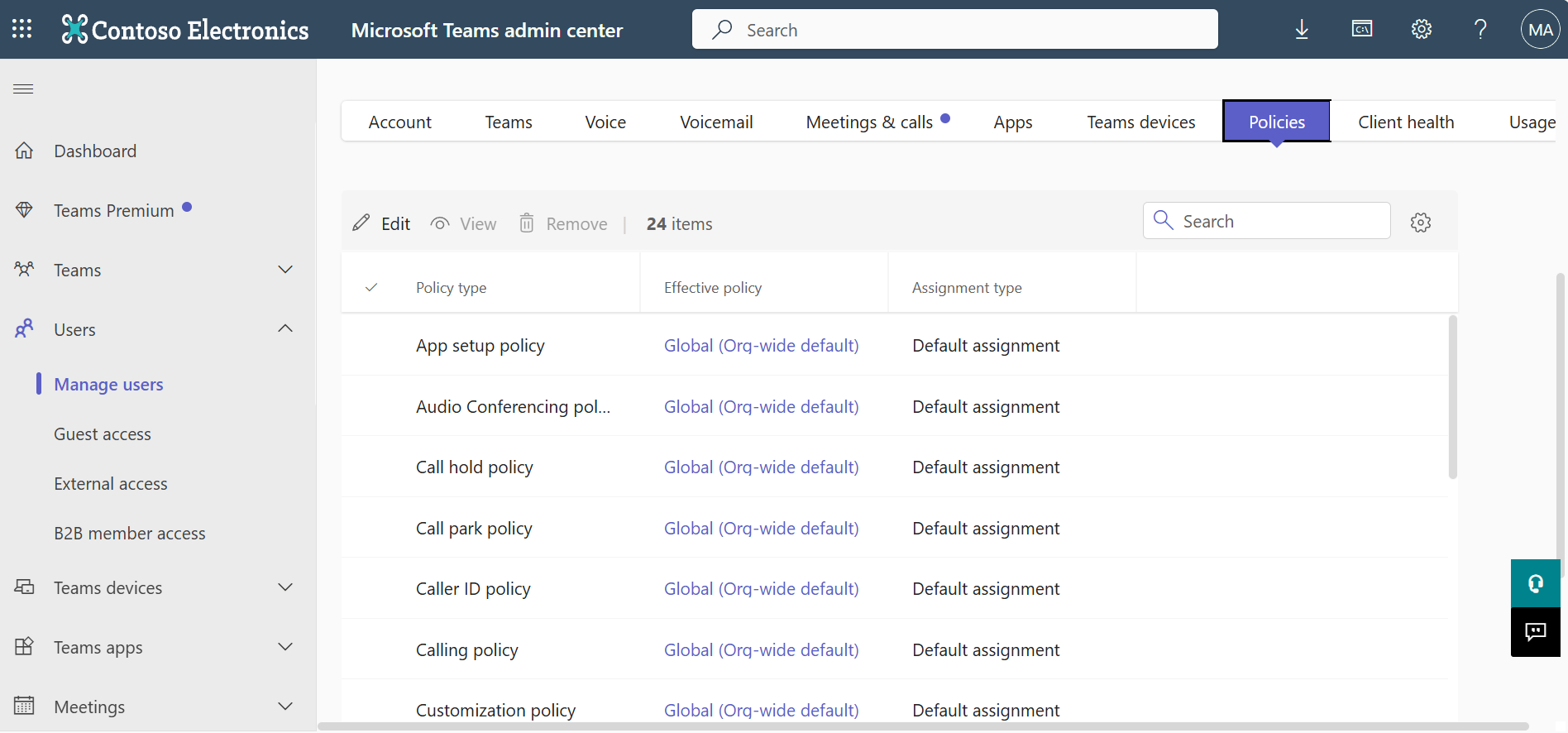
To review or update these agents’ policies:
Navigation: Teams admin center > Users > Manage users > Policies
Important
- The policy areas listed here highlight key settings related to agent behavior, with a focus on external collaboration. This list is not exhaustive.
- Carefully review all applicable user policies to ensure agents are configured appropriately for your organization’s security and collaboration requirements.
Key policy areas to review for Microsoft Agent 365 agents
While agents follow the same policy model as normal end users, some settings require special attention. These settings can affect how agents interact with external participants, schedule meetings, send messages, and access shared content.
External collaboration
External collaboration settings span several policy areas. They control how agents can communicate or interact outside your organization. These settings are important for data security and help ensure agents stay within the intended collaboration boundaries.
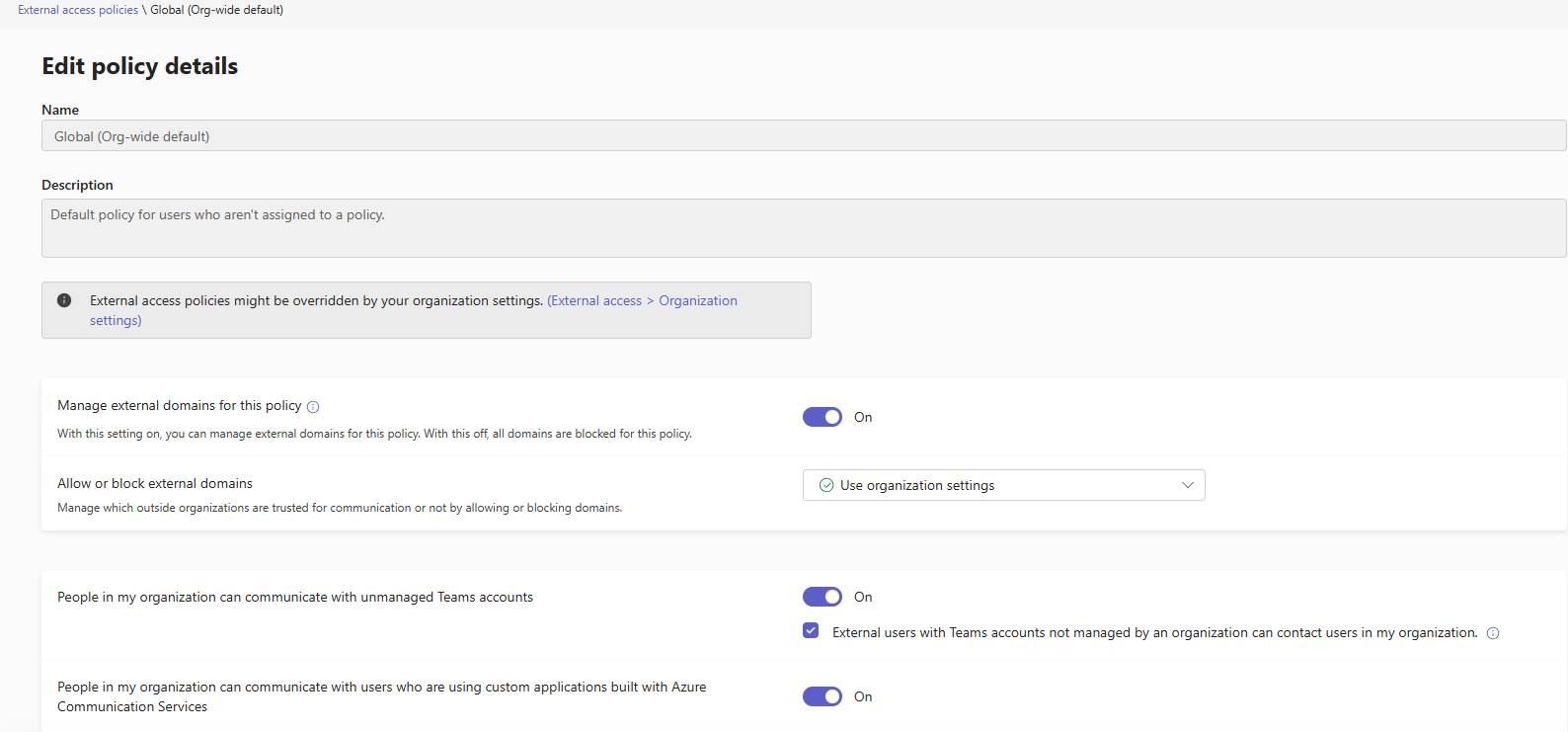
External access and guest access
These settings control whether agents can:
Start chats with external users.
Join external tenants’ meetings.
Invite guests or external participants to shared channels.
Interact with external organizations through Teams chat or channels.
Related articles for external access and guest access
- Use guest access and external access to collaborate with people outside your organization
- Collaborate with external participants in a shared channel
Meeting policies
Meeting policies can also impact external collaboration. You can control whether:
Agents can schedule meetings that allow anonymous participants.
Anonymous or external users can interact with apps in meetings organized by an agent.
Agents themselves can join meetings hosted by another organization.
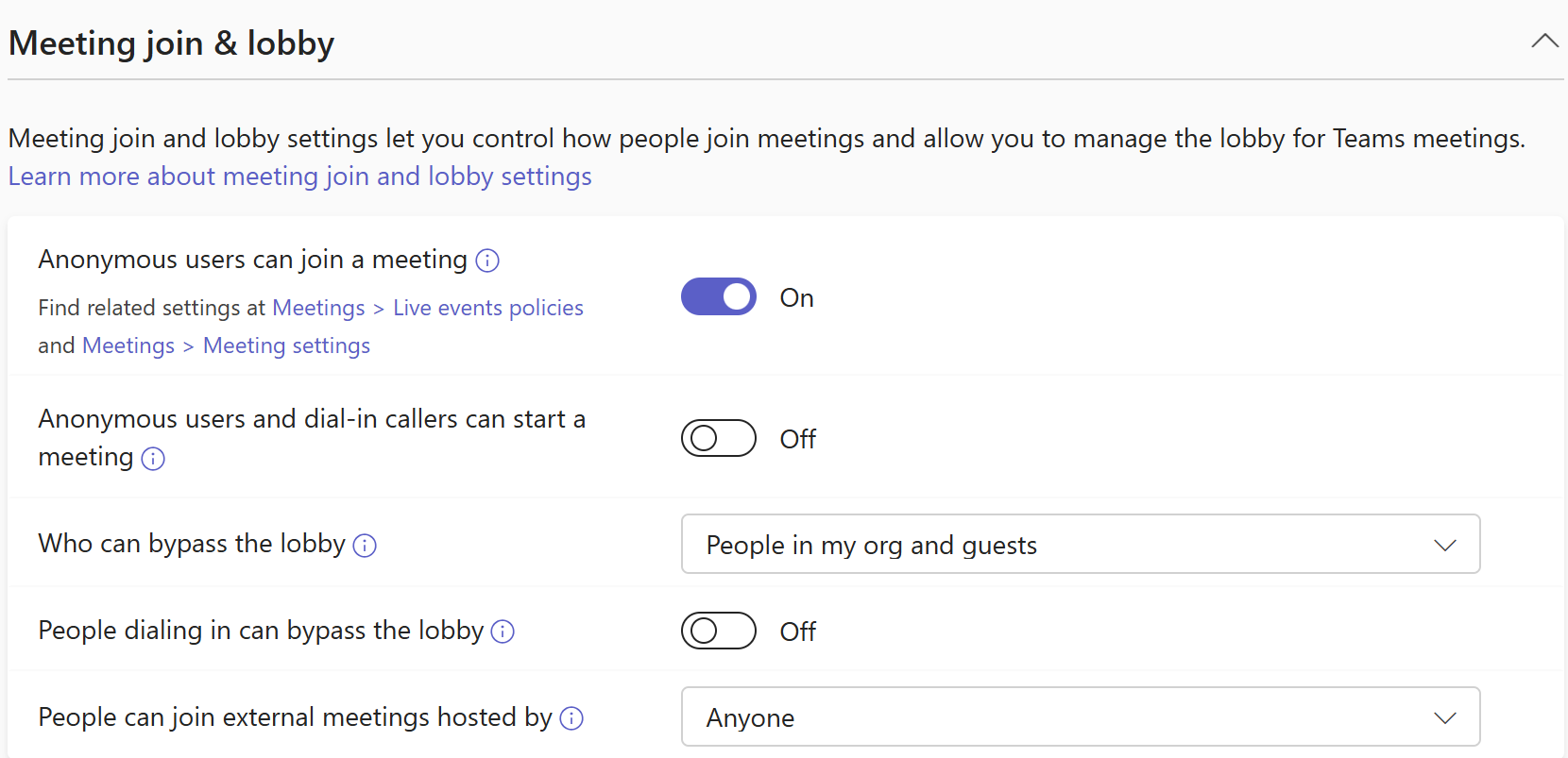
These settings help ensure agents operate securely within intended collaboration boundaries.
Related articles for meeting policies
Messaging
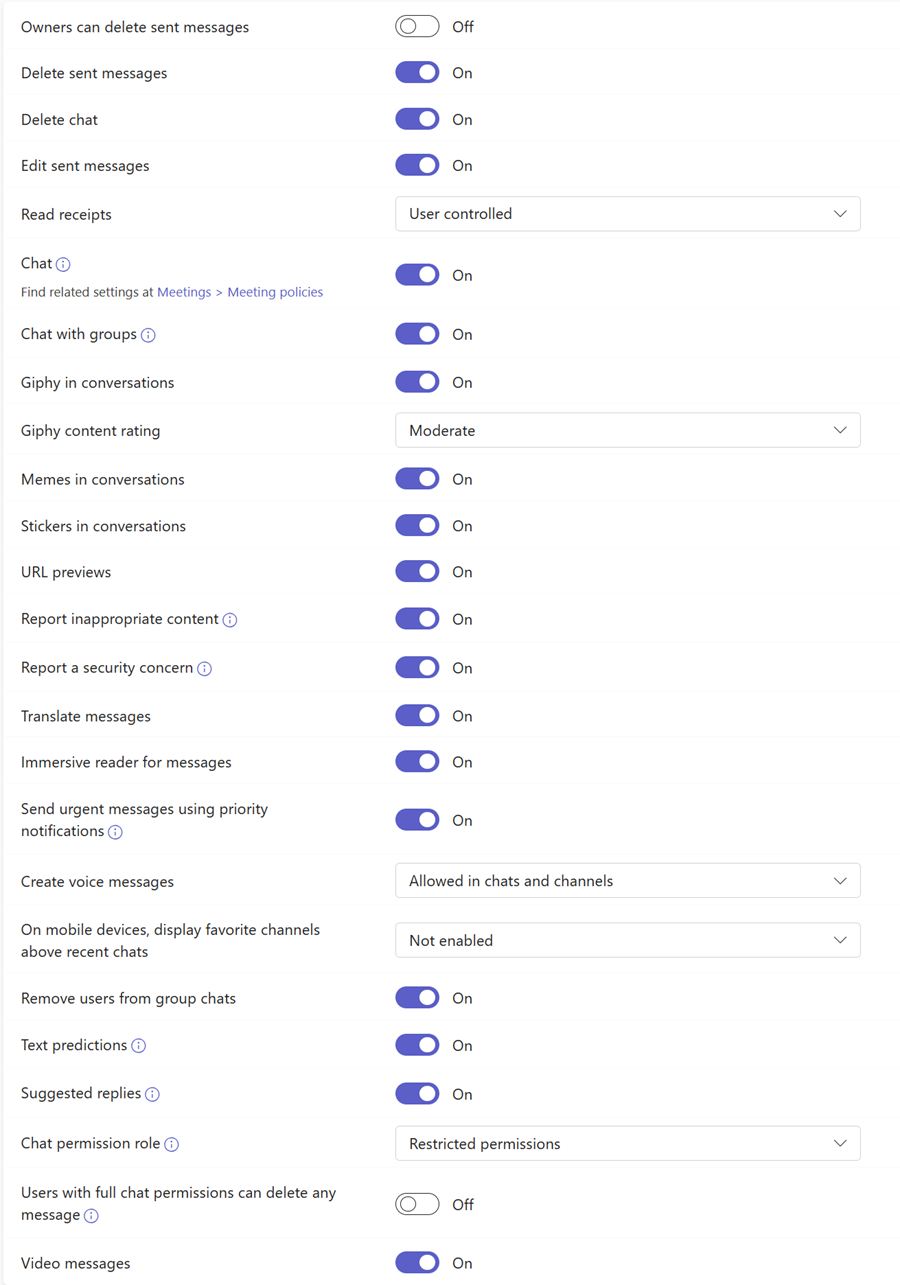
Agents may participate in ongoing conversations or channels to support business workflows, review that the allowed messaging capabilities match the agent’s intended role.
Messaging policies determine what chat and channel features an agent can use such as:
Whether an agent can delete sent messages.
Whether it can start group chats.
Whether rich media features (for example, Giphy) are available.