Note
Access to this page requires authorization. You can try signing in or changing directories.
Access to this page requires authorization. You can try changing directories.
Your Microsoft Advertising experience will slightly differ depending on the mode that you're in. Each mode represents how much time you're willing and able to devote to advertising, as well as goals you have and features you prioritize. Get familiar with the different modes below.
Note
Note
The mode you're in upon signing up for Microsoft Advertising may vary depending on your location.
Before you start, be sure to identify whether you're in Smart mode or Expert mode.
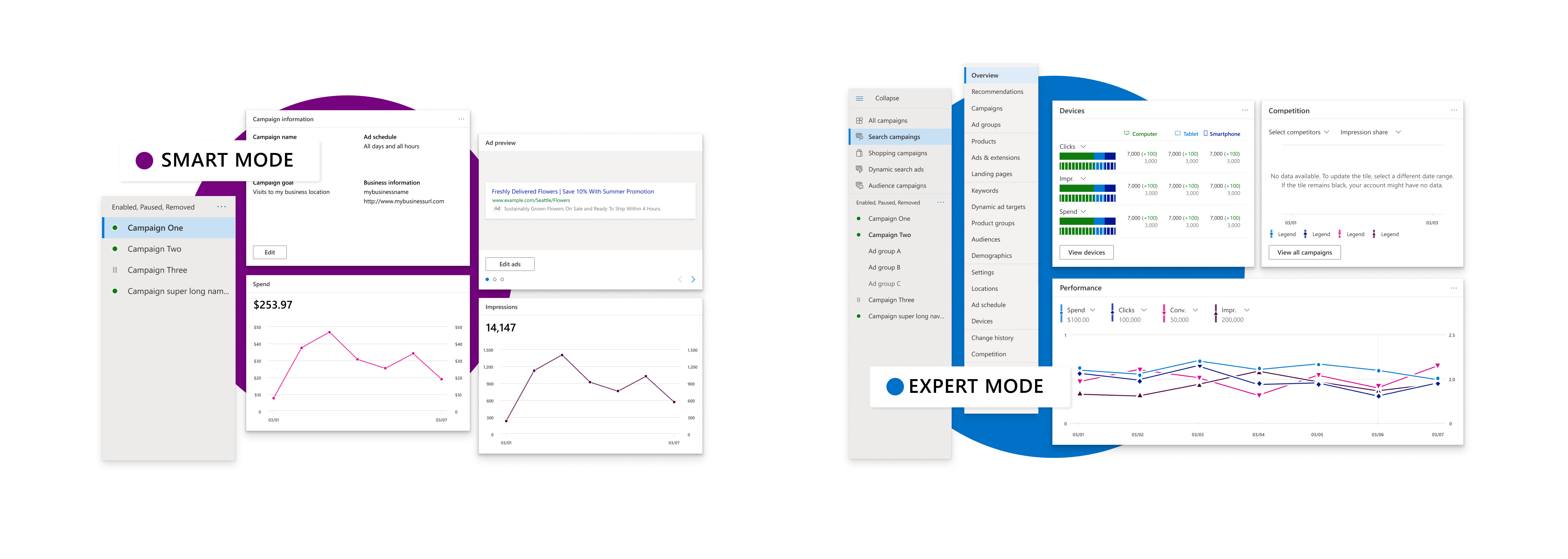
Smart mode
Note
Smart mode is only available in Australia, Canada, France, Germany, Ireland, Italy, Netherlands, New Zealand, Singapore, the United Kingdom, and the United States.
Smart mode is a streamlined, simple experience that lets Microsoft Advertising's AI take care of most of the nuts and bolts of ad campaign management. It's a great way for small businesses and novice advertisers to start off advertising on the Microsoft Advertising Network.
Expert mode
Expert mode is the full-featured Microsoft Advertising experience. It gives you more control over campaign management, lets you add more content to your ads, and provides more performance reporting and tracking. Expert mode is perfect for advanced marketers and advertisers who want to fine-tune every aspect of their campaign.
Comparing Smart mode and Expert mode
| Smart mode | Expert mode | |
|---|---|---|
| Content you can have in your ads | Phone number, text | Images, maps, phone number, prices, reviews, and text |
| Ad campaign types you can use | Advertisers using Smart mode can create Search campaigns for Bing. | Audience, search, and Shopping campaigns |
| What determines how much you pay for each click | Microsoft Advertising's optimization determines your bid amount. | You can set bids manually or choose from several automated bid strategies. |
| How you can target your ads | By age, customer location, gender, and keyword themes | Age, customer location, day of the week or time of day, device type, gender, LinkedIn profile information, and past interaction with your website (remarketing) |
| What campaign performance metrics are available | Clicks, customer action tracking (conversions), device type, impressions, phone calls, search phrases, and spend | Dozens of additional metrics, and the ability to run reports (automatically, if you choose) on any combination of them. |
| How you create a campaign | Specify the campaign basics (ads, budget goals, keyword themes, targeted locations, website) with suggestions from Microsoft Advertising based on your business website. You can also import campaign data from Google Ads. | Specify all details of a new campaign or review all details of an imported campaign. You can also import campaign data from Meta Ads and Google Ads. |
| Can use Microsoft Advertising Editor and other third-party tools | No | Yes |