Microsoft Security | Microsoft Defender | Microsoft Defender for Cloud
A cloud-native solution that protects workloads across hybrid and multi-cloud environments with threat detection and security recommendations

This browser is no longer supported.
Upgrade to Microsoft Edge to take advantage of the latest features, security updates, and technical support.
' cx='32' cy='32' r='32' /%3E%3Ctext x='50%25' y='55%25' dominant-baseline='middle' text-anchor='middle' fill='%23FFF' %3EBJ%3C/text%3E%3C/svg%3E)
Could someone advise if I have missed something please, I'm trying to address the Defender for Cloud security check finding "Turn off multicast name resolution" and have as far as I know dealt with this correctly, yet the finding remains.
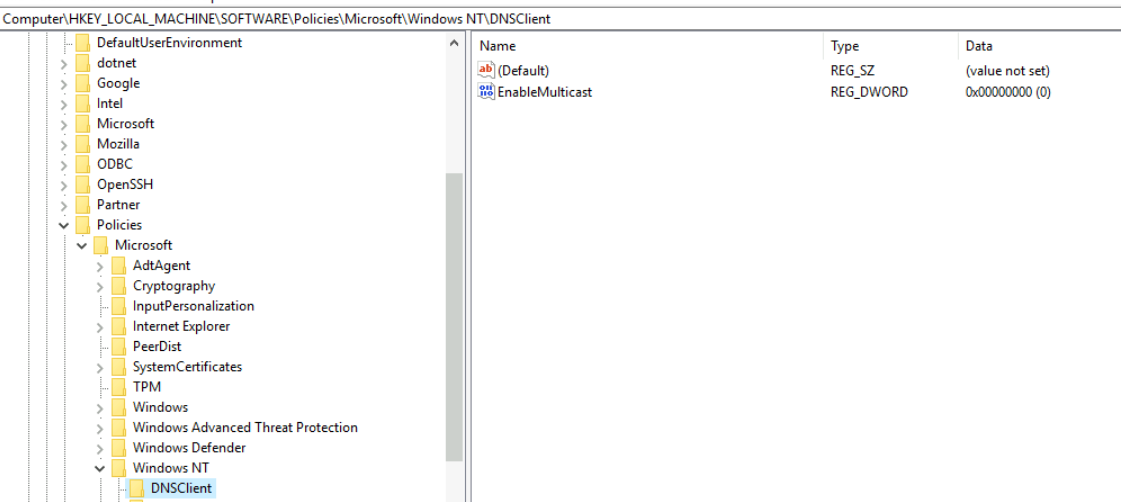
I have set the registry per AZ-WIN-00145 Key Path: SOFTWARE\Policies\Microsoft\Windows NT\DNSClient\EnableMulticast to 0 and disabled NetBIOS over TCP-IP on the NIC
What am I missing?
Appreciate any suggestions
A cloud-native solution that protects workloads across hybrid and multi-cloud environments with threat detection and security recommendations

@Ben Jackson
Thank you for your post!
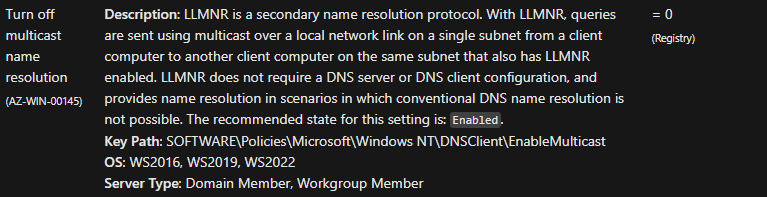
Windows Security Baseline - Administrative Templates - Network:
Additional Links:
How often does Defender for Cloud scan for operating system vulnerabilities, system updates, and endpoint protection issues?
Security recommendations - a reference guide
Create and view exceptions for security recommendations
If you have any other questions, please let me know.
Thank you for your time and patience throughout this issue.
Here is the registry setting, EnableMulticast = 0 which should mean multicast is disabled I would expect? Yet Defender findings to Turn off multicast name resolution remain.
Is it that it wants the group policy setting enabled also despite correct registry setting perhaps?
This has been the case for weeks since changes were applied.
Cheers.


@Ben Jackson
Thank you for following up on this!
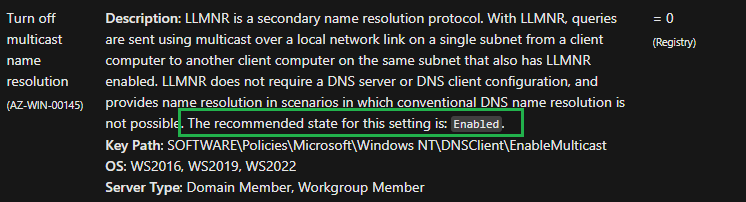
From your Microsoft Defender for Cloud Recommendation, I found a related support case and based off the Windows Security Baseline Administrative Templates - Network documentation, it looks like you'll have to Enable the Turn off multicast name resolution feature.
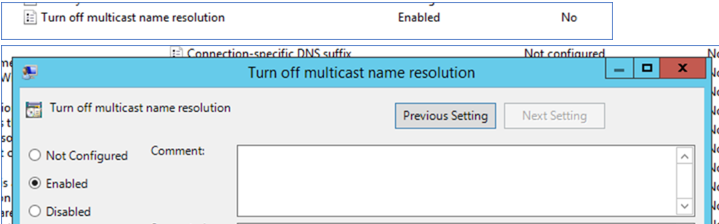
If you're still having issues with the recommendation after Enabling the Turn off multicast name resolution feature, can you share what the remediation steps are? Along with a screenshot of what you're seeing within the Portal?
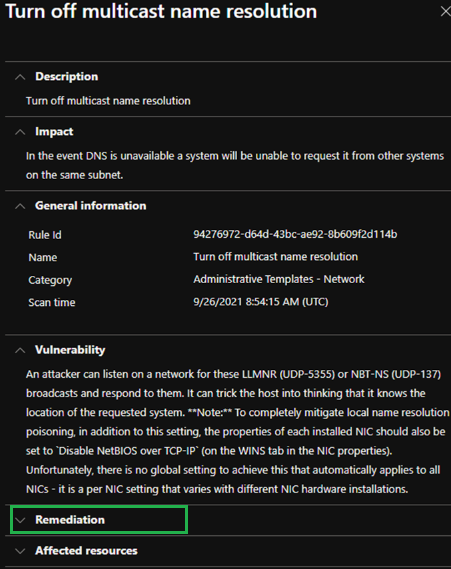
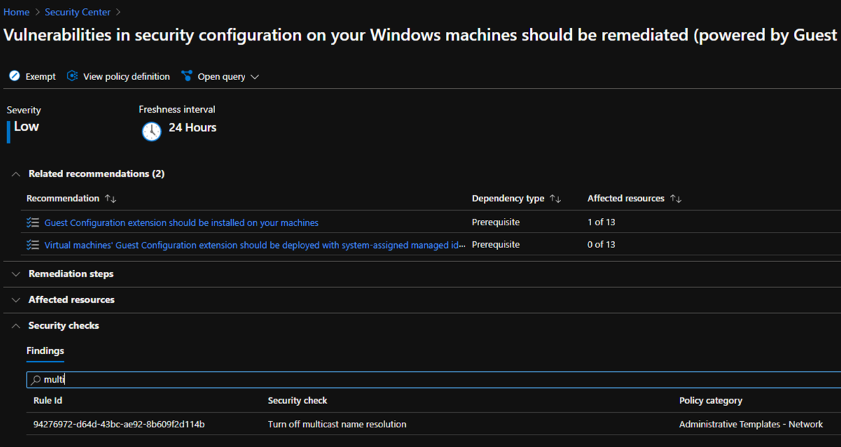
I hope this helps!
If you'd like our support team to take a closer look into your environment and issue through a free technical support request, please let me know.
Thank you for your time and patience throughout this issue.
----------
Please remember to "Accept Answer" if any answer/reply helped, so that others in the community facing similar issues can easily find the solution.
Thanks, will go with Group Policy in due course and test - will report back on outcome.
@Ben Jackson
Thank you for following up on this and I look forward to your update!
@Ben Jackson
I just wanted to check in and see if you were able to resolve this issue?
If you have any other questions, please let me know.
Thank you for your time and patience throughout this issue.

Hi,
In order to turn off multicast name resolution, you need to set the DWORD at the registry key listed above to 1.
I hope this answers your question.
-----------------------------------------------------------------------------------------------------------------------------------------------
--If the reply is helpful, please Upvote and Accept as answer--
I would expect that will enable multicast?