Microsoft Edge | Microsoft Edge development
Developing and testing features or extensions for Microsoft Edge

This browser is no longer supported.
Upgrade to Microsoft Edge to take advantage of the latest features, security updates, and technical support.
' cx='32' cy='32' r='32' /%3E%3Ctext x='50%25' y='55%25' dominant-baseline='middle' text-anchor='middle' fill='%23FFF' %3EBS%3C/text%3E%3C/svg%3E)
Hello,
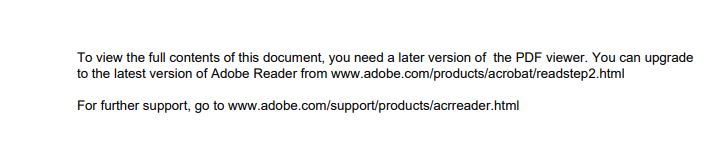
One specific PDF file does not open in EDGE and it provides the below message
The same file open in Adobe Acrovat DC.
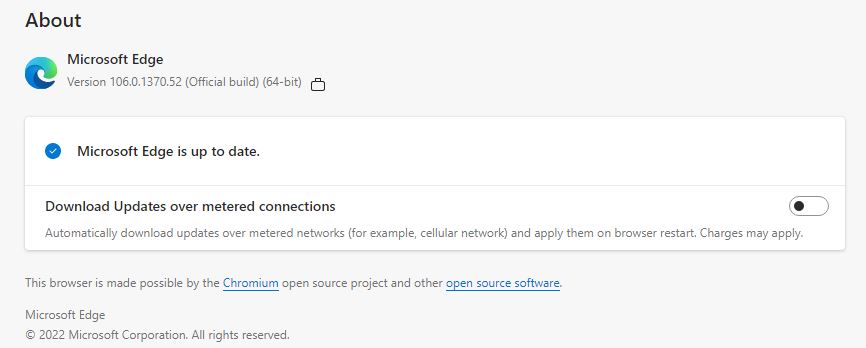
Below is the EDGE version
Please help this issue can be solved.
Developing and testing features or extensions for Microsoft Edge
Answer accepted by question author
' cx='32' cy='32' r='32' /%3E%3Ctext x='50%25' y='55%25' dominant-baseline='middle' text-anchor='middle' fill='%23FFF' %3EA%3C/text%3E%3C/svg%3E)
Hi @Boopathi S
If you see this message in Edge when opening PDF file, it means that Edge PDF reader doesn't support this kind of PDF file. You can see the Constraints of Edge PDF reader:
In this situation, you can only open the PDF file in Adobe Acrobat Reader.
If the answer is the right solution, please click "Accept Answer" and kindly upvote it. If you have extra questions about this answer, please click "Comment".
Note: Please follow the steps in our documentation to enable e-mail notifications if you want to receive the related email notification for this thread.
Regards,
Yu Zhou
' cx='32' cy='32' r='32' /%3E%3Ctext x='50%25' y='55%25' dominant-baseline='middle' text-anchor='middle' fill='%23FFF' %3EFK%3C/text%3E%3C/svg%3E)
So this is the error message right now:
To view full contents of document, you need later version of PDF viewer. You can upgradeto the latest version of Adobe Reader from www.adobe.com/products/acrobat/readstep2.html
For further support, go to www.adobe.com/support/products/acrreader.html
but since updating to the latest version will not work, as EDGE does not even use Acrobat Reader to display the document, this message is not relevant.
suggested error message:
"XML Forms Architecture (XFA), is a legacy format of forms that isn't supported in Microsoft Edge. In this situation, you can only open the PDF file in Adobe Acrobat Reader. "