Share via

How to Fill the Image Placeholder rather than fit entire image to width

Anonymous
2022-02-01T21:17:22+00:00

We have created custom PowerPoint templates for our organization with image placeholders included. The only speed bump we hit is with the image placeholder and how the selected image fills the space. Sometimes the selected image will auto fit to the width of the placeholder rather than filling the entire image placeholder. We know that we can manually adjust the photo to fit by copping and resizing, but is there a way to have it automatically fill the image placeholder space? Please see examples below to show what I am talking about.

Example Template:

How the image is placed/inserted in the placeholder (WRONG):

How the image SHOULD BE placed/inserted in the placeholder (RIGHT):

![](https://learn-attachment.microsoft.com/api/attachments/0f157584-6abf-4e3d-b5b0-7c08cbf4196f?platform=QnA

Microsoft 365 and Office | PowerPoint | For business | Windows

Locked Question. This question was migrated from the Microsoft Support Community. You can vote on whether it's helpful, but you can't add comments or replies or follow the question.

0 comments No comments

Answer accepted by question author

  1. Anonymous
    2022-02-02T10:56:17+00:00

    As Mia says. It looks like you have a content placeholder and are placing an image with a completely different aspect ratio. If you use a Picture placeholder it WILL fill the placeholder but you will lose a lot os the image in cropping. Really you need to resize the images to a similar aspect.

    0 comments No comments

2 additional answers

Sort by: Most helpful
  1. Anonymous
    2022-02-02T02:41:33+00:00

    Hi,

    Thanks for posting in our community.

    Generally, the placeholder should auto-fill the inserted images, but based on our tests just now by making a similar template with Slider Master, it seems like we did reproduce the same situation as your description and attached screenshots that the selected image will auto-fit to the width of the placeholder rather than filling the entire image placeholder.

    However, if the placeholder is a Picture Placeholder instead of the Content Placeholder, it will work in the way of filling the entire image placeholder automatically as your demand. And this is the difference between using a CONTENT placeholder (and insert using the image icon) and a Picture placeholder. The content placeholder will automatically fit the entire image within the placeholder, whereas a picture placeholder will crop the image to whatever size and shape the placeholder has been created.
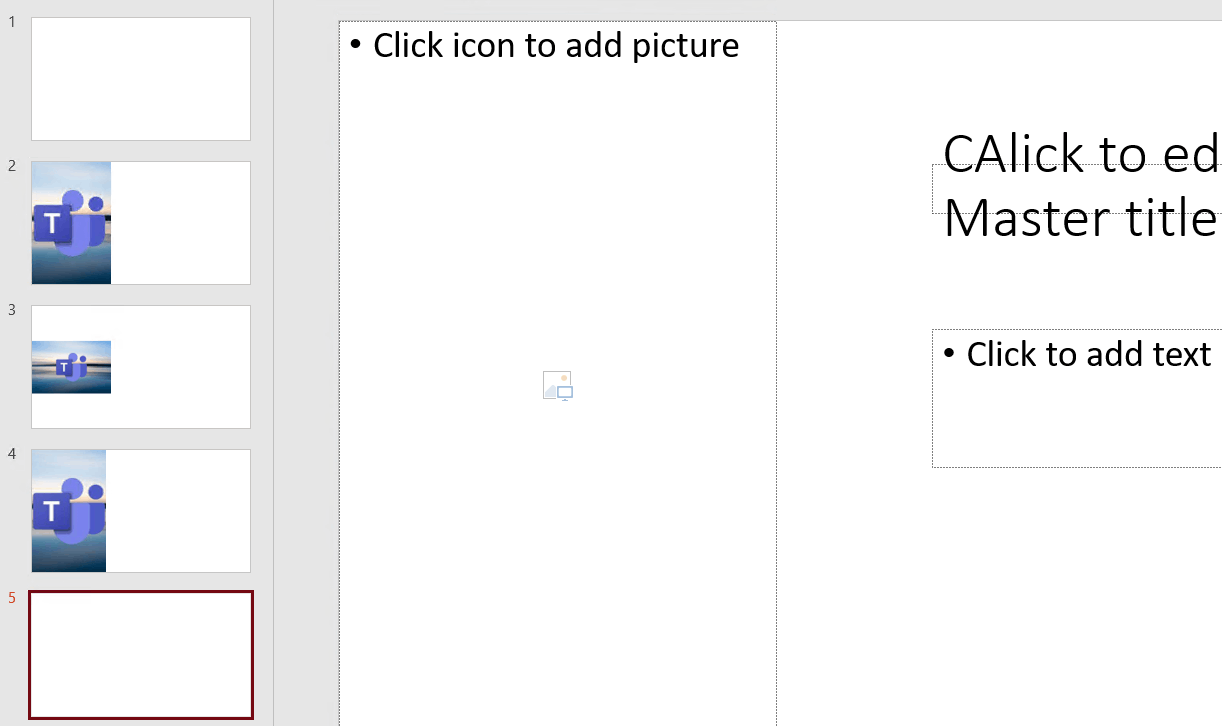
    However, it seems like you have already mentioned it was image placeholders included in custom PowerPoint templates for your organization. But from the screenshots provided, the place you tested with images is a Content Placeholder and that can be the reason. And kindly decide to change the content placeholder to the image one in Slide Master or manually crop the pictures without editing the company template if anything inconvenient.

    Do feel free to post back if there have anything above unclear and Hope you a nice day.

    Best Regards,

    Mia

    9 people found this answer helpful.
    0 comments No comments
  2. Anonymous
    2022-02-04T04:06:52+00:00

    Hi,

    Feel free to post back if there have anything else we can share with you.

    Best Regards,

    Mia

    0 comments No comments