Microsoft Security | Microsoft Entra | Microsoft Entra ID
A cloud-based identity and access management service for securing user authentication and resource access

This browser is no longer supported.
Upgrade to Microsoft Edge to take advantage of the latest features, security updates, and technical support.
' cx='32' cy='32' r='32' /%3E%3Ctext x='50%25' y='55%25' dominant-baseline='middle' text-anchor='middle' fill='%23FFF' %3EAA%3C/text%3E%3C/svg%3E)
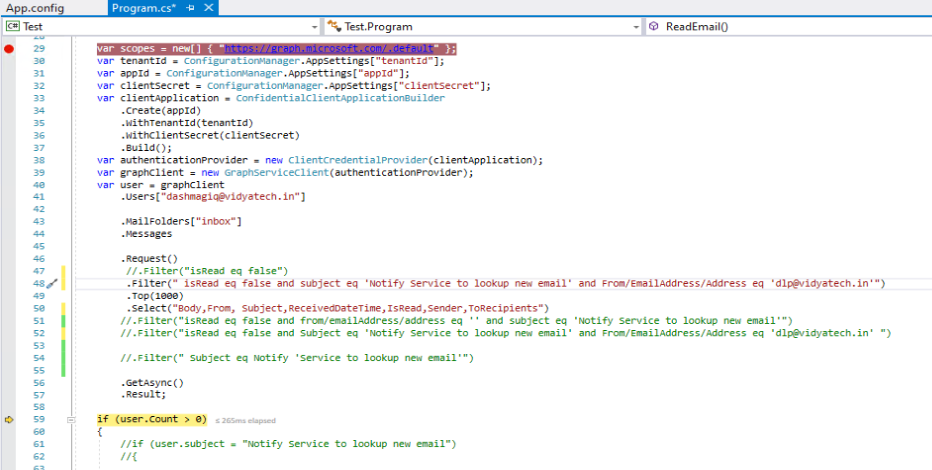
here the sender filter is not working(******@vidyatech.in), the subject and unread mail filter is working ,the code is use for read the unreadmail using graphapi
A cloud-based identity and access management service for securing user authentication and resource access
An API that connects multiple Microsoft services, enabling data access and automation across platforms
Answer accepted by question author

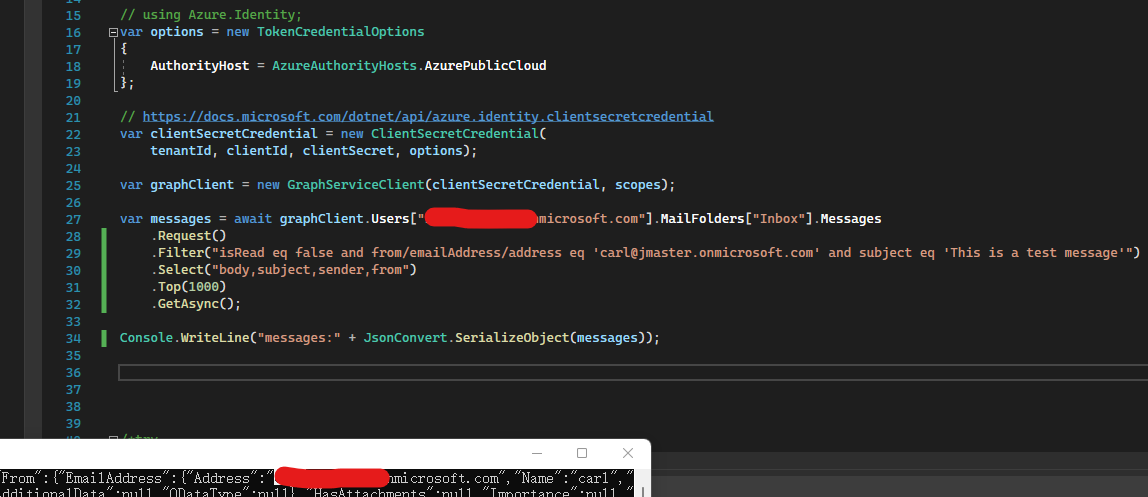
I tested locally and it worked fine. Please refer to my code:
using Azure.Identity;
using Microsoft.Graph;
using Newtonsoft.Json;

var scopes = new[] { "https://graph.microsoft.com/.default" };

// Multi-tenant apps can use "common",
// single-tenant apps must use the tenant ID from the Azure portal
var tenantId = "tenant id";

// Values from app registration
var clientId = " client id";
var clientSecret = "client secret";

// using Azure.Identity;
var options = new TokenCredentialOptions
{
    AuthorityHost = AzureAuthorityHosts.AzurePublicCloud
};

// https://learn.microsoft.com/dotnet/api/azure.identity.clientsecretcredential
var clientSecretCredential = new ClientSecretCredential(
    tenantId, clientId, clientSecret, options);

var graphClient = new GraphServiceClient(clientSecretCredential, scopes);

var messages = await graphClient.Users["xxxxxxxxx.onmicrosoft.com"].MailFolders["Inbox"].Messages
    .Request()
    .Filter("isRead eq false and from/emailAddress/address eq '******@xxxxxxx.onmicrosoft.com' and subject eq 'This is a test message'")
    .Select("body,subject,sender,from")
    .Top(1000)
    .GetAsync();

Console.WriteLine("messages:" + JsonConvert.SerializeObject(messages));
If the answer is helpful, please click "Accept Answer" and kindly upvote it. If you have extra questions about this answer, please click "Comment".
Note: Please follow the steps in our documentation to enable e-mail notifications if you want to receive the related email notification for this thread.
' cx='32' cy='32' r='32' /%3E%3Ctext x='50%25' y='55%25' dominant-baseline='middle' text-anchor='middle' fill='%23FFF' %3EGC%3C/text%3E%3C/svg%3E)
Hi @abhishek appu ,
Thanks for reaching out.
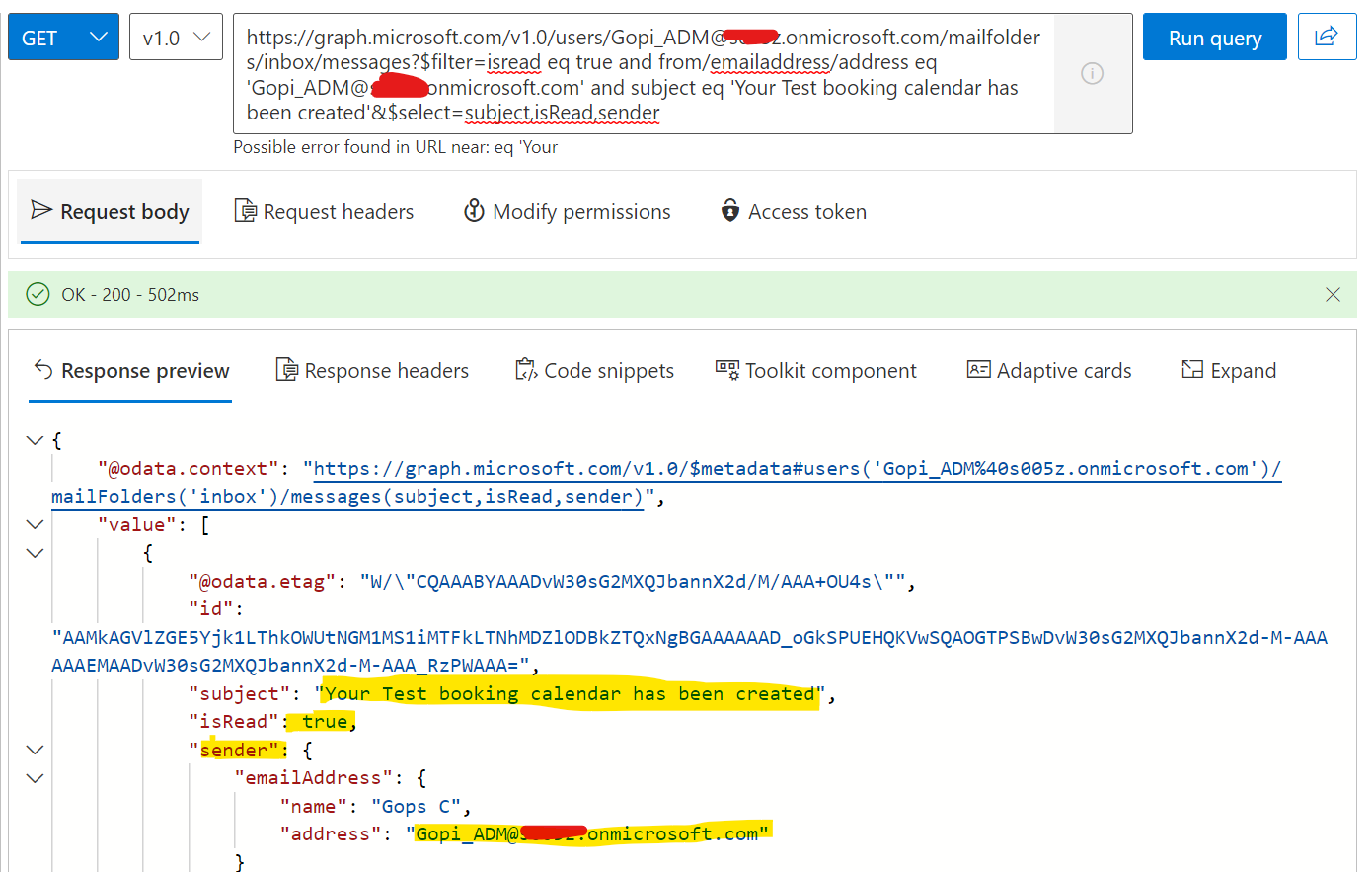
I am unable to reproduce the issue. I am getting the desired results as per the filter applied in the graph API.
Please refer the below screen shot.
Use the below code to get the expected mail details.
GraphServiceClient graphClient = new GraphServiceClient( authProvider );
     var messages = await graphClient.Users[Gopi_ADM@m******.onmicrosoft.com].MailFolders["Inbox"].Messages
         .Request()
         .Filter("isRead eq false and from/emailAddress/address eq 'Gopi_adm@*******.OnMicrosoft.com' and subject eq 'Your Test booking calendar has been created'")
         .GetAsync();
I would request you to please verify the above details from your end and if issue still persists, I would recommend you to raise a support case with Microsoft Graph, a Support Engineer will be able to assist you better. You can raise support ticket from http://aad.portal.azure.com/ or https://admin.microsoft.com/#/support/requests.
Hope this helps.
If the answer is helpful, please click Accept Answer and kindly upvote. If you have any further questions about this answer, please click Comment.