Share via

Microsoft PowerPoint exported to Adobe PDF being cropped

Anonymous
2022-07-01T19:50:11+00:00

Hi everyone,

I'm not sure as to if this is a PowerPoint or Acrobat issue but thought I'd ask here just in case. I have a user who when after he has saved/exported his PowerPoint as a PDF the PDF will be cropped and some of the bottom and right side will be cut into. All settings for Office and Acrobat have been reset back to defaults as well as a complete reinstall of both applications. I have tried "Save as Adobe PDF" "Save As PDF" "Print Adobe PDF" "Microsoft Print to PDF" Export to Adobe PDF" which all have the same result. It does this for any new document he creates in PowerPoint as well, not just one particular one.

Has anyone experienced this before and if so, what fix did you find and apply?

Microsoft 365 and Office | PowerPoint | For business | Windows

Locked Question. This question was migrated from the Microsoft Support Community. You can vote on whether it's helpful, but you can't add comments or replies or follow the question.

0 comments No comments

3 answers

Sort by: Most helpful
  1. Steve Rindsberg 99,161 Reputation points MVP Volunteer Moderator
    2022-07-02T16:46:39+00:00

    EddieTheB,

    Have your user try this: In the Print dialog, choose to print to the Acrobat printer driver.

    Have them click the Full Page Slides button to get this popup menu.

    Make sure there's a checkmark next to "Scale to fit Paper" and "High Quality"

    Then go ahead and print. Let us know how that works out.

    2 people found this answer helpful.
    0 comments No comments
  2. Anonymous
    2022-07-02T02:03:05+00:00

    Dear Eddiethe,

    Good day! Thank you for posting to Microsoft Community. We are happy to help you.

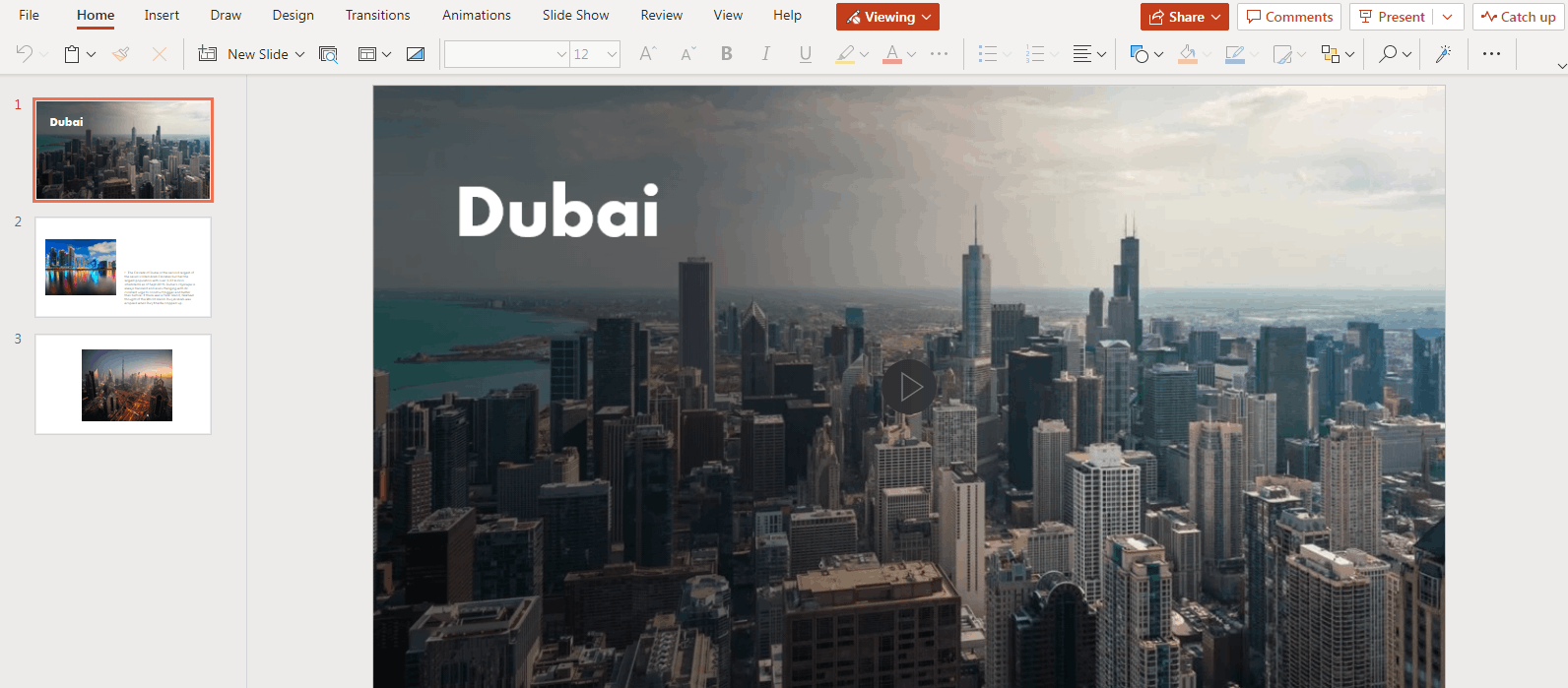
    From your description, it seems that the issue happesn in any PowerPoint files in your environment. If yes, for some test purpose, I suggest you try some online converter tool to see if the result is like the following.

    PowerPoint for the web
    PDF
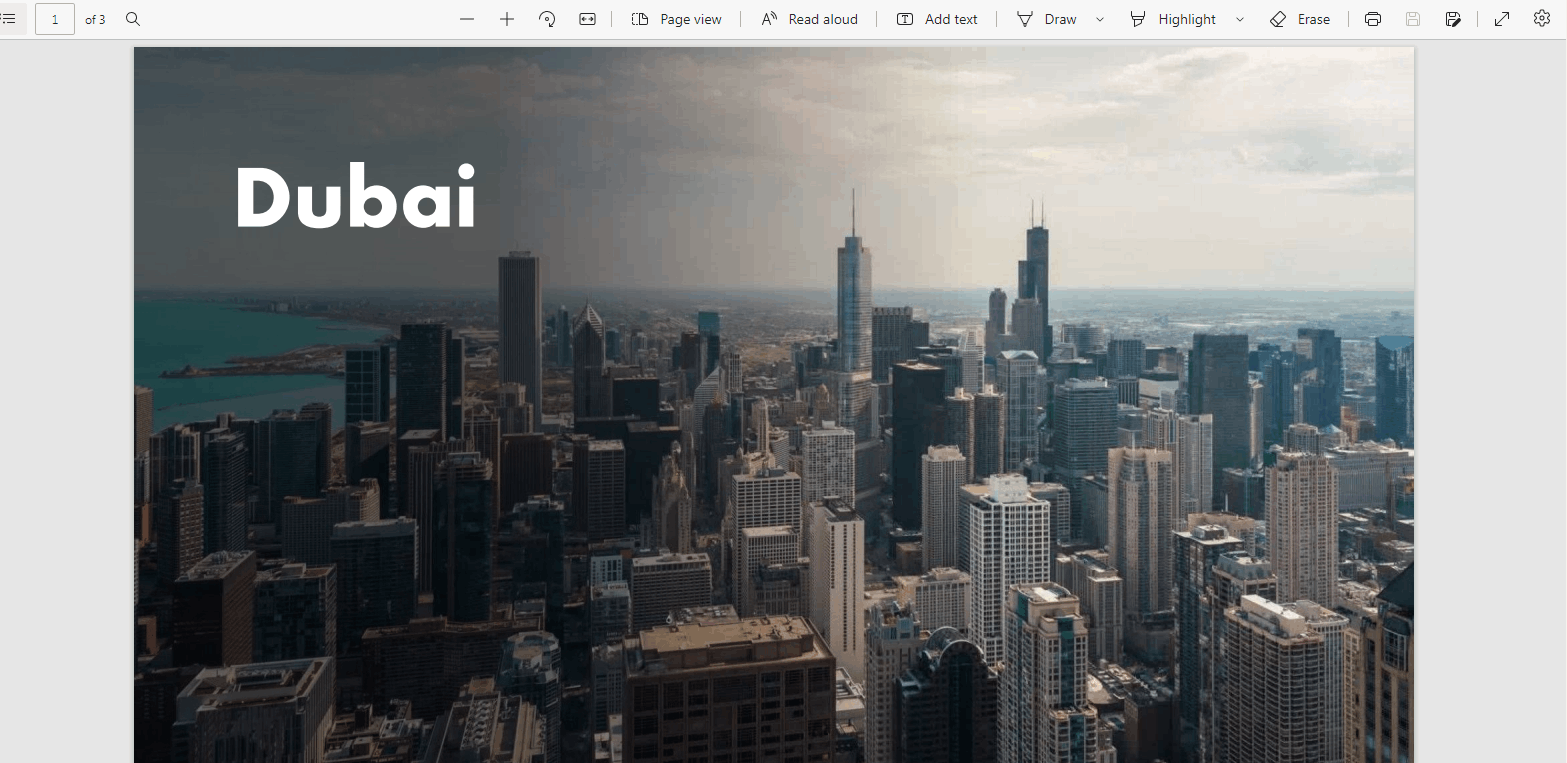
    If the PDF file can be converted successfully, I suggest you currently use it as a workaround.

    Meanwhile, regarding "I have a user who when after he has saved/exported his PowerPoint as a PDF the PDF will be cropped and some of the bottom and right side will be cut into.", I'd like you to upload some related screenshots for our confirmation.

    If it is convenient, please upload a full screenshot of the Account page in the PowerPoint application you are using for our reference. You can access the page via clicking on File>Account.

    Note: Remove any private information before uploading the screenshots.

    Sincerely,

    Cliff | Microsoft Community Moderator

    ***Note: In the event that you're unable to reply to this thread, please ensure that your Email address is verified in the Community Website by clicking on Your Account Name > "My Profile" > "Edit Profile" > Add your Email Address > tick "Receive email notifications" checkbox > click on "Save".***

    0 comments No comments
  3. John Korchok 231.5K Reputation points Volunteer Moderator
    2022-07-02T01:30:33+00:00

    If you can upload a sample file that shows the problem, we'll take a look at it. Post it to a cloud service, then open a share link here.

    0 comments No comments