Dear Dulceav,
Good day! Thank you for posting to Microsoft Community. We are happy to help you.
As per your description, please let us cooperate and please don’t worry, we can work together to narrow down and resolve the situation.
First, please don't worry, I try my best to help you.
As you mentioned, "We tried several times and only downloads a "Microsoft 365 apps" but are the ones that I already have installed." It's possible the Office 365 Administrator for your organization did not assign the license to you.
Generally, Project you won't see an option to install it unless you have an assigned license.
I would like to confirm whether you have the correct Project Desktop license. As Project Online Essentials doesn't include a desktop version of Project, so no installation is required. If you are using Project Online Professional, Project Online Premium, Project Standard or Project Professional(non-subscription versions), you can install Project desktop client.
As Microsoft project is a separate subscription from them, so we need to go to Apps & devices to install it.
If you have project desktop assigned a license, and then log this account into www.office.com to download and install project,
First, please access https://portal.office.com/account, click View apps & devices, check whether there is a button to install project. Or from office.com select Install Office and select the link "Other install options">from the My Account page, select Apps & devices.
For your reference screenshot:
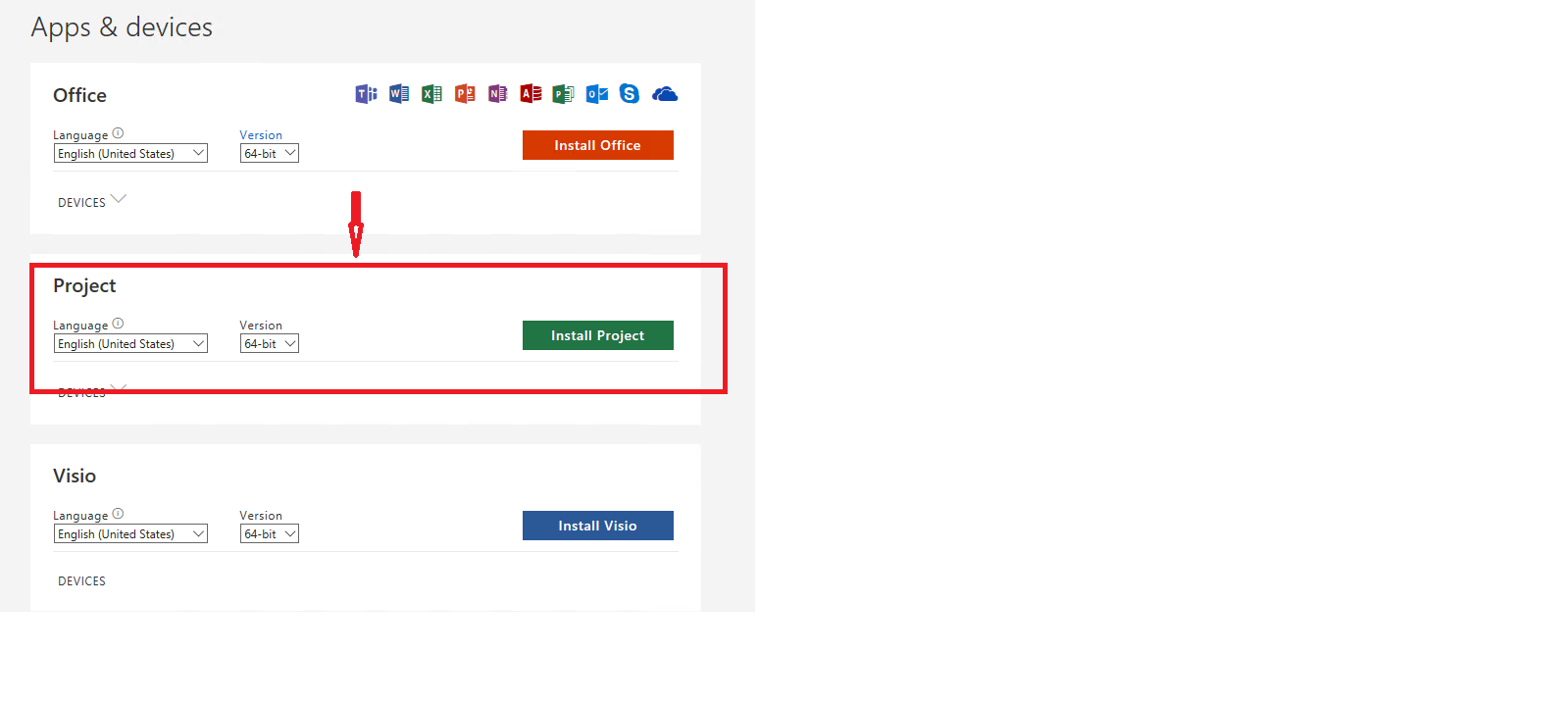
Note: If project isn't listed as an install option under Apps & devices, it could mean you don't have a license or you have Microsoft project assign license which doesn't include the desktop version of project. E.g., Project Online Essentials doesn't include a desktop version of Project.
Meanwhile, if possible, could you please upload a screenshot of the Apps & devices page for us? so we can understand your exact scenario and provide our suggestion in a productive manner, perhaps some related screenshots will be helpful.
Also, please verify that your assigned license. The exact name of the subscription, what is it?
- Project Online Essentials
- Project Online Professional
- Project Online Premium
Your understanding and patience will be highly appreciated. I hope that you are keeping safe and well!
Sincerely,
Waqas Muhammad
' cx='32' cy='32' r='32' /%3E%3Ctext x='50%25' y='55%25' dominant-baseline='middle' text-anchor='middle' fill='%23FFF' %3EA%3C/text%3E%3C/svg%3E)
