Share via

Why can't I find 3D shapes on Powerpoint?

Anonymous
2023-02-14T03:54:49+00:00

Why don't I have the 3D Shapes option in my PowerPoint? When I go to the Insert tab and select Shapes, I only see 2D shapes such as rectangles, circles, and arrows. I am using Microsoft 365 Subscription and my PowerPoint version is 16.69.1. I need to create a presentation that includes 3D objects, but I cannot find this option. How can I add 3D shapes to my PowerPoint presentation?

Microsoft 365 and Office | PowerPoint | For education | MacOS

Locked Question. This question was migrated from the Microsoft Support Community. You can vote on whether it's helpful, but you can't add comments or replies or follow the question.

0 comments No comments

Answer accepted by question author

  1. Bob Jones AKA CyberTaz MVP 435K Reputation points
    2023-02-14T16:24:10+00:00

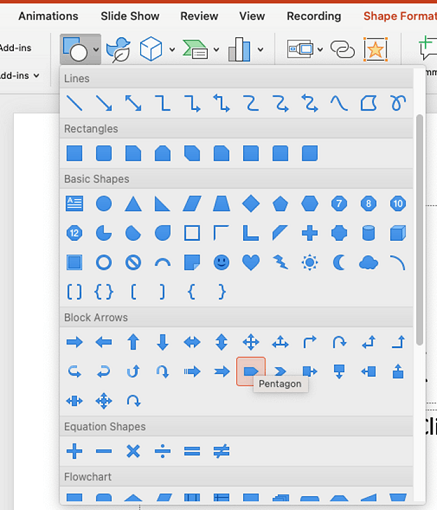
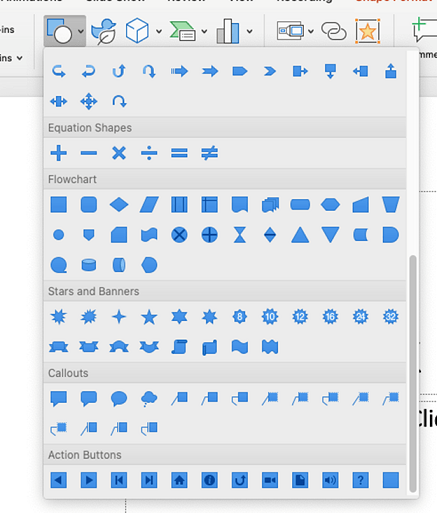
    What George Jiang described is for applying 3D effects to regular 2D Shapes. I'm not sure that's what you're looking for.

    The 3D Models are not included in the Shapes tool. There is a separate tool for 3D Models in that same group. It provides a choice of selecting locally stored 3D images or accessing the Online library of stock 3D Models.

    Is your subscription a personal subscription or is it provided by an employer or institution? If you do not have that tool it may be due to restrictions set by the administrator of the software.

    7 people found this answer helpful.
    0 comments No comments

3 additional answers

Sort by: Most helpful
  1. Anonymous
    2023-02-20T09:31:23+00:00

    Dear Gilder,

    I'm writing this reply to follow up on this thread, may I know if you have checked above replies? When you have time, you are welcome to come back and share any updates with us.

    Sincerely,

    George | Microsoft Community Moderator

    0 comments No comments
  2. Jim G 134K Reputation points MVP Volunteer Moderator
    2023-02-14T17:34:08+00:00

    Hi

    Several conditions must be met simultaneously:

    • You must have an Office Subscription license, not a volume or perpetual license.
    • You must allow connected experiences in PowerPoint Preferences.
    • If your license is administered by an IT department, the IT department must allow you to use this feature.
    • Your installation of Microsoft Office and Mac OS must be current
    • Your mac must have a working internet connection not blocked by firewall settings or malware software

    If all of these conditions are met, then you should find the Insert 3D Model button on the Insert tab of the PowerPoint Ribbon:

    0 comments No comments
  3. Anonymous
    2023-02-14T05:03:51+00:00

    Dear Gilder,

    Thanks for posting in the community. We are happy to help you.

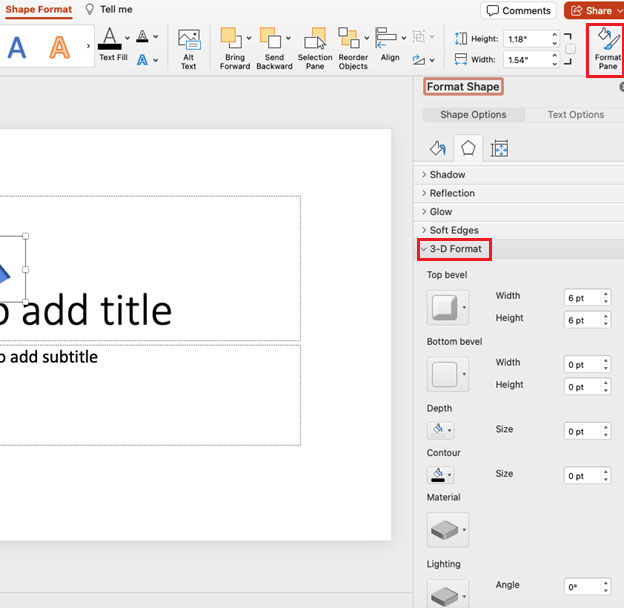
    Normally, the following screenshots display all shapes you can insert. For the 3D shape, I assume you mean the shape that is applied 3-D format. Please select the shape, Format Pane, 3-D Format, then you can apply the 3-D format to the shape.

    If the 3-D Format isn't the feature you are looking for, please check if 3D models meet your requirement or not. In addition, you can provide more details about the 3D shape you are looking for.
    ImageImageImage

    We look forward to your response. Thanks for your cooperation.

    Sincerely,

    George | Microsoft Community Moderator

    0 comments No comments