Dear respected LZ_22,
Good day! Thank you for posting to Microsoft Community. We are happy to help you.
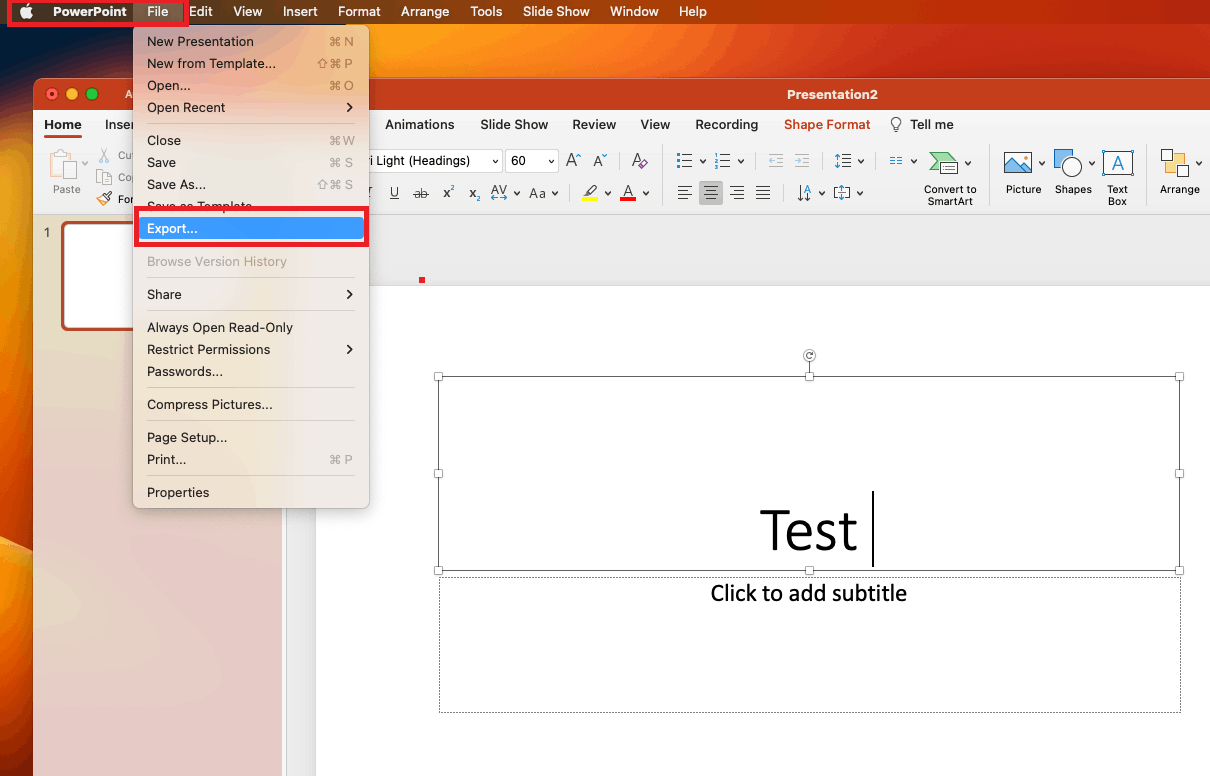
As per your description, first please make sure you are using Office 365 app. In PowerPoint for Mac OS, the File tab appear in Mac OS then open the PowerPoint.
In PowerPoint for Mac OS, to export PowerPoint into MP4, you may follow my steps below.
1.Click File > Export.
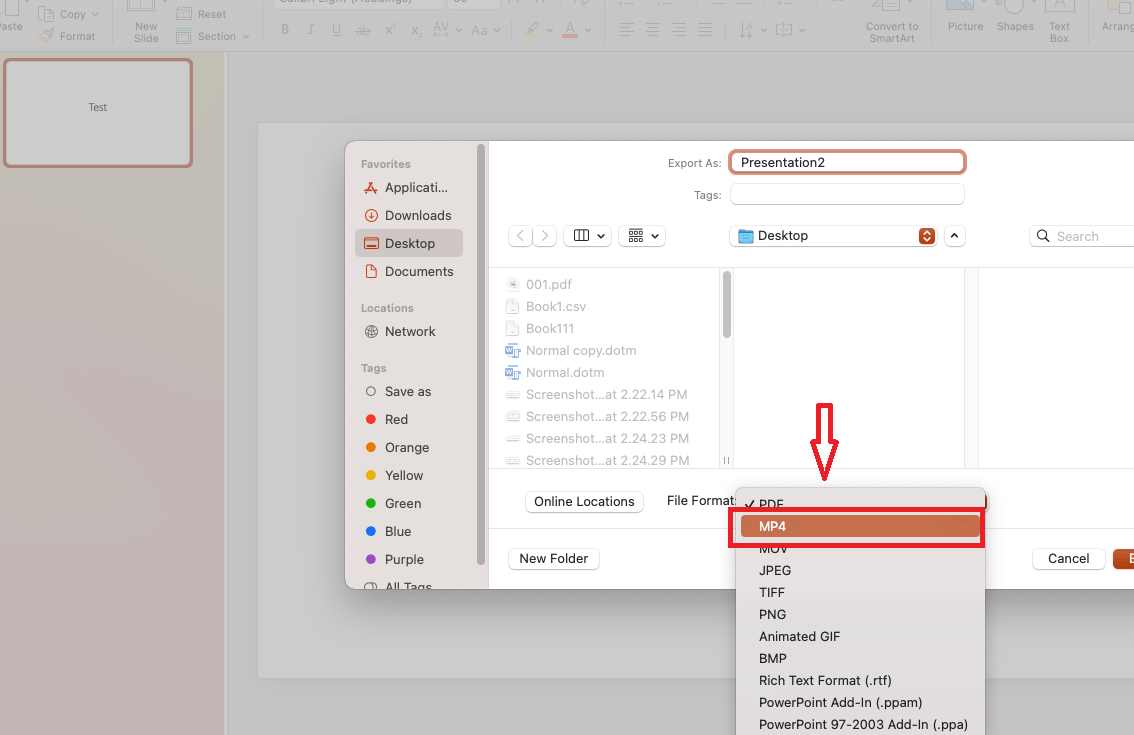
2.On the File Format menu, select the video format that you want MP4.
For your reference: Save a presentation as a movie file or MP4
We appreciate your understanding that sometimes the initial suggestions may not resolve the problem very soon. However, we can work together to narrow down and resolve the situation. So, please kindly provide more information below to let us work further.
- Confirm The version of Mac OS and Office
Find out which macOS your Mac is using
About Office: What version of Office am I using?
2.Screenshot of your issue symptom for your reference.
Appreciate your patience and understanding and thank you for your time and cooperation.
Sincerely,
Waqas Muhammad
' cx='32' cy='32' r='32' /%3E%3Ctext x='50%25' y='55%25' dominant-baseline='middle' text-anchor='middle' fill='%23FFF' %3EA%3C/text%3E%3C/svg%3E)

