Share via

How do I select all the text for all the slides in PowerPoint all at once?

Anonymous
2023-06-15T13:29:12+00:00

I know how to select all the slides at once? But how do I select all the text for all the slides in PowerPoint all at once?

Microsoft 365 and Office | PowerPoint | For business | Windows

Locked Question. This question was migrated from the Microsoft Support Community. You can vote on whether it's helpful, but you can't add comments or replies or follow the question.

0 comments No comments

8 answers

Sort by: Most helpful
  1. Anonymous
    2023-12-05T13:19:25+00:00

    You can select all text as long as it is all in placeholders. View > Outline and select all text in the left pane. You will not see or be able to select text in shapes / textboxes etc.

    10+ people found this answer helpful.
    0 comments No comments
  2. Anonymous
    2023-06-15T13:54:15+00:00

    Dear James Garner1,

    Good day! Thank you for posting to Microsoft Community. We are happy to help you.

    As per your description, it seems that you want to select all test for all slides in PowerPoint all at once.

    If the understanding above is right, as per the search and test in our side, we have not found an out of box way to achieve this in PowerPoint desktop app currently.

    We'd recommend you open the file in PowerPoint > File > Export > Change file type > Save as Another File Type > Save as and choose PDF or Outline/RTF, and open the exported file to select all text as a workaround.
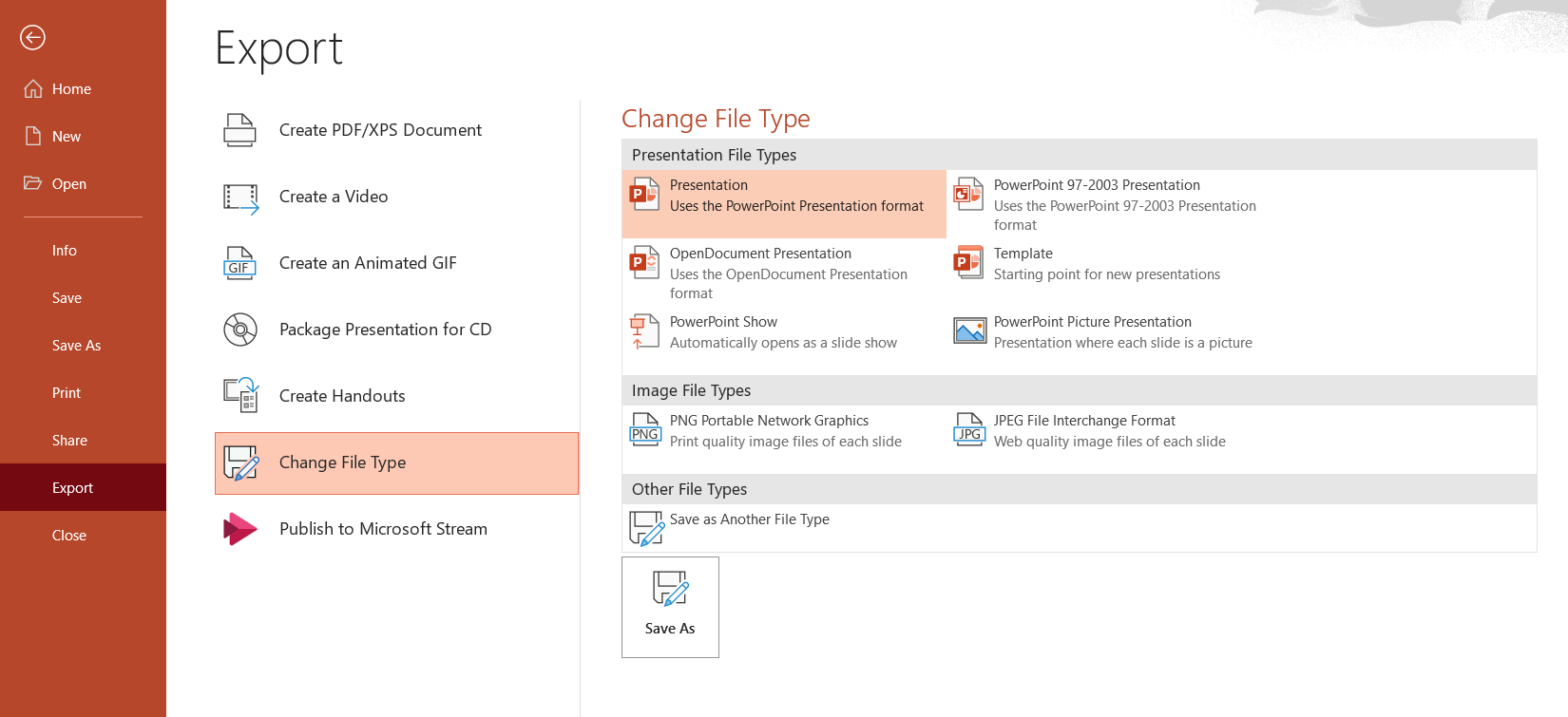
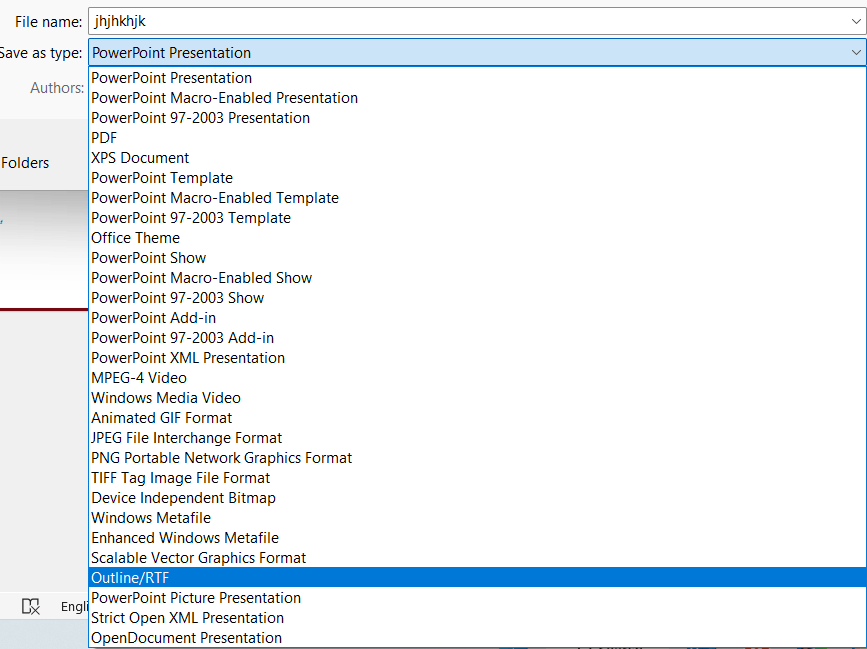
    Meanwhile, personally, I completely agree with you, this is indeed a good addition to the current experience in PowerPoint in desktop app. We’d suggest you go to PowerPoint > Help > Send Feedback to send request for the feature to select all text for all slides in PowerPoint all at once.

    Feedback submit by this way directly goes to the related team, this is the best way to let Word developers know your requirements and comments, help improve the product and make it better for you and others.

    If our understanding of the scenario is not consistent with yours, please feel free to point it out.

    Thanks for your cooperation and understanding! We hope you have a nice day, stay safe and healthy always.

    Sincerely,

    Rhoda | Microsoft Community Moderator

    5 people found this answer helpful.
    0 comments No comments
  3. Steve Rindsberg 99,161 Reputation points MVP Volunteer Moderator
    2023-06-15T14:22:11+00:00

    PowerPoint only allows you to select all shapes on a single slide, not on more than one slide at a time.

    But tell us what you want to accomplish by selecting all text. There might be another way to get there.

    2 people found this answer helpful.
    0 comments No comments
  4. Steve Rindsberg 99,161 Reputation points MVP Volunteer Moderator
    2024-01-04T01:06:30+00:00

    You can only select what's on the current slide or notes page, so there's no direct way to do this.

    But there's a VBA macro here that will extract all the text to a text file. https://www.rdpslides.com/pptfaq/FAQ00274_Export_Text_to_a_text_file-extract_text_from_PowerPoint-Mac_or_PC-.htm

    You could run that, open the file containing the extracted text and copy/paste it back onto a slide in PPT, then create your word cloud from that.

    1 person found this answer helpful.
    0 comments No comments
  5. Anonymous
    2023-12-05T00:29:30+00:00

    Changing language in powerpoint, does not change for text within an object. If powerpoint offered the capability of selecting text on all slides, it would help as a work around for my original problem.

    0 comments No comments