Share via

How do I edit a powerpoint template for an organization chart?

Anonymous
2024-01-26T09:39:47+00:00

I would like to use this template to create an organisation chart:

https://create.microsoft.com/de-de/template/minimales-organigramm-44e9b6b2-12b7-446e-baca-b961c31028f5

However, it does not appear to be a SmartArt template - so the only way to use it is to edit it manually? Or am I missing something? Is there a way to add things, as you can in SmartArt templates, so that the layout always adapts to your hierarchical changes?

Microsoft 365 and Office | PowerPoint | For business | Windows

Locked Question. This question was migrated from the Microsoft Support Community. You can vote on whether it's helpful, but you can't add comments or replies or follow the question.

0 comments No comments
Answer accepted by question author
  1. Anonymous
    2024-01-30T08:05:15+00:00

    Hi respected mwych,

    Thanks for your valuable feedback and sharing updates with us and I really appreciate your effort and your precious time doing. 

    And I appreciate your kind words.

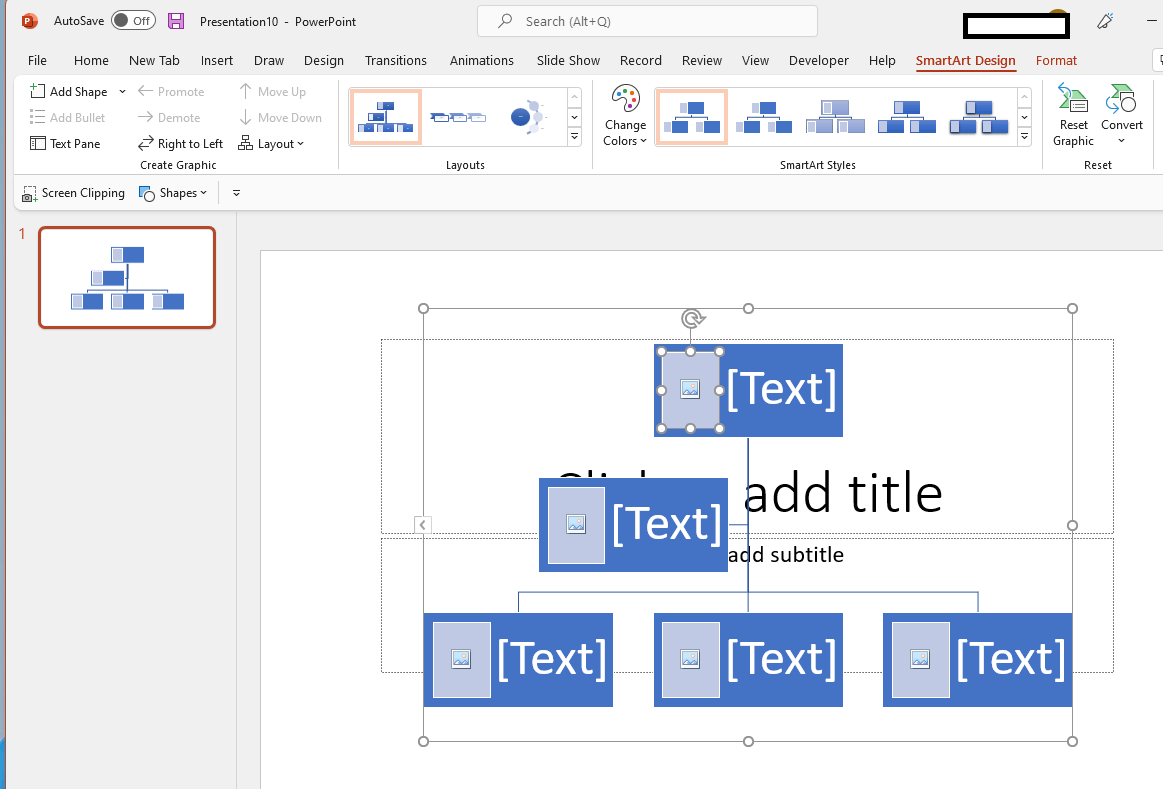
    I shared you a "Picture Organization Chart" template in Private Message (PM). you can access PM from the top right corner of this page, as shown in image below:

    Image

    Your understanding and patience will be highly appreciated. I hope that you are keeping safe and well!

    Sincerely,

    Waqas Muhammad

    1 person found this answer helpful.
    0 comments No comments
Answer accepted by question author
  1. Anonymous
    2024-01-26T10:36:15+00:00

    Dear respected mwych,

    Good day! Thank you for posting to Microsoft Community. We are happy to help you.

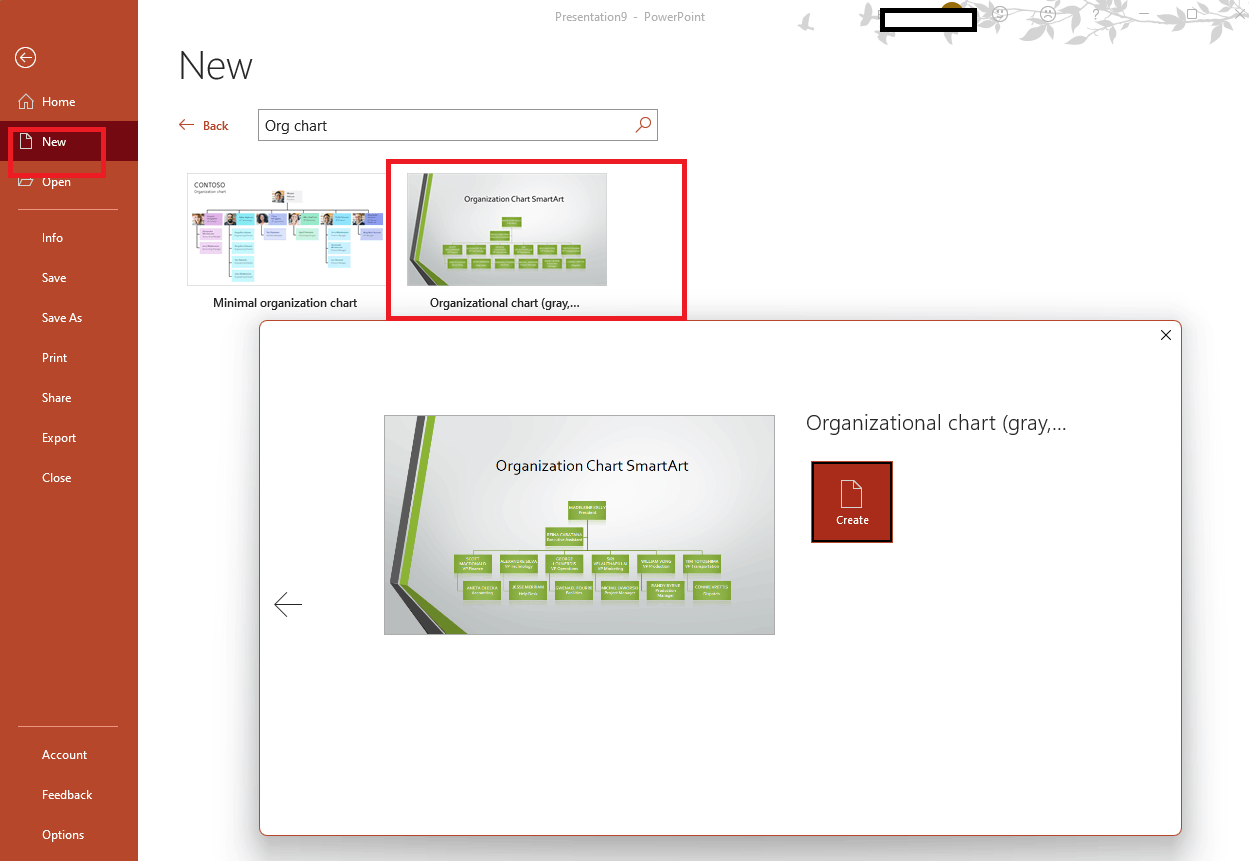
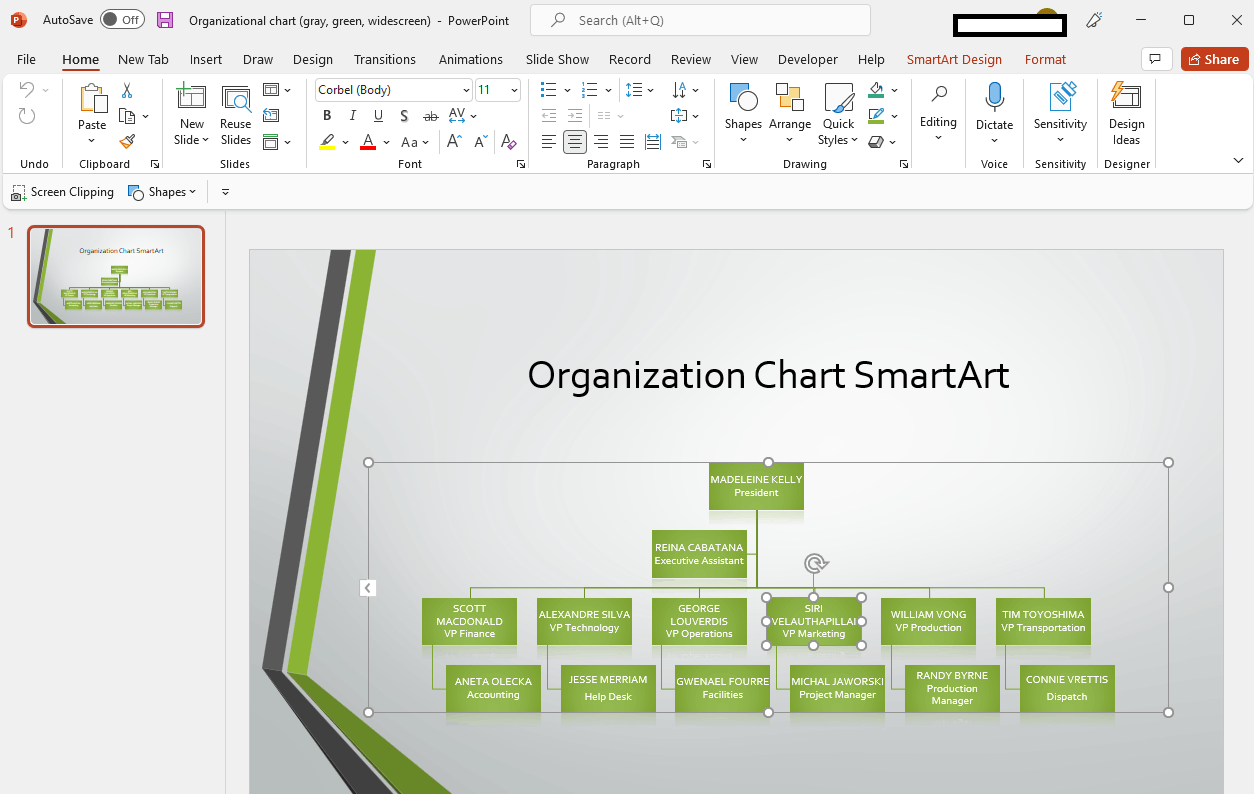
    As per your description, Yes, your mentioned organisation chart template does not appear to be a SmartArt template. If you want to use organisation chart SmartArt template, there is not built-in template, when you open PowerPoint desktop client app>File>New>search organisation chart template.
    Image

    Image

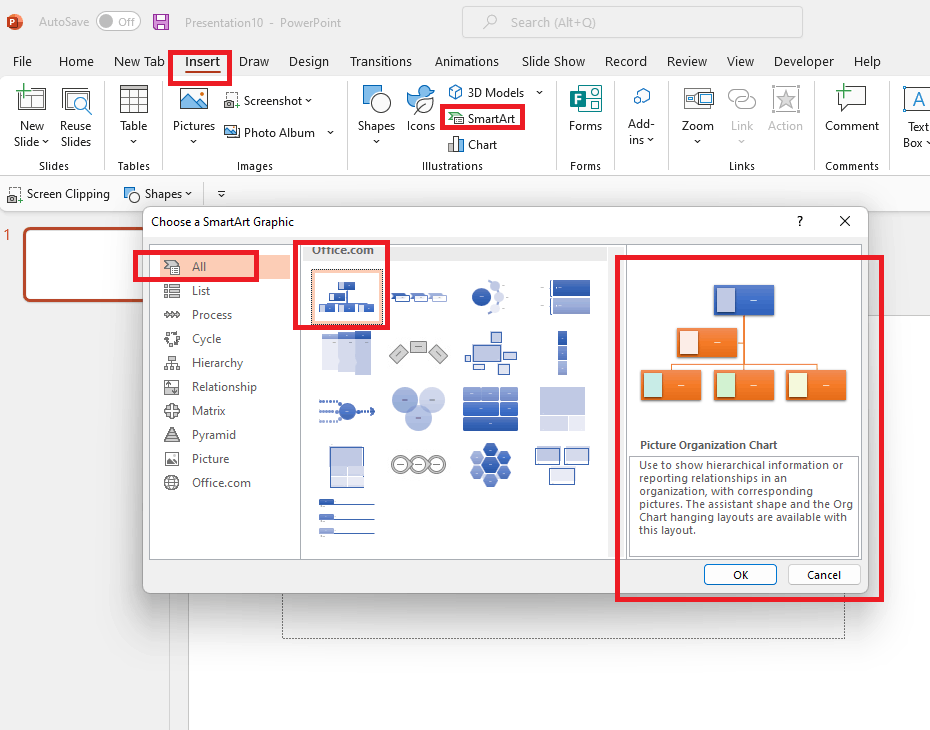
    Or the other is you create organisation chart via SmartArt feature.
    Image

    Image

    Appreciate your patience and understanding and thank you for your time and cooperation.

    Sincerely,

    Waqas Muhammad

    1 person found this answer helpful.
    0 comments No comments

2 additional answers

Sort by: Most helpful
  1. Anonymous
    2024-01-30T07:07:11+00:00

    Hi,

    thank you for offering assistance and for showing me this alternative idea. It would be indeed helpful, however, in my list of SmartArt templates, there is none called "Picture Organization Chart" (or the German equivalent). It seems missing - I checked all categories:

    Is it possible to add this template to Powerpoint?

    0 comments No comments
  2. Anonymous
    2024-01-30T05:55:46+00:00

    Hi respected mwych,

    I'm writing a follow up this case, and I haven’t received any information from you, may I know have you checked reply? Feel free to post back if you need further assistance.

    Have a good day and stay safe 😊

    Sincerely,

    Waqas Muhammad

    0 comments No comments