Dear respected,
Good day! Thank you for posting to Microsoft Community. We are happy to help you.
I’m sorry you’re having a problem with greyed out “Use Presenter View” button in PowerPoint for desktop app but based on your description we can work together to resolve it.
Firstly, we would like to convey that The "Use Presenter View" option in PowerPoint is only available if it has two displays connected to the computer. One display will show the presentation in full screen mode, while the other display will show the Presenter View like my test screenshot attached below.
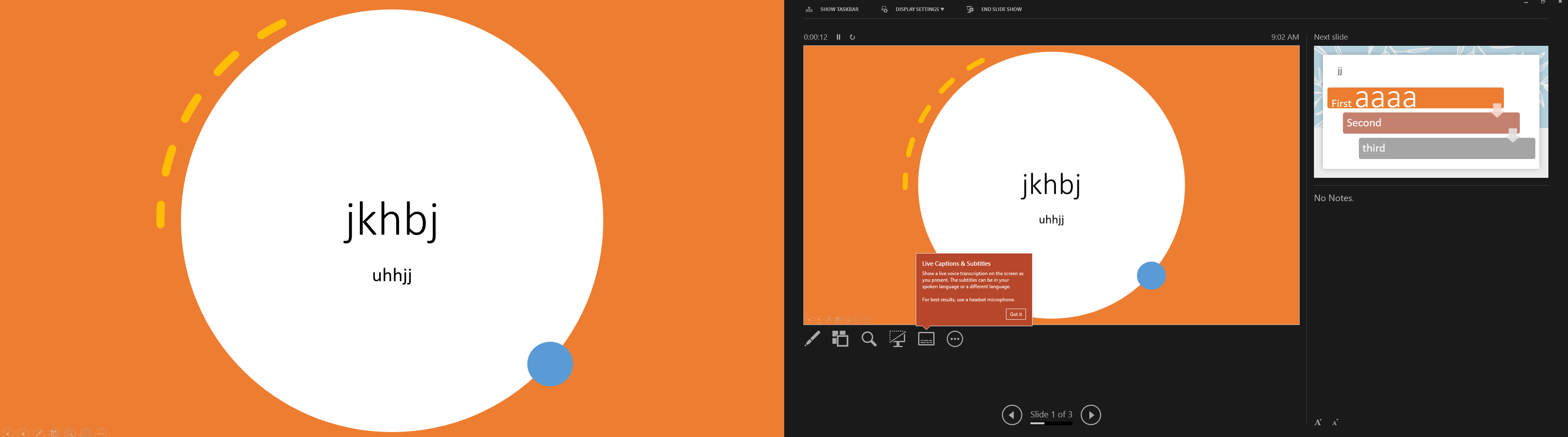
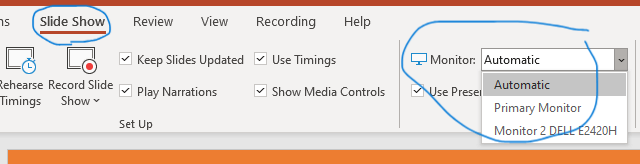
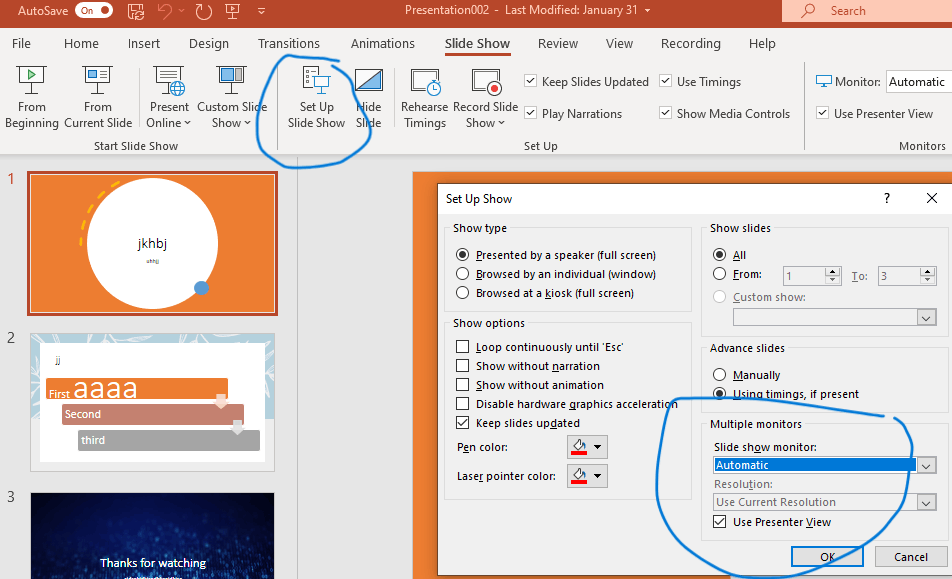
If the "Use Presenter View" option is grayed out, it usually means that PowerPoint is not detecting a second display. Please make sure that you have a second display connected to your computer and that it is properly configured. You can also confirm this by checking in the Slide Show tab>Monitor, or Set up Slide Show>Multiple monitors. Screenshots attached.
We appreciate your understanding that sometimes the initial suggestions may not resolve the problem very soon. However, we can work together to narrow down and resolve the situation. So, please kindly provide more information below to let us work further.
- Confirm the version of Windows and Office
About Office: What version of Office am I using?
2. If the same issue will happen in a new PowerPoint presentation
- Can you recall if the issue started to happen recently after Office update?
If so, make Office a self-repair and check the result: Repair an Office application - Microsoft Support
Appreciate your patience and understanding and thank you for your time and cooperation. Feel free to come back with us anytime.
Sincerely,
Mia | Microsoft Moderator
' cx='32' cy='32' r='32' /%3E%3Ctext x='50%25' y='55%25' dominant-baseline='middle' text-anchor='middle' fill='%23FFF' %3EA%3C/text%3E%3C/svg%3E)
