All files involved in this are on OneDrive. Running PPT from my laptop.
I have once again tried to use .ppsx's. PPT refuses to open those in show mode when they are linked to from a running pres (but do open in show mode when an Explorer listing the .ppsx is listed and I click on it).
However, all is not lost: I decided to try something a little different: Instead of generating a link (via 'Share') to the target file, I created an action object on the calling slide and inserted an action which is a "Link to another PowerPoint presentation [the .ppsx file]". And now, when I click on the action shape in the calling slide, the next thing I see is this:
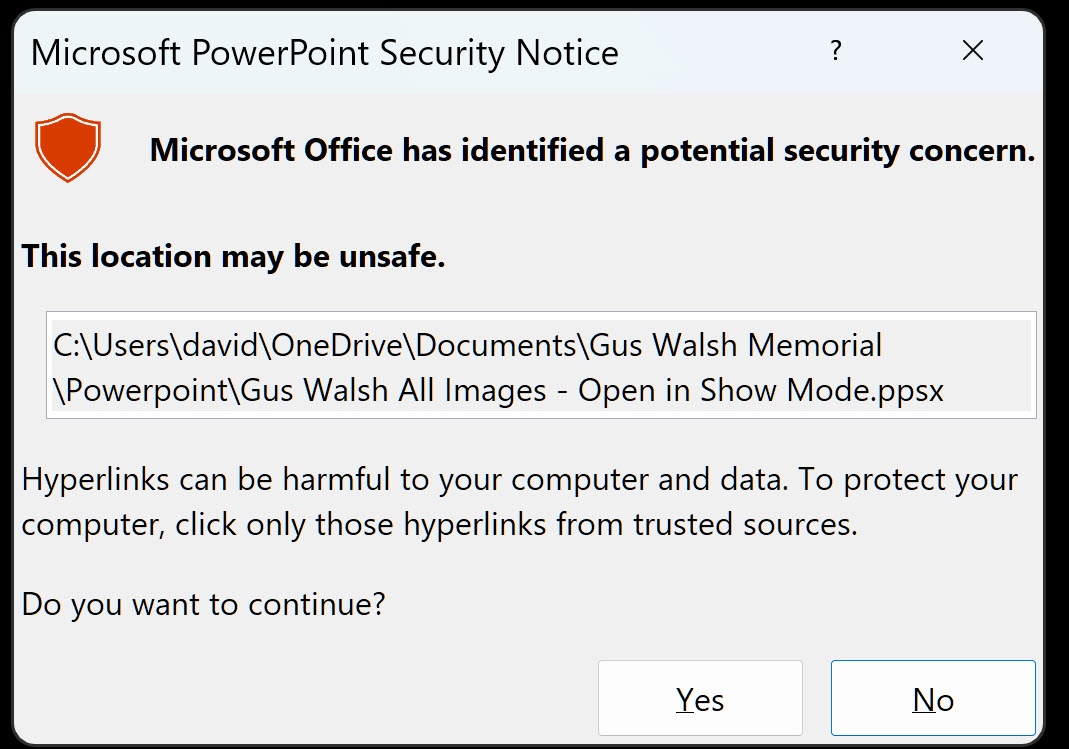
I click 'yes' and the next thing I see is slide one of the target pres. in show mode and the loop is running.
(The warning popup isn't pretty, but it's of a minor inconvenience, and less disconcerting than navigating past a busy PPT editor screen. Any idea if there's a way to declare the hyperlink in question as safe, to preclude this popup from showing?)
Furthermore, I can now use ESC while the loop is running, and I am returned immediately to the calling [blank] slide. It's perfect!
Overall, there's something mysterious and dark going on with PPT's ability to link, how the links were generated and the file extensions, but I'm ready to meet my Saturday deadline am now breathing easier.
' cx='32' cy='32' r='32' /%3E%3Ctext x='50%25' y='55%25' dominant-baseline='middle' text-anchor='middle' fill='%23FFF' %3EA%3C/text%3E%3C/svg%3E)


' cx='32' cy='32' r='32' /%3E%3Ctext x='50%25' y='55%25' dominant-baseline='middle' text-anchor='middle' fill='%23FFF' %3ESR%3C/text%3E%3C/svg%3E)