Dear Torkel Skoglösa,
Greetings! Thank you for posting in Microsoft Community. We are happy to help you.
You may try the Web Viewer add-in. It inserts a secure webpage into your presentation.
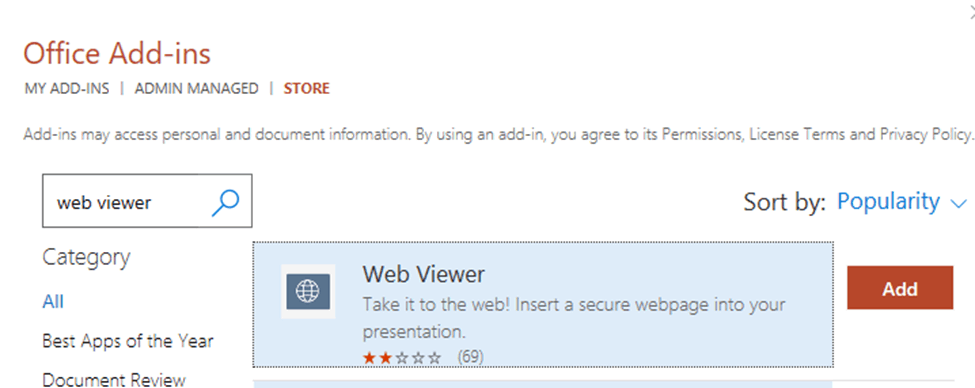
Here are the steps:
- Open PowerPoint and go to the slide where you want to insert the live webpage.
- Click on the "Insert" tab in the ribbon > Add-in section, try to search "Web Viewer" add-in and add it.
- In the "Web Viewer" pane that appears, enter the URL of the webpage you want to insert.
Note that the Web Viewer add-in requires an internet connection to display the live webpage. Also, some webpages may not display properly due to security or compatibility issues.
If my understanding of the scenario is not consistent with yours, feel free to point it out. I'll be glad to help you further.
At the same time, welcome community members and MVPs who have similar experience to share insights and suggestions here.
Have a nice day!
Sincerely,
Tina | Microsoft Community Moderator
' cx='32' cy='32' r='32' /%3E%3Ctext x='50%25' y='55%25' dominant-baseline='middle' text-anchor='middle' fill='%23FFF' %3EA%3C/text%3E%3C/svg%3E)
