Share via

Issues in backing up "MS Project Online"´s site

Anonymous
2024-04-26T18:00:02+00:00

Hello Active Community:

This time I need to ask any volunteer´s help in recent issue one of our customer is facing right now related with backing up "MS Project Online"´s (or PWA) site. Our customer´s PWA Admin is trying to backup a site using "back up site as a template (with content)" option, but he only gets messages errors (in web interface, he receives message error "We´re sorry, a problem has been produced"), and also using PnP (in this one, he got message "...Microsoft.SharePoint.Client.ServerException: a duplicated field name has been found.."). I must admit that our customer´s tenant is already using more than 25GBytes storage capacity it is allowed but, MS helped him to increase it into another 5GBytes more, making up 30GBytes (from which, ther´re currently using around 28GBytes). My questions are: a) These message errors are due to this storage consumtion level (they´re almost running out of storage space)? b) "Backup This Site (using Template)" option cannot be exectuted when you´re using almost their tenant´s 30GBytes storage capacity? c) Could it be said that these kind of data operation are running out of working space? d) Do you recomend to reduce capacity usage exporting some Project´s *.mpp files and importing them into "MS-Project For The Web" (and deleting those exported Project from PWA)? Thanks indeed in advance to everyone!

Carlos

Microsoft 365 and Office | Project | For business | Other

Locked Question. This question was migrated from the Microsoft Support Community. You can vote on whether it's helpful, but you can't add comments or replies or follow the question.

0 comments No comments

Answer accepted by question author

Anonymous
2024-04-27T02:58:09+00:00

Dear Carlos,

The site storage should be considered. I guess that you use the Save site as template option to save a project site on the PWA site such as https://contoso.sharepoint.com/sites/PWAsitename/connected SharePoint site name as a template as the Save site as template feature may not support the parent PWA site.

If you want to back up the site content, you may notice the template size limit is 50 MB. If there are so many content in the site, reducing the site size may be needed.

Save, download, and upload a SharePoint site as a template | Microsoft Learn
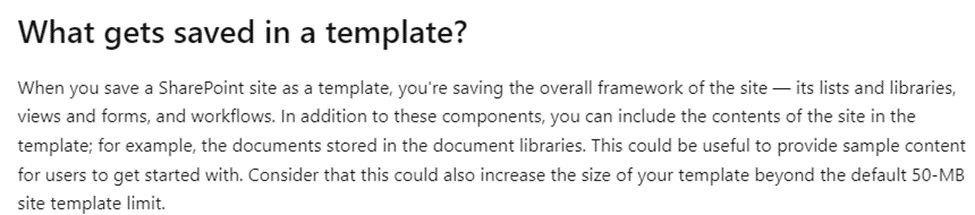
The PWA site limit is 25 GB as you said which is mentioned in Project Online software boundaries and limits - ProjectOnline | Microsoft Learn. If you want to back up the PWA site, you may not use the Save site as template.

From the information "Do you recomend to reduce capacity usage exporting some Project´s *.mpp files and importing them into "MS-Project For The Web" (and deleting those exported Project from PWA)?", if you are using a Enterprise Project type, you can get all tasks in Power Automate and then import it to a new PWA site with a flow as a feasible way.

Project Online | Microsoft Power Automate

You can also open the tasks in the Project desktop client as a local backup. Then connect to another PWA site and publish the local tasks to it.

Connect to Project Online with the Project Online Desktop Client - ProjectOnline | Microsoft Learn

However, I recommend you use the Power Automate way at the mean time.

For some workflows created in SharePoint Designer 2013, you may operate the action in SharePoint Designer 2013.

If something is misunderstood, welcome to share any updates at your convenience.

Thank you for your effort and time.

Sincerely

Cliff | Microsoft Community Moderator

Was this answer helpful?

1 person found this answer helpful.
0 comments No comments

4 additional answers

Sort by: Most helpful
  1. Anonymous
    2024-04-30T16:01:48+00:00

    Thanks Cliff for your priceless reply, it is quite helpful for us

    Regards!

    CE

    Was this answer helpful?

    1 person found this answer helpful.
    0 comments No comments
  2. Anonymous
    2024-05-03T00:21:59+00:00

    Dear Carlos,

    Thanks for your kindness and updates.

    Welcome to post a new thread on our forum if you encounter any issues in your environment at your convenience.

    Have a nice day!

    Sincerely

    Cliff | Microsoft Community Moderator

    Was this answer helpful?

    0 comments No comments
  3. Anonymous
    2024-05-02T19:26:47+00:00

    Hi Cliff:

    I apologize. I´ve just clicked "Yes" to feedback you in your 1st reply.

    Once again, thanks indeed

    CE

    Was this answer helpful?

    0 comments No comments
  4. Anonymous
    2024-05-01T00:01:24+00:00

    Dear Carlos,

    I'm glad to hear that the information above helps you.

    If it is convenient, please also send your feedback as follows as it may benefit the community process.

    ![Image](https://learn-attachment.microsoft.com/api/attachments/974db0b7-94b8-41e6-98a0-665778d3aa15?platform=QnA

    Was this answer helpful?

    0 comments No comments