Share via

Open PPTX in edit mode in an IFrame

Anonymous
2024-10-22T02:45:02+00:00

I am trying to open a PPTX file in a html page in an IFrame in edit mode and have only been successful to open it in read-only mode so far. The PPTX is stored in Sharepoint. Is it possible to open it in edit mode or opening in read only is by design?

Microsoft 365 and Office | PowerPoint | For business | Windows

Locked Question. This question was migrated from the Microsoft Support Community. You can vote on whether it's helpful, but you can't add comments or replies or follow the question.

0 comments No comments

4 answers

Sort by: Most helpful
  1. Anonymous
    2024-10-23T17:26:37+00:00

    Thanks AJ.

    Our website is intranet, and I am wondering how setting the permission as "People in <Tenant> can edit" to the file (PPTX) in SharePoint could work when the file is displayed in an IFrame. I understand that the auth context is different between the website and the IFrame, but is there a way I can let SharePoint know that the user is part of the tenant?

    Thanks

    Shreenidhi

    Was this answer helpful?

    0 comments No comments
  2. Anonymous
    2024-10-23T07:01:23+00:00

    Dear Shreenidhi,

    Thank you for the reply.

    As you mentioned, the website and the IFrame displays "microsoft.sharepoint.com refused the connection".

    So, if you want to embed presentation to public website, you can select Anyone with the link when you click Share, as shown below:

    For your reference: Embed your Excel workbook on your web page or blog from SharePoint or OneDrive for Business (microsoft.com)

    Moreover, you could also check the below thread:

    Find a way to overcome identity of accounts - Microsoft Community

    Appreciate your understanding and patience.

    Sincerely,

    AJ RAJ| Microsoft Community Moderator

    Was this answer helpful?

    0 comments No comments
  3. Anonymous
    2024-10-22T14:44:22+00:00

    Thanks AJ for the response.

    The website/web page where the IFrame is added is not in SharePoint. I tried the solution you suggested on the website and the IFrame displays "microsoft.sharepoint.com refused the connection".

    Thanks

    Shreenidhi

    Was this answer helpful?

    0 comments No comments
  4. Anonymous
    2024-10-22T11:56:34+00:00

    Dear Shreenidhi,

    Good day and thanks for posting this in the forum.

    As you requested, you would like to open PPTX in edit mode in an iFrame.

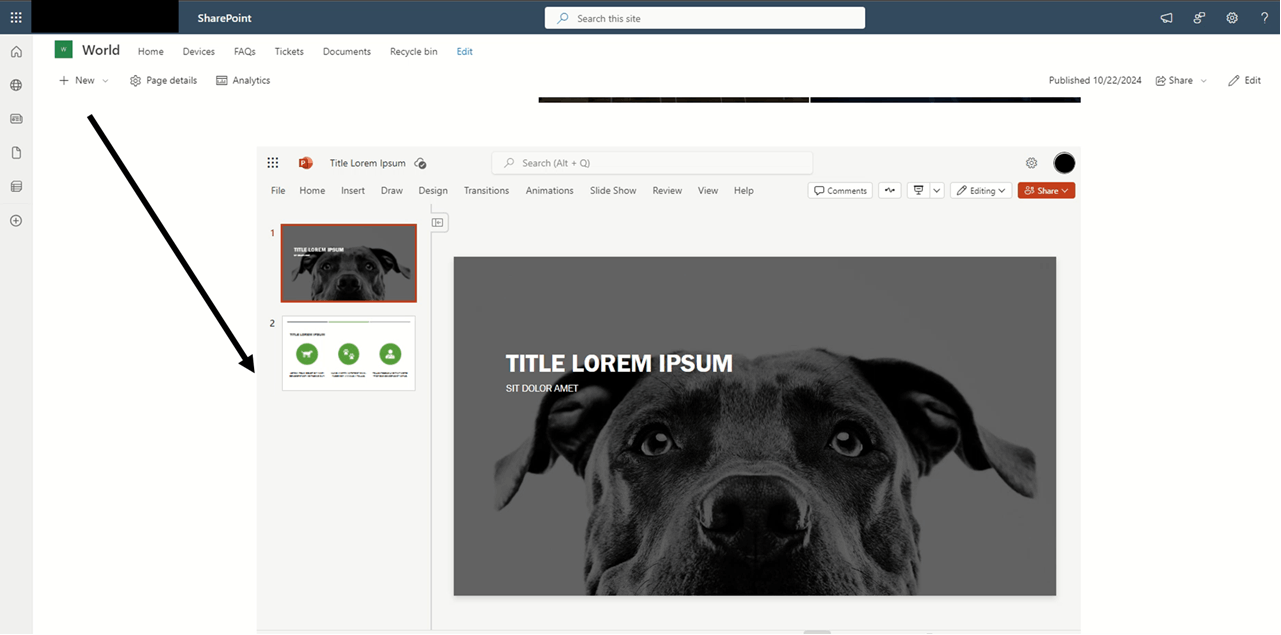
    To accomplish, you need to use the iFrame in the SharePoint page.

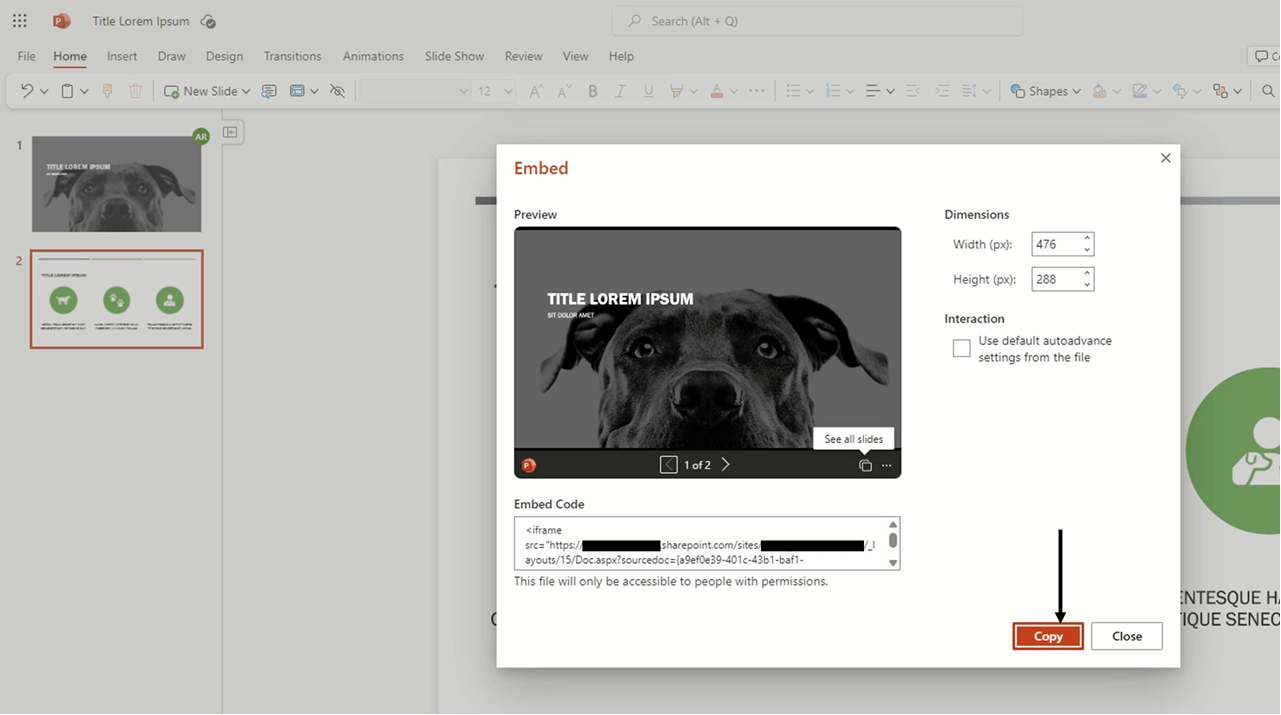
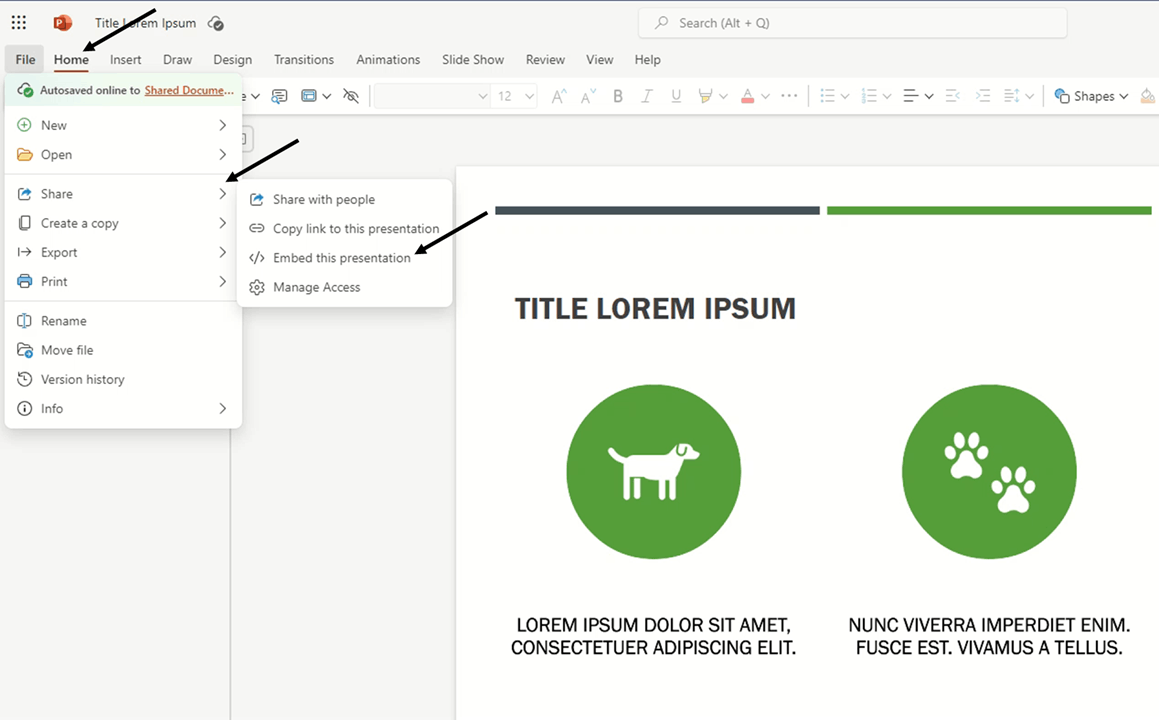
    I did the testing by opening the .pptx file in PowerPoint web version then copy the iFrame code by going to File – Share – Embed this presentation.

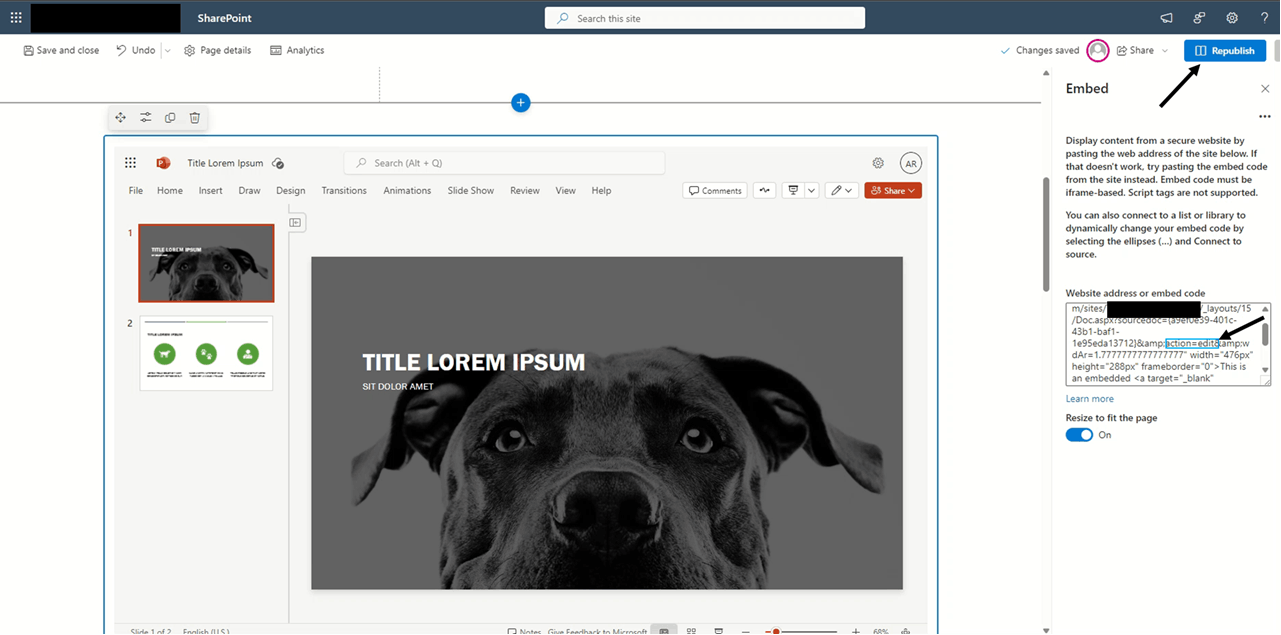
    After that copy, the “Embed Code” and use it in your SharePoint page by adding a new webpart “Embed”.

    You need to remember to change the code from action=embedview to action=edit.

    E.g., <iframe src='https://xxx.sharepoint.com/sites/xxx/_layouts/15/WopiFrame.aspx?sourcedoc={xxx}&action=edit&wdStartOn=1' width='476px' height='288px' frameborder='0'>This is an embedded <a target='_blank' href='https://office.com'>Microsoft Office</a> document, powered by <a target='_blank' href='https://office.com/webapps'>Office Online</a>.</iframe>

    Please refer to the screenshots below of each step:
    Appreciate your understanding and patience.

    Sincerely,

    AJ RAJ| Microsoft Community Moderator

    Was this answer helpful?

    0 comments No comments