Share via

Replace an Image in PowerPoint with the same Size and Position

Anonymous
2025-03-13T13:19:08+00:00

This used to work, I swear I did this on Monday:
Picture on one of my PPT slides > right-mouse-klick > replace image > from clipboard: the image stayed the same size on my PowerPoint slide as before; my new image was zoomed/cropped to fit its place.
Today this doesnt work anymore?!?

Windows 10
Microsoft 365 Apps for Business

Microsoft® PowerPoint® für Microsoft 365 MSO (Version 2502 Build 16.0.18526.20144) 64 Bit

Microsoft 365 and Office | PowerPoint | For business | Windows

Locked Question. This question was migrated from the Microsoft Support Community. You can vote on whether it's helpful, but you can't add comments or replies or follow the question.

0 comments No comments

3 answers

Sort by: Most helpful
  1. Anonymous
    2025-03-13T14:38:13+00:00

    Dear Peer_py

    Good day! Thank you for posting to Microsoft Community. I am happy to help you.

    I tested it here using the latest version of PowerPoint and I did not experience this problem. So could I confirm if this is happening in a particular presentation? You can build a demo to test, and if the new one doesn't have this problem, you can try using the new one.

    If I have this problem with multiple presentations, can I first make sure that the following option is selected for the Settings of the images:

    If you are still experiencing problems, can I confirm if your colleagues/classmates are experiencing this problem on their devices.

    I look forward to your reply. Thanks for your cooperation.

    Have a good day!

    Sincerely,

    Tin | Microsoft Community Moderator

    1 person found this answer helpful.
    0 comments No comments
  2. Anonymous
    2025-03-14T15:44:55+00:00

    Dear Peer_py

    Good day! Thank you for posting to Microsoft Community. I am happy to help you.

    The version I tested did match the version you described:
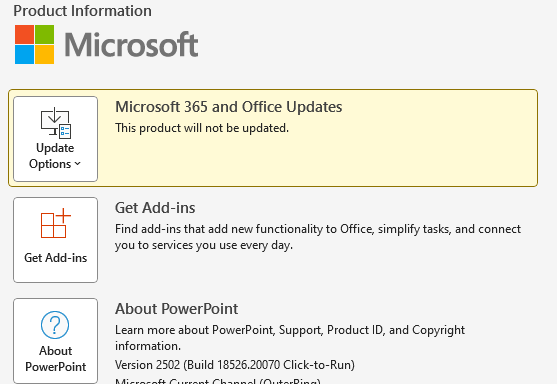
     

    If multiple users are reporting this issue, it is possible that a particular tenant is experiencing an issue after a version update, and I have reported this issue to the PowerPoint developers. If you want to fix this issue, you will need to wait for them to complete the fix, I am sorry that as the moderator of the forum, I can not directly make changes to PowerPoint.

    I also noticed that you mentioned that previous versions did not have this issue, so I recommend that you use an older version of the PowerPoint app until the developer fixes this issue, and you can deploy older versions of the Office app through the Office Deployment tool: Overview of the Office Deployment Tool - Microsoft 365 Apps | Microsoft Learn
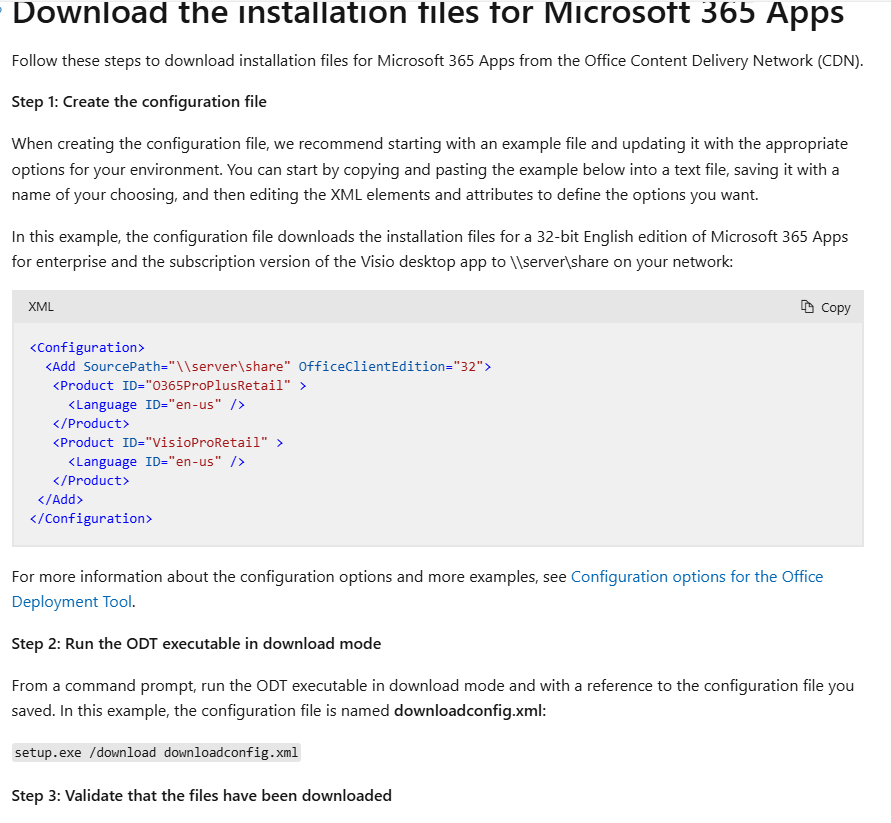
    You can usethis link to create a profile:
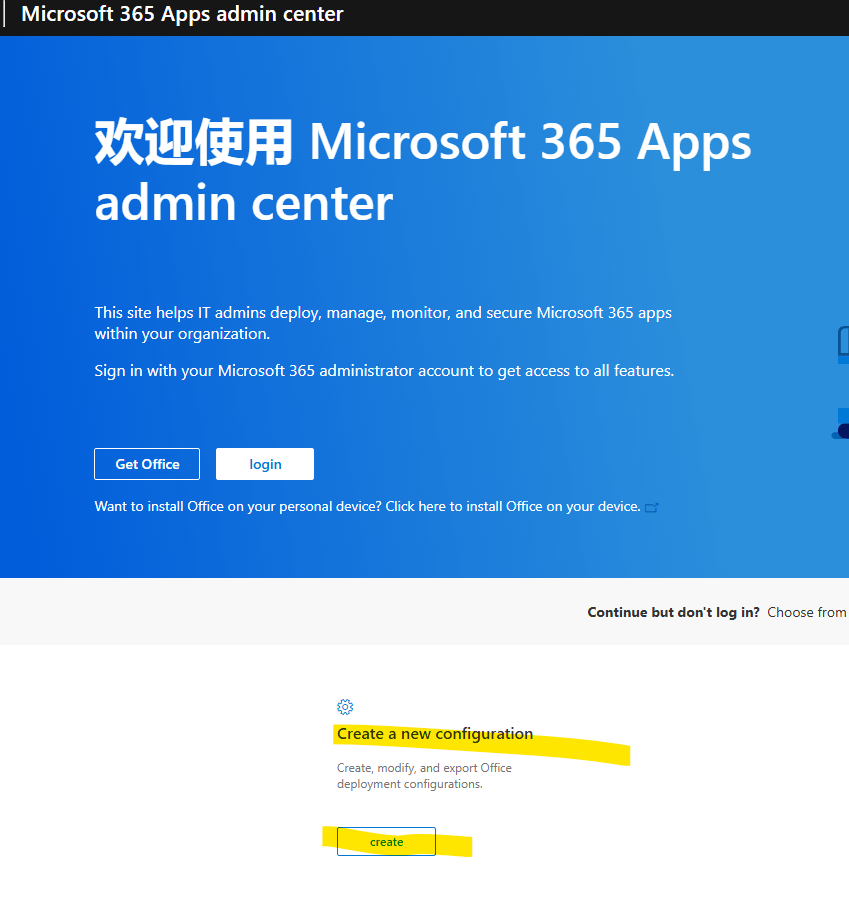
    Thanks for your cooperation.

    Have a good day! 

    Sincerely,

    Tin | Microsoft Community Moderator

    0 comments No comments
  3. Anonymous
    2025-03-13T14:54:15+00:00

    This occurs on all our company devices, in every presentation (old or newly created) and every user is reporting this problem since today.

    The lock aspect ration/relative to picture size option is turned on.

    0 comments No comments