Dear Eric,
Thank you for your response and truly sorry for my delay response.
Since you already have license Planner 5, please follow these steps to access the advanced portfolio management.
- Go to Planner > My Portfolios > New portfolio
- If you see notice like picture
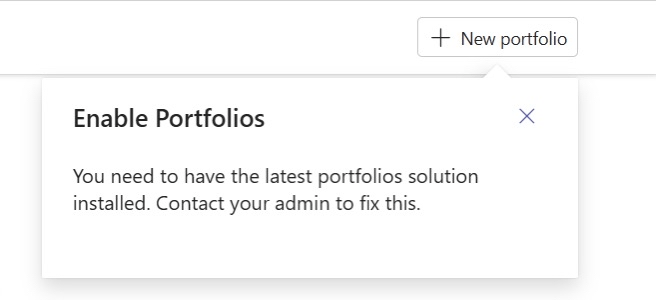
2.1. Go to make.powerapps.com
2.2. Click gear icon
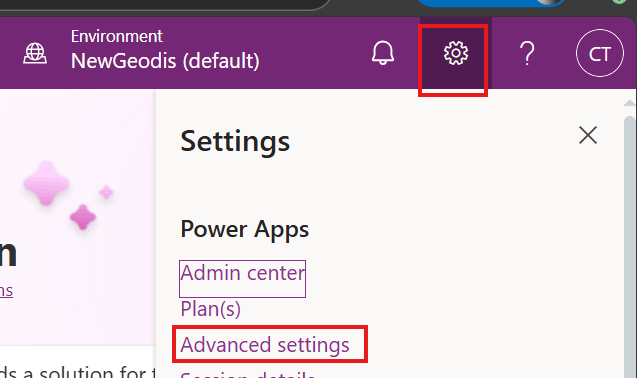
2.3. choose Settings
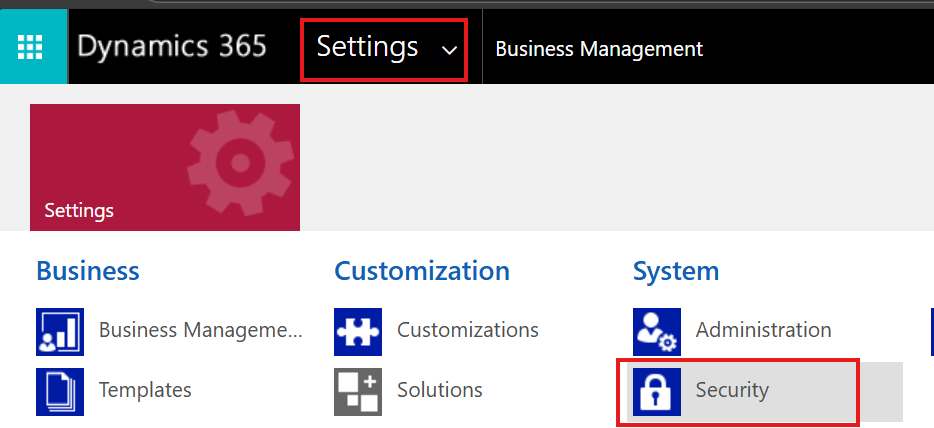
2.4. kindly lick on Users
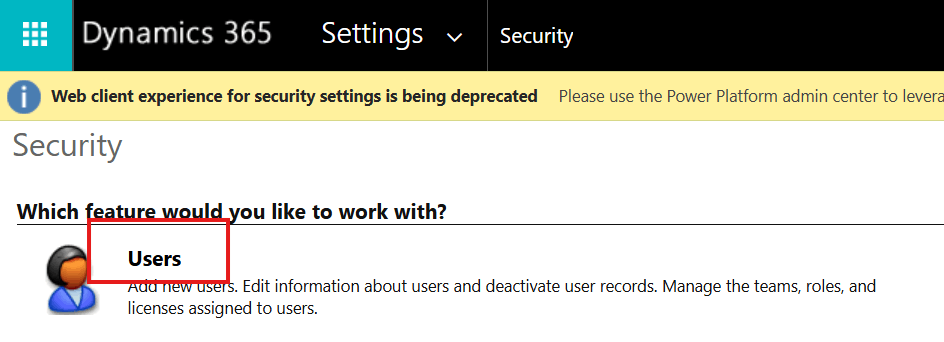
2.5. In this tag, choose Manage then input your account on search box and choose this account
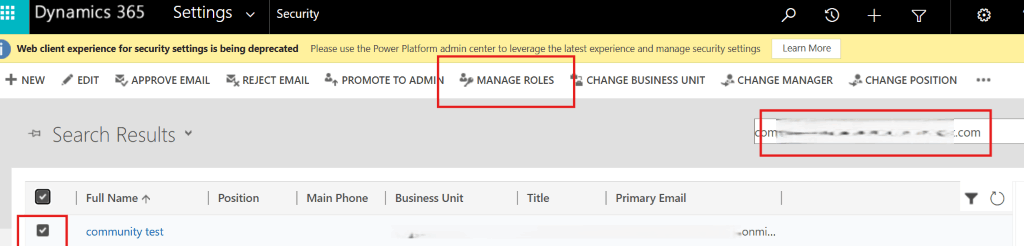
2.6. In Manage User Roles, make sure all blow roles are selected
- Portfolio User
- Project Common
- Project System
- Roadmap System
- Roadmap user
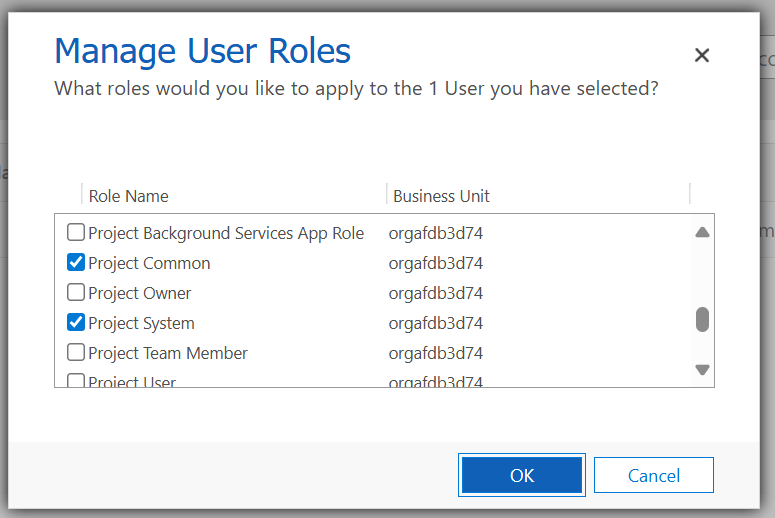
2.7. Kindly sign out this account and sign in wait for a while
If the issue still persists, please reach out to your IT support to request raising ticket to get help from our senior team Microsoft support who are unable to run the diagnostics in backend (please note, as a moderator I don't have tool for check this for you)
If you don't see this error, kindly refer the official document of Microsoft to access the advanced portfolio management:Manage multiple plans with portfolios in Microsoft Planner - Microsoft Support
I hope it clears your concerns, please let me know if you have any further questions.
Best Regards,
Ian-Ng - MSFT | Microsoft Community Support Specialist.
' cx='32' cy='32' r='32' /%3E%3Ctext x='50%25' y='55%25' dominant-baseline='middle' text-anchor='middle' fill='%23FFF' %3EA%3C/text%3E%3C/svg%3E)
