Share via

SmartArt Pane

Anonymous
2025-06-16T20:10:32+00:00

I'm working on an organizational chart, and I recently encountered an issue where the SmartArt Text Pane in PowerPoint isn't functioning correctly. The Font is way too big, and I can't scroll to the bottom of the pane. I can't make it small, and I can't add to the org chart.

I uninstalled PowerPoint and then reinstalled it, but the problem remains unresolved.

Microsoft 365 and Office | PowerPoint | For business | MacOS

Locked Question. This question was migrated from the Microsoft Support Community. You can vote on whether it's helpful, but you can't add comments or replies or follow the question.

0 comments No comments

11 answers

Sort by: Most helpful
  1. Bob Jones AKA CyberTaz MVP 435.6K Reputation points
    2025-06-22T14:15:01+00:00

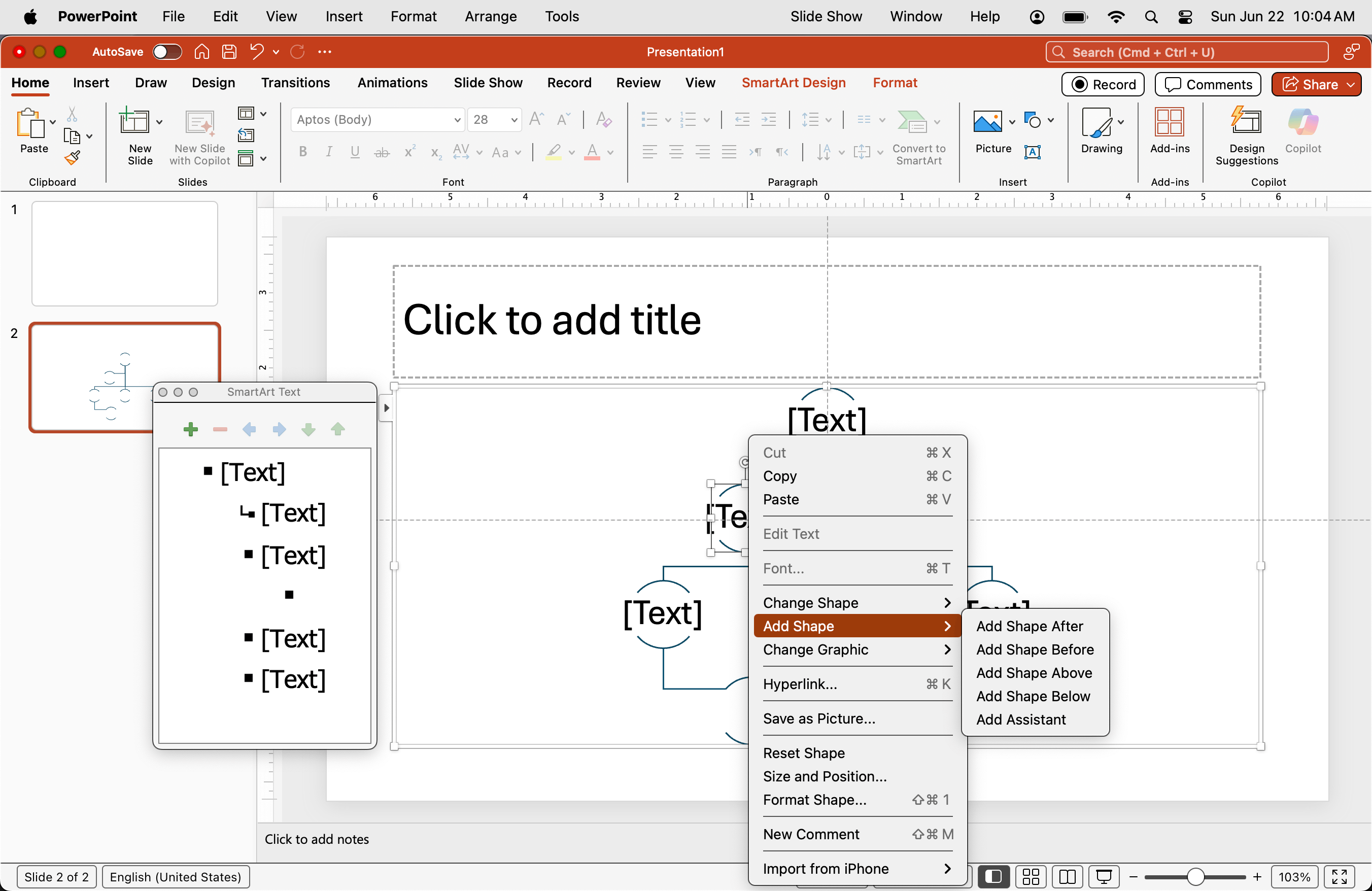
    Right-click the edge of the Shape you want to add to then select from the Add Shape listing in the contextual menu:
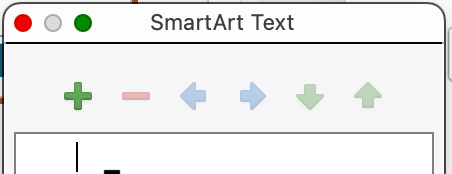
    Alternatively, select a Shape the use the tools in the Text Pane Toolbar:
    Note that you cannot arbitrarily insert a Shape in a particular location of your choice if that's what you're trying to do. New Shapes have to be inserted relative to existing ones. If you want to create a customized diagram you'll have to build it, yourself, using the Shapes Tool on the Insert tab instead of attempting to restructure the built-in SmartArt diagrams.

    Was this answer helpful?

    0 comments No comments
  2. Anonymous
    2025-06-19T20:37:04+00:00

    Am having the same issue... I'm trying to both create and edit existing org charts and that pane is not working. Can't work directly within it; you click in and you can't get to the right line . Can't scroll... It's creating blank lines that you can't click to or even tab up and down to get to. It's unusable. These are org charts that have 4 direct reports, with about 4-5 individuals underneath - very simple.

    Was this answer helpful?

    0 comments No comments
  3. Bob Jones AKA CyberTaz MVP 435.6K Reputation points
    2025-06-19T12:17:51+00:00

    Not having access to the file or knowing your level of experience with SamrtArt I'm just offering some info which you may not be aware.

    • The Text Pane is purposely sized as it is because the height of diagrams is expected to be kept minimal — the entire Corporate Staff of General Motors can't be effectively contained on a slide.
    • As new Shapes are added all Shapes are scaled automatically. However, individual Shapes & collections of Shapes can be selected & scaled as necessary. Likewise, any other attributes [Size, Fill Color, Font Size, etc.] can be modified as you wish.
    • The size of the Shapes can be adjusted using the tools in the Shapes group on the Format contextual tab & their content will scale accordingly.
    • The Text Pane is not effectively scrollable as per my first point, but the height of the pane can be adjusted by dragging its top & bottom edges. The width can be adjusted in the same way. Additionally, the pane will maximize to fill the entire screen if you double-click its title bar. IMO those are even better options because more of the pane content is visible.

    Was this answer helpful?

    0 comments No comments
  4. Bob Jones AKA CyberTaz MVP 435.6K Reputation points
    2025-06-17T13:36:14+00:00

    Just as an off-the-cuff guess: Has the file ever been opened/edited in Apple's Keynote app, Google Slides or other presentation program? If so it may have cause corruption which may not be reversible.

    BTW — i fully agree with John. Private Messages should not be solicited except in special cases. They prevent the overwhelming majority of experienced, knowledgeable responders from being able to assist.

    Was this answer helpful?

    0 comments No comments
  5. Anonymous
    2025-06-17T02:34:51+00:00

    I'm having the exact same issues.

    Was this answer helpful?

    0 comments No comments