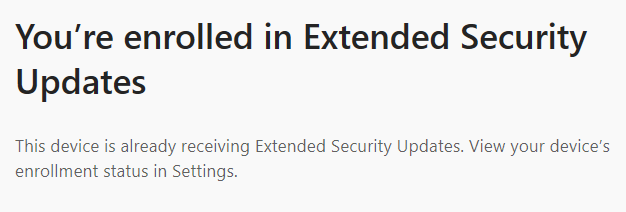
I'm running Windows 10 Pro and enrolled in Extended Security Updates today. When I ran Windows Update after enrolling, it did install several updates; but it still says that I'm not up to date and am missing important security and quality fixes and doesn't list any updates to install when I click on Check for updates.
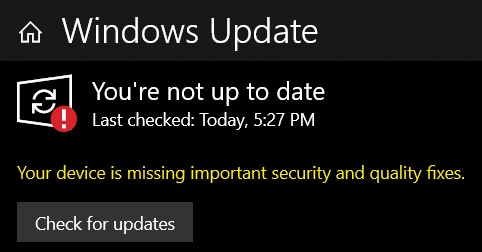
I did some searching on the Internet and found advice to make sure I have the latest Servicing Stack installed. This is what I currently have:

The Windows Update Catalog shows this for the latest Servicing Stack Update:

However, when you click on Download, the SHA1 hash that it displayed is not a valid hash and isn't the hash calculated for the file.
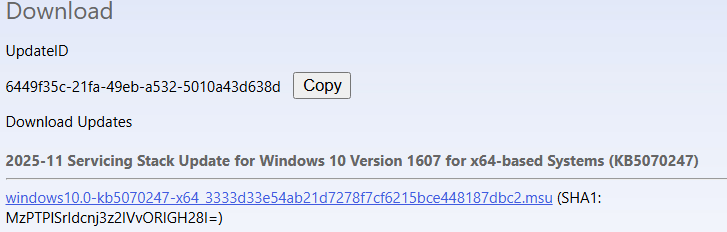
Without a valid hash from Microsoft to compare against the generated hash, I don't feel comfortable installing the update.
Any ideas on how to fix this issue?
Thank you very much for your help!
Don
' cx='32' cy='32' r='32' /%3E%3Ctext x='50%25' y='55%25' dominant-baseline='middle' text-anchor='middle' fill='%23FFF' %3ED%3C/text%3E%3C/svg%3E)

' cx='32' cy='32' r='32' /%3E%3Ctext x='50%25' y='55%25' dominant-baseline='middle' text-anchor='middle' fill='%23FFF' %3EJD%3C/text%3E%3C/svg%3E)