Share via

How to transfer full Windows 11 Pro (free upgrade from Win 10 Pro) license to new machine

Richard B 40 Reputation points
2026-01-04T03:13:20.7466667+00:00

In 2020, I built a home Intel-based PC from components and purchased a Windows 10 Pro Full Version (DVD) from Amazon, and installed it on this home machine. When offered the opportunity to upgrade the Win 10 Pro license to Win 11 Pro I did so.

I'm building a new AMD-based machine to replace the 2020 build, and want to move my Win 11 Pro license from the old Intel machine to the new AMD machine.

Step 1, I assume I should deactivate the license on my old Intel machine first. No problem.

Step 2, what's the easiest way to get Win 11 Pro on the new machine? Can I just install Win 10 Pro from the DVD using the original license key, and then "redo" the free upgrade to Win 11 Pro?

Or is there something else I should do? TIA.

Windows for home | Windows 11 | Licensing and activation

Answer accepted by question author
  1. EmilyS_726 16,210 Reputation points Volunteer Moderator
    2026-01-04T04:27:53.4433333+00:00

    Hello

    Please do not remove the license on the old device yet. Since you bought it from third party, they might claim it was a retail version when it may not be. So let's check to make sure first.

    On the old computer, Can you please type cmd in the search on the taskbar and hit enter to launch command prompt, then run the following command:

    slmgr /dlv
    

    Then share a screenshot please. Thanks!

    1 person found this answer helpful.

Answer accepted by question author
  1. Ivan B 108.5K Reputation points Independent Advisor
    2026-01-06T07:52:35.6466667+00:00

    Hi,

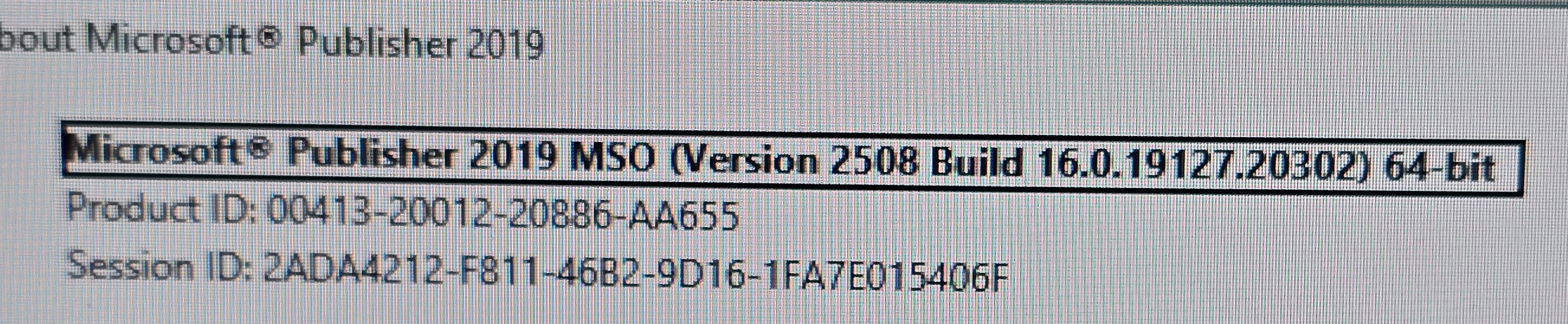
    If the key is not being recognized, you will have to contact Microsoft support if the legitimate key is not Volume because the problem would be activation and not installation.

    The best way to contact Microsoft is through Microsoft chat. Go to the link below and enter "Office". Next, you will find the "Contact Support" option.

    https://support.microsoft.com/en-us/contactus

    microsoft-community-30344590-1750940510120 (1)

    Give your feedback if the information was useful or not.

    Thanks

    0 comments No comments

4 additional answers

Sort by: Most helpful
  1. Ivan B 108.5K Reputation points Independent Advisor
    2026-01-04T03:56:33.1966667+00:00

    Hi,

    Since this is an FPP (retail) license, I recommend you uninstall the key on the old computer. In this case, write down the 25-digit key on the old computer.

    If you don't have it written down, get it using ShowKeyPlus on the old computer:

    https://apps.microsoft.com/detail/9pkvzcprx9nv?hl=en-US&gl=US

    After writing it down, open the Command Prompt (admin) and run the command: slmgr /upk to uninstall the key on the old computer after writing it down.

    You can create a Windows 11 installation drive directly with the media creation tool at the link below:

    https://go.microsoft.com/fwlink/?linkid=2156295

    On the installation screen, enter the 25-digit key and you're done.

    Give feedback if the information was useful or not.

    Thanks

    0 comments No comments

  2. Anonymous
    2026-01-04T03:43:33.6966667+00:00

    Yes because your original Windows 10 Pro was a Retail license.

    Retail licenses are fully transferable.

    You do not need to reinstall Windows 10 first. Instead:

    Remove the key from the old PC, or just stop using it.

    Install Windows 11 Pro directly on the new PC using a USB installer.

    Activate it using your original Windows 10 Pro key.

    If activation fails, use Activation Troubleshooter > “I changed hardware”.

    0 comments No comments

  3. Q&A Assist
    2026-01-04T03:13:29.1033333+00:00
    AI generated content. This question contains an answer created with AI from Q&A Assist. Learn more

    To transfer your Windows 11 Pro license to a new machine, you can follow these steps:

    1. Deactivate the License: As you mentioned, you should deactivate the license on your old Intel machine. This typically involves uninstalling the product key using the command prompt with the command slmgr.vbs /upk.
    2. Install Windows 10 Pro: On your new AMD machine, you can install Windows 10 Pro using the original DVD and product key you purchased. This is a valid method since you have a full version license.
    3. Upgrade to Windows 11 Pro: After installing Windows 10 Pro, you can proceed with the free upgrade to Windows 11 Pro. This can be done through Windows Update or by using the Windows 11 Installation Assistant.

    By following these steps, you should be able to successfully transfer your license and upgrade to Windows 11 Pro on your new machine.

Your answer

Answers can be marked as 'Accepted' by the question author and 'Recommended' by moderators, which helps users know the answer solved the author's problem.