Developer technologies | Windows Presentation Foundation
A part of the .NET Framework that provides a unified programming model for building line-of-business desktop applications on Windows.
This browser is no longer supported.
Upgrade to Microsoft Edge to take advantage of the latest features, security updates, and technical support.
' cx='32' cy='32' r='32' /%3E%3Ctext x='50%25' y='55%25' dominant-baseline='middle' text-anchor='middle' fill='%23FFF' %3EMK%3C/text%3E%3C/svg%3E)
Hi there, I have a simple WPF application where a different window will open if I select the last item of a Combo box. my code is working successfully but there some issue on my code. I want some more functionality. Suppose, I select the last item, A window will appear. if I select the last item again then the another window will not appear again, that only works if I select another item after that again the last item.
I want to open that different window again and again by selecting the last item it does not matter if I select the last item, last time or not.
Here is my C# code in MainWindow.xaml.cs :
 private void cmb1_SelectionChanged(object sender, SelectionChangedEventArgs e) {

       Window1 win1 = new Window1();

       if (cmb1.SelectedIndex == cmb1.Items.Count - 1)

       {
         win1.Show();

       } else {

         win1.Close();

       }

     }
Here I also tried by putting cmb1.SelectedIndex = -1; after win1.Show();. It works but it behaves abnormally that means my ComboBox became blank which I obviously don't want.
Here is my XAML code :
<Grid x:Name="Grid">
<ComboBox x:Name="cmb1" Width="400" Height="25" SelectionChanged="cmb1_SelectionChanged" >
<ComboBoxItem >item1</ComboBoxItem>
<ComboBoxItem>item2</ComboBoxItem>
<ComboBoxItem>item3</ComboBoxItem>
<ComboBoxItem>item4</ComboBoxItem>
</ComboBox>
</Grid>
My final approach is to Create a proper ViewModel and use DataBinding with simple properties instead. But I don't know How to do that in this scenario.
A part of the .NET Framework that provides a unified programming model for building line-of-business desktop applications on Windows.
An object-oriented and type-safe programming language that has its roots in the C family of languages and includes support for component-oriented programming.
' cx='32' cy='32' r='32' /%3E%3Ctext x='50%25' y='55%25' dominant-baseline='middle' text-anchor='middle' fill='%23FFF' %3EHL%3C/text%3E%3C/svg%3E)
It works but it behaves abnormally that means my ComboBox became blank which I obviously don't want.
Could you take a screenshot to show what the specific performance is?
' cx='32' cy='32' r='32' /%3E%3Ctext x='50%25' y='55%25' dominant-baseline='middle' text-anchor='middle' fill='%23FFF' %3ER%3C/text%3E%3C/svg%3E)
You can manually trigger the SelectionChanged event of a ComboBox by creating and raising a new SelectionChangedEventArgs in your code. Here’s a concise example:
// Assuming 'comboBox' is your ComboBox control

var args = new SelectionChangedEventArgs(

    ComboBox.SelectionChangedEvent,

    comboBox.SelectedItems, // Old selection

    comboBox.SelectedItems  // New selection (same as old)

);

comboBox.RaiseEvent(args);
This code manually raises the SelectionChanged event with the current selection, even if it hasn't changed.
This comment has been deleted due to a violation of our Code of Conduct. The comment was manually reported or identified through automated detection before action was taken. Please refer to our Code of Conduct for more information.
This comment has been deleted due to a violation of our Code of Conduct. The comment was manually reported or identified through automated detection before action was taken. Please refer to our Code of Conduct for more information.
' cx='32' cy='32' r='32' /%3E%3Ctext x='50%25' y='55%25' dominant-baseline='middle' text-anchor='middle' fill='%23FFF' %3ERF%3C/text%3E%3C/svg%3E)
I know it's late, but have you tried "ComboBox.SelectedItems.Clear"?
Hi, I already solved the problem. Can you please help me to solve my Latest question, if you do that I can definitely accept your answer.
here is the Link : https://learn.microsoft.com/en-us/answers/questions/1725200/how-can-i-track-the-last-dpi-which-is-sent-by-wm-d
Using the MVVM code below can achieve the same effect as yours.
MainWindow.xaml:
 <Window.DataContext>
        <local:ViewModel/>
    </Window.DataContext>
    <StackPanel x:Name="Grid">

        <ComboBox Name="cb2" Width="400" Height="30" ItemsSource="{Binding List}"
                  DisplayMemberPath="Name"
            SelectedValuePath="Name"
                  SelectedIndex="{Binding Selected}">

        </ComboBox>
    </StackPanel>
Codebehind:
252381-4444.txt
----------------------------------------------------------------------------
If the response is helpful, please click "Accept Answer" and upvote it.
Note: Please follow the steps in our documentation to enable e-mail notifications if you want to receive the related email notification for this thread.
Thank you very much sir for your answer. As you always here to help me. But unfortunately your code is not working. Because according to my requirements the Window should be open if I select the last item again and again without selecting any other item. But after applying your code my issue remain shame.
Now. come to another Another question.
Could you take a screenshot to show what the specific performance is?
There is nothing to take screenshot, I can tell you in a single sentence. As soon as I apply the cmb1.SelectedIndex = -1; after win1.Show() . The window is opening if I Select the same index again and again but my ComboBox became blank. Though my ComboBox item are there as usual but there no ComboBox item highlight present.
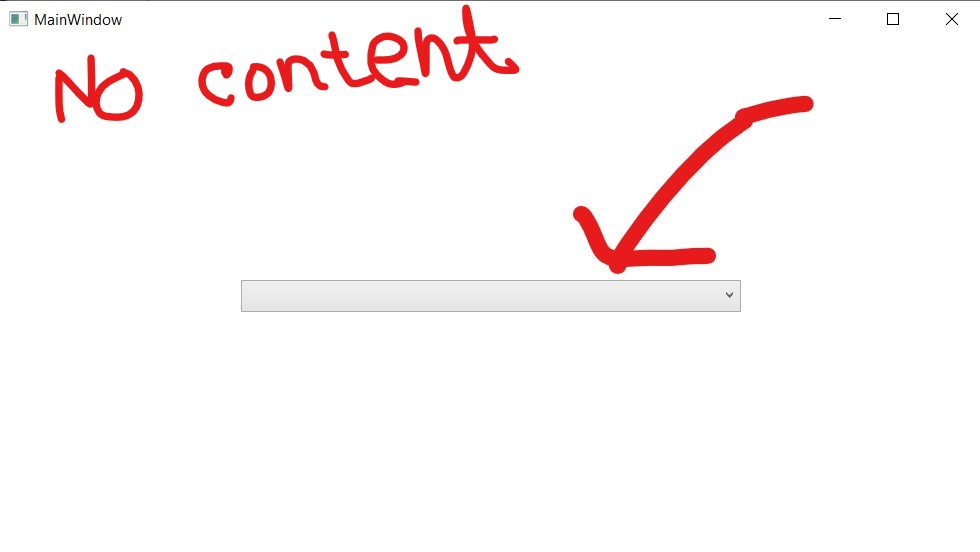
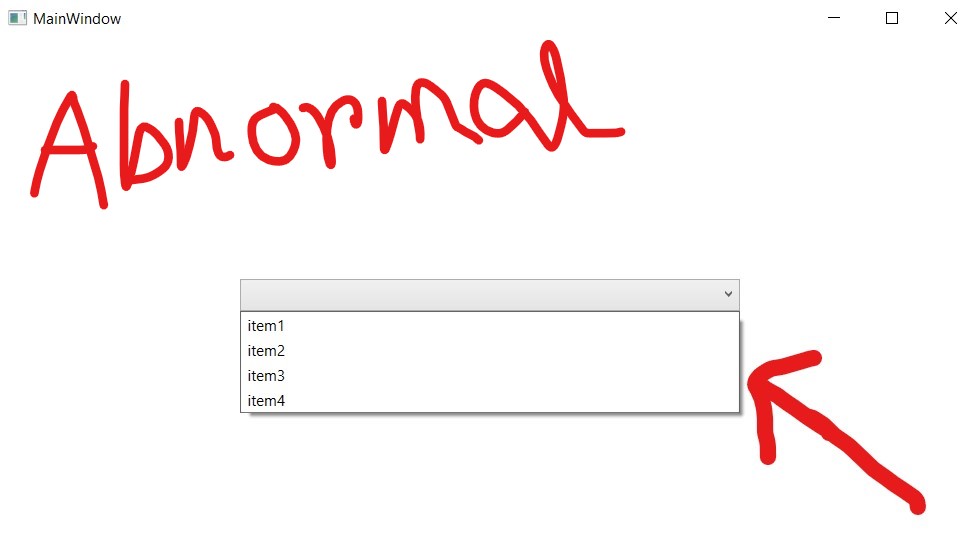
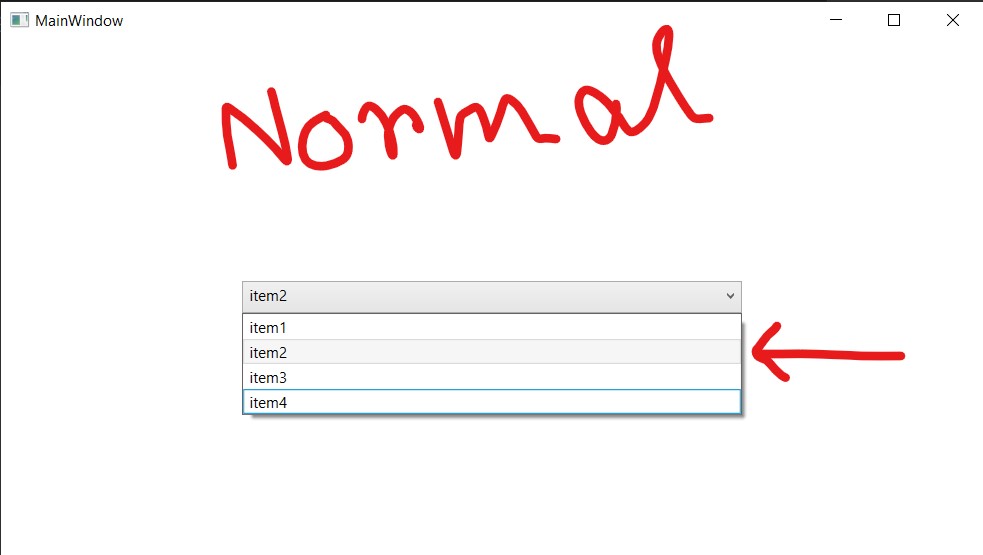
This highlight is mainly tell me which Item I select previously. Though I attach some screenshot to understand the matter better.
After testing your code, here is the result. (The first ComboBox uses your code and the second ComboBox uses my code.)
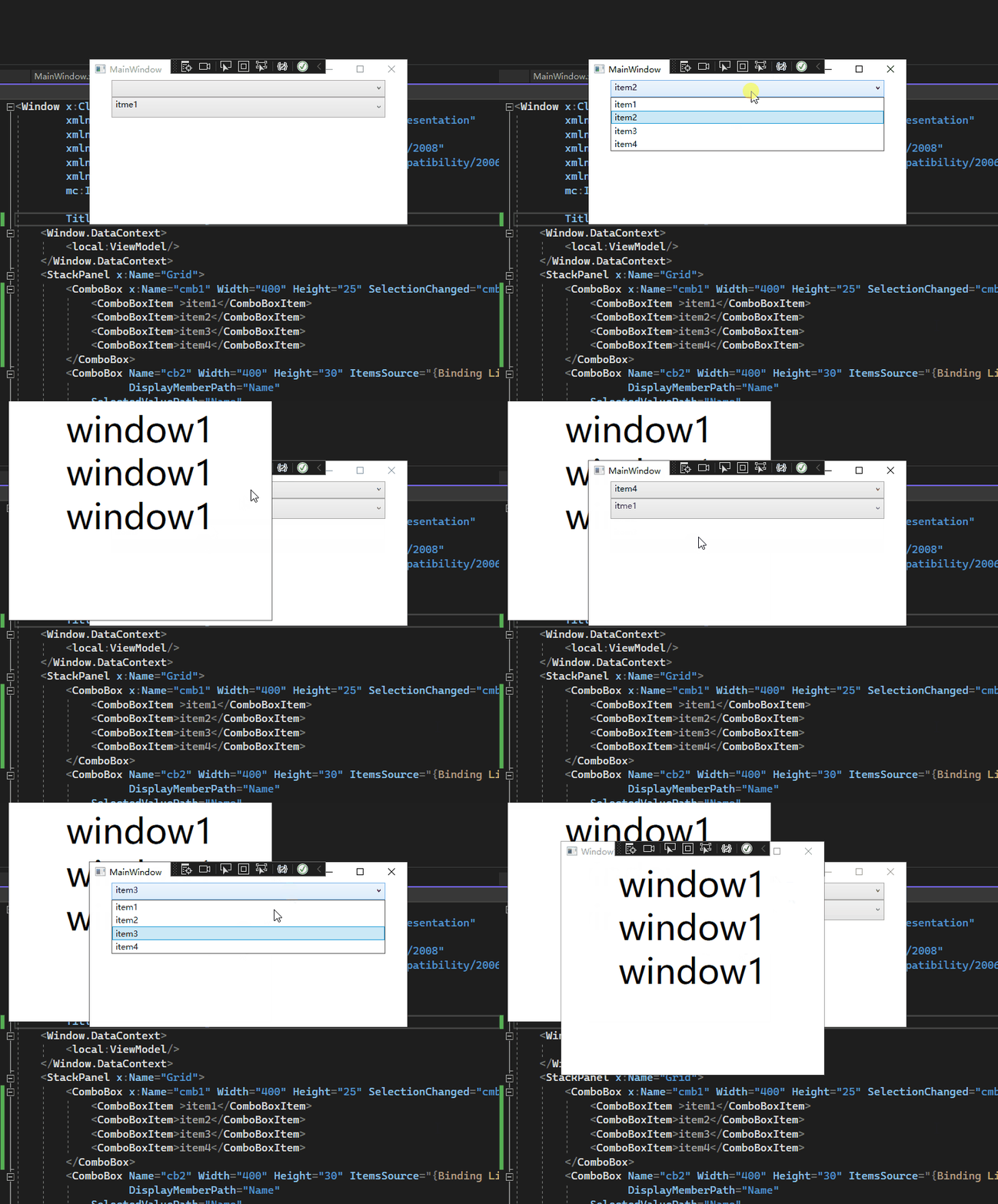
Do you want the effect mentioned above?
My Combobox doesn't show blank. The effect of my code is as follows.
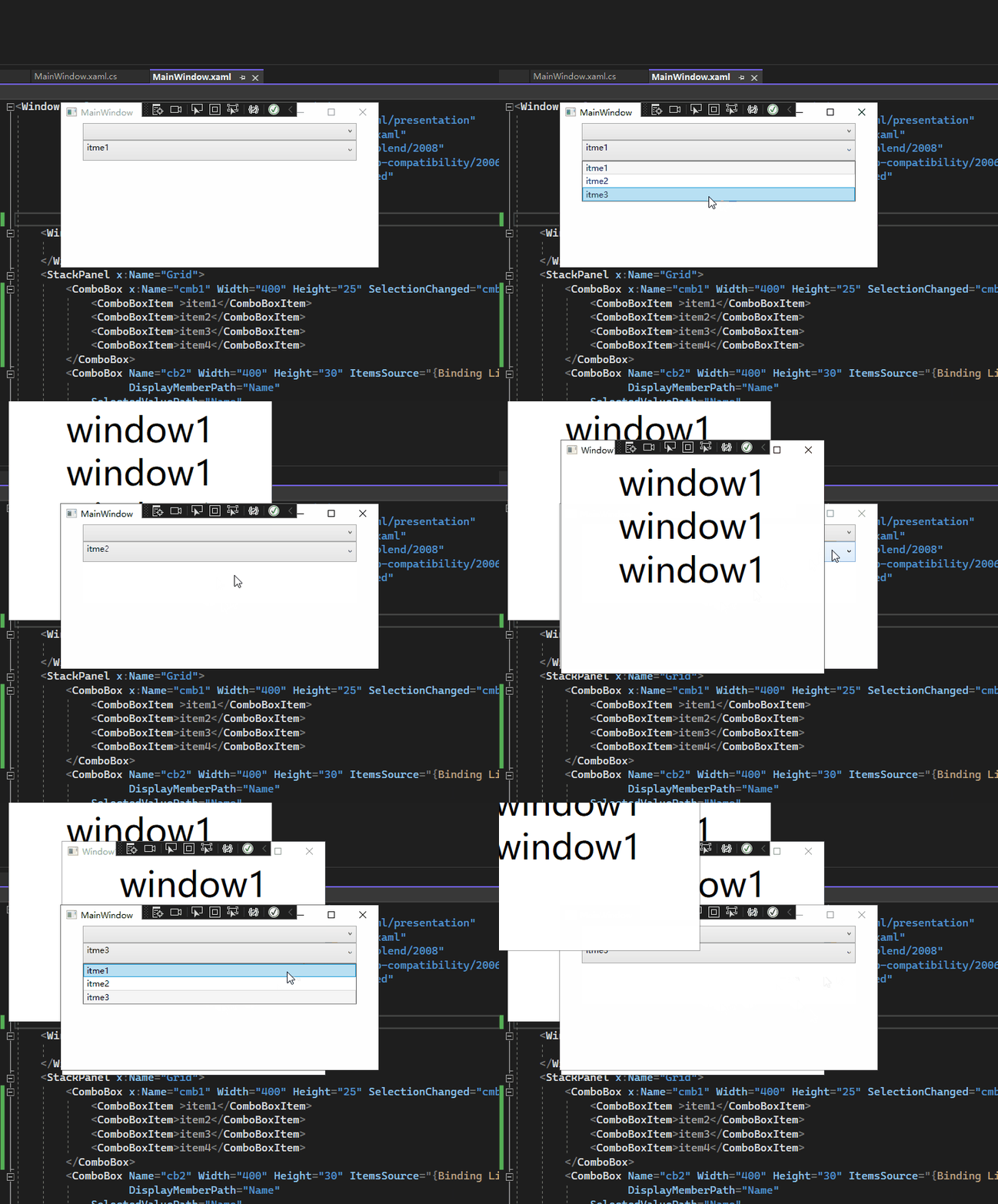
If not, please describe the problem in more detail.
Thank you very much sir, for your reply. You did not understand my question properly. Let's take your Combo Box in this case. As you shown your ComboBox has total three items. If I click the last item that means the item3, then a window will appear that's fine. But my requirement is I want to click the item3 again and the window should open again without clicking any other tabitem in this case tab item1, item2.
Hope you understand.