Azure Data Factory
An Azure service for ingesting, preparing, and transforming data at scale.
This browser is no longer supported.
Upgrade to Microsoft Edge to take advantage of the latest features, security updates, and technical support.
' cx='32' cy='32' r='32' /%3E%3Ctext x='50%25' y='55%25' dominant-baseline='middle' text-anchor='middle' fill='%23FFF' %3EB%3C/text%3E%3C/svg%3E)
Hi All
I can see the SHIR Version on my Azure portal, this SHIR runs on a server , when i log onto the server where can i find the version. I want to make sure they are the same. Please need help.
Thanks
An Azure service for ingesting, preparing, and transforming data at scale.
' cx='32' cy='32' r='32' /%3E%3Ctext x='50%25' y='55%25' dominant-baseline='middle' text-anchor='middle' fill='%23FFF' %3ESS%3C/text%3E%3C/svg%3E)
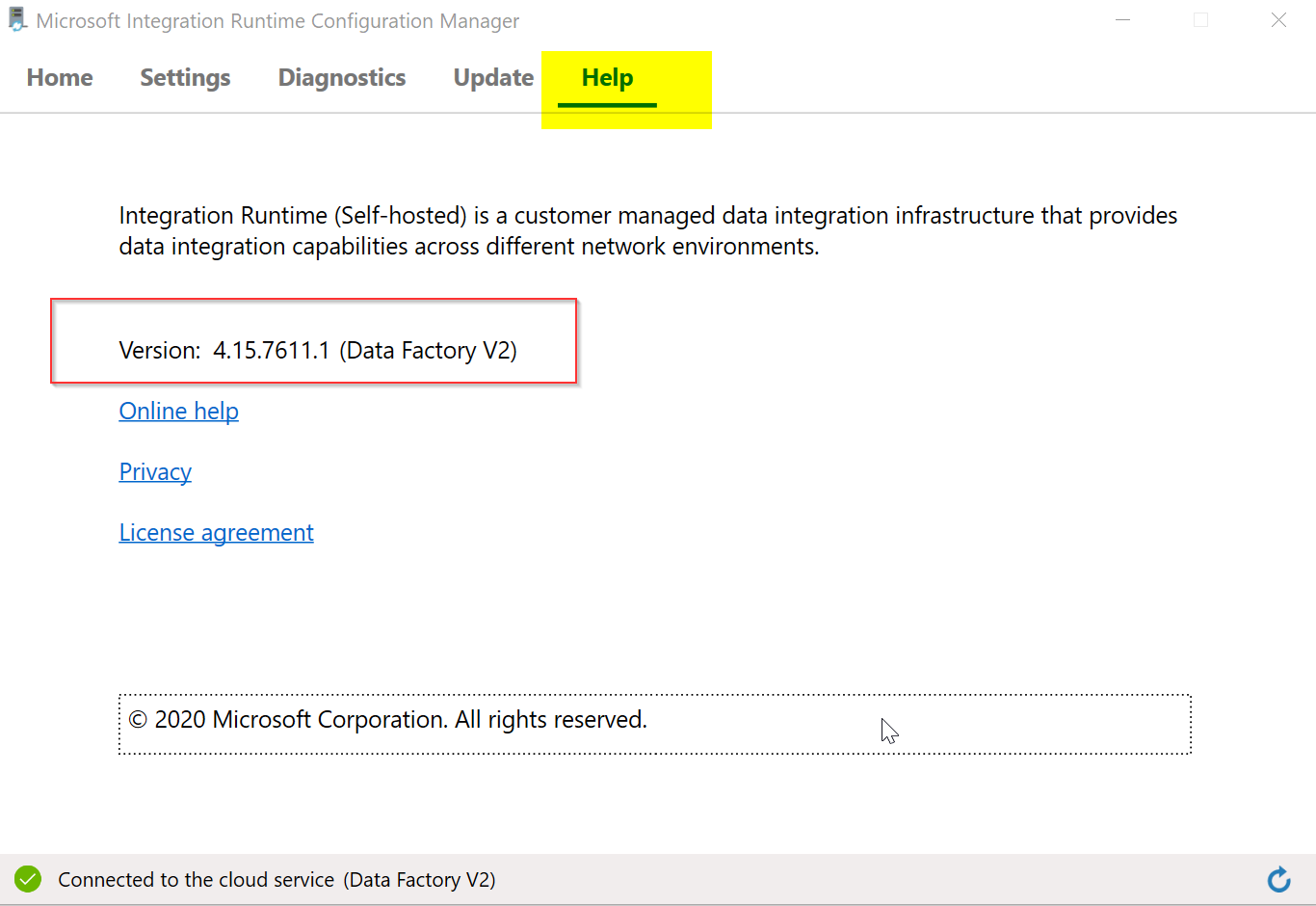
@bk Thanks for using Microsoft Q&A. You can find Integration Runtime version by going to "Microsoft Integration Runtime Configuration Manager" on your VM where SHIR is installed. The version will be available under Help tab as shown in the below image.
----------
Please do not forget to "Accept the answer" wherever the information provided helps you to help others in the community.
@bk Please let me know if you find above reply useful. If yes, do click on 'Mark as answer' link in above reply. This will help other community members facing similar query to refer to this solution. Thanks.
@bk Please do not forget to "Accept the answer" wherever the information provided helps you to help others in the community.

Hi @bk ,
It's an interesting question. Thank you for asking this.
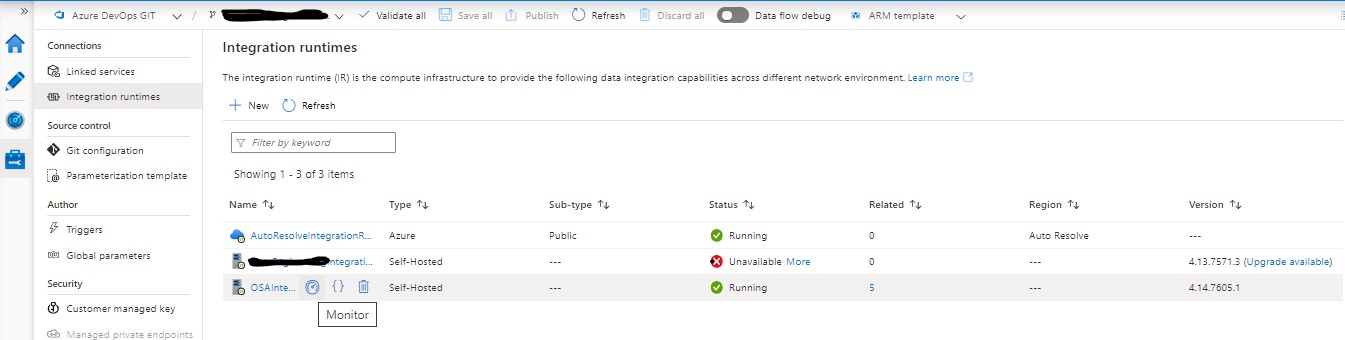
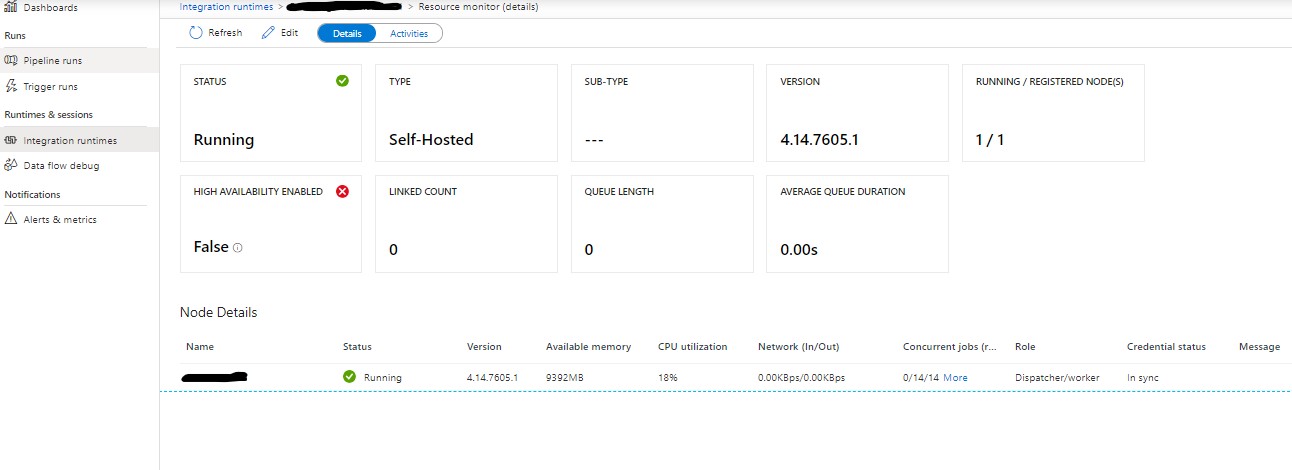
You can see the Node version# (i.e., installed in the VM) from the portal too. In the DataFactory --> Manage option --> click on Monitor icon (see the screenshots).
You can upgrade the IntegrationRuntime version for nodes too. For details please see the following links:
https://learn.microsoft.com/en-us/azure/data-factory/create-self-hosted-integration-runtime
https://learn.microsoft.com/en-us/rest/api/datafactory/integrationruntimenodes/update
----------
Please "accept answer" if this answer your query. Thank you!