Forgive me for putting this issue in the wrong category. There is no category for issues with peripherals or drivers for peripherals.
It feels like this has been a progressive issue on my Surface Laptop Studio (gen. 1). It started with sporadically unreliable drag, and now the failures are more often than the successes when trying to perform a tasks with a mouse. All mice connected to my laptop, be it bluetooth or USB, behave unreliably. It might be good to tell that the touchpad still behaves without issues. But I have reached a point where using my mouse is more unpredictable than rolling dice. It is really getting under my skin. Even the simplest of tasks like clicking and dragging turn into a nightmare to accomplish, even doing more harm than good.
So what happens?
- A click is sometimes interpreted as double click or even a triple click, with all of the consequences.
- In a text editor or web browser: instead of placing the cursor, a word, sentence or entire paragraph is highlighted
- Some toggle actions, like check boxes or a media play/pause button, toggles on and off again. So pressing "pause" immediately triggers "play" again, and checkboxes toggle on and then immediately off again.
- In the Explorer, a file or folder is opened instead of higlighted
- A double-click is sometimes interpreted as a triple click.
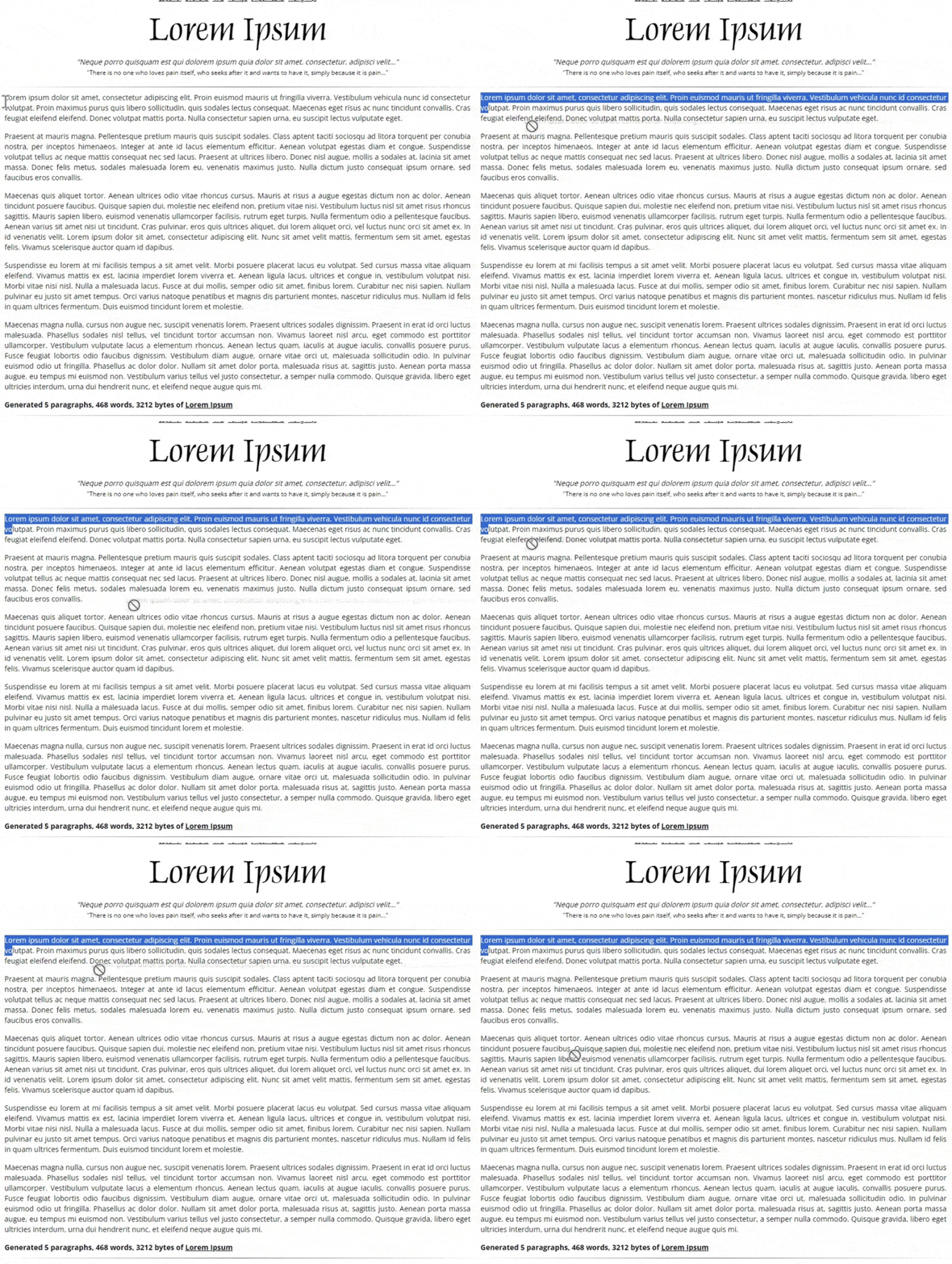
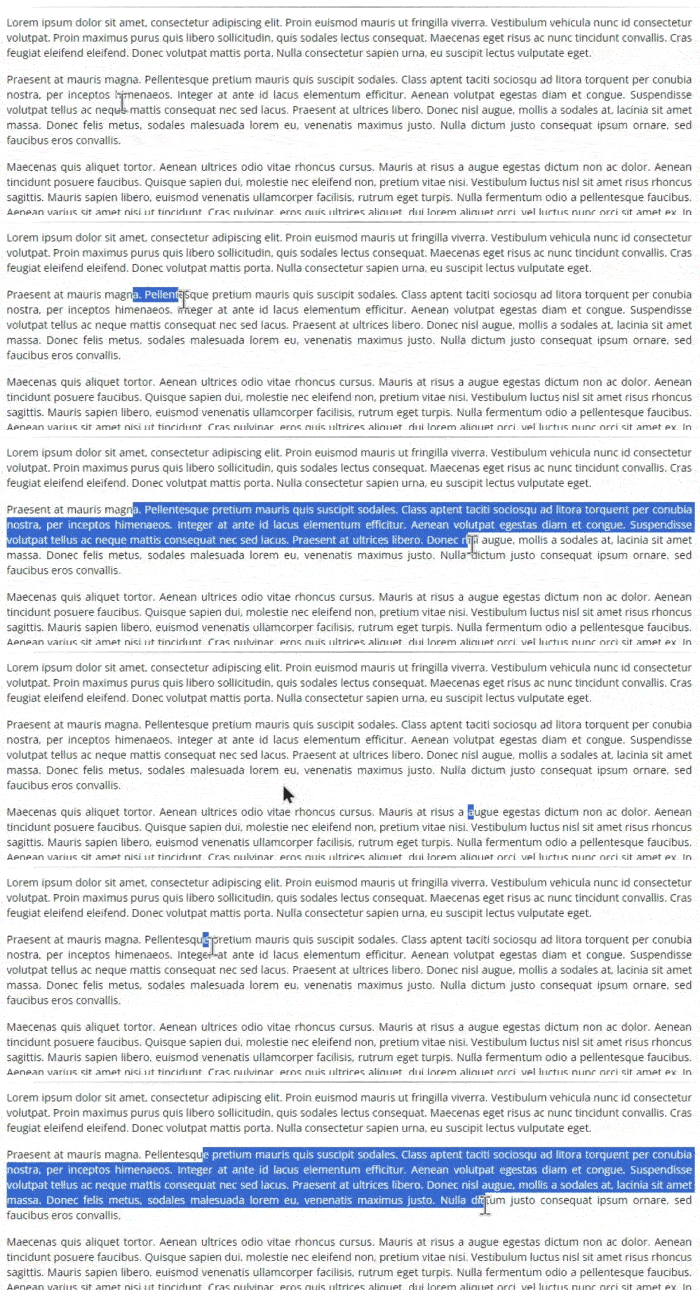
- Left mouse button down + drag is sometimes interrupted. This is visible when highlighting text:
- sometimes I lose chunks of text that I am highlighting, starting a new highlight randomly,
- sometimes highlighting stops, and my mice start dragging the text that has been highlighted so far,
- sometimes when I successfully highlighted the portion of text I wanted to highlight, I lose the entire highlight
What did I try?
I found a thread related to my problem: https://answers.microsoft.com/en-us/surface/forum/all/erratic-mouse-movement/a5ce535b-7c7b-433a-8432-5d3210b9ffd5. However, the suggested actions do not resolve my issue.
- I installed the latest updates from Windows Update. Then I rebooted. No effect.
- Through msconfig, I disabled all non-Microsoft services and did a clean reboot. No effect.
- I unchecked the Enhance pointer precision box to turn off Mouse Acceleration. No effect.
- In the touchpad settings, I unchecked "keep touch pad activated when a mouse is connected". No effect.
- I uninstalled any installed mice in Device Manager and rebooted. No effect.
- I connected the USB mouse through a different docking station. No effect.
- I cleaned my touch screen and touch pad with a dry microfibre cloth. No effect.
- I checked my USB ports. They do not contain dust or dirt.
Some samples
Here are some screen captures of what is happening.
#1: While dragging with the left mouse button pressed, highlighting text is halted and the currently-highlighted text is dragged.
#2: While dragging with the left mouse button pressed, highlighting the text is cancelled, and a new highlight is started.
What's next?
What can I do to get my mice to function normally again like they used to and like they should? :(
' cx='32' cy='32' r='32' /%3E%3Ctext x='50%25' y='55%25' dominant-baseline='middle' text-anchor='middle' fill='%23FFF' %3EA%3C/text%3E%3C/svg%3E)
