Share via

mat-debug-4012.log won't go away

Anonymous
2024-05-01T19:43:59+00:00

Hey guys, I'm on build 22631.3527 of the RP channel. I'm trying to clean out all the junk in the Windows\temp directory.

In the past couple of days, there's a nuisance empty file "mat-debug-4012.log" that won't allow itself to be erased, even with command prompt in admin mode. It says the file is being "used by another process."

Attrib does not show anything interesting. The only attribute is A.

When using File Explorer, it says the file is being used by "Microsoft Defender core service."

All lies. The file is empty. How can I clean out this refuse?? Or will the next Defender engine update take care of this all by itself?

Many thanks.

Windows Insider program | Apps on Insider preview

Locked Question. This question was migrated from the Microsoft Support Community. You can vote on whether it's helpful, but you can't add comments or replies or follow the question.

0 comments No comments

8 answers

Sort by: Most helpful
  1. Anonymous
    2024-05-02T21:14:40+00:00

    Thanks again, fg2001.

    So last night, after going to safe mode and deleting the one problem .log, and then rebooting in normal mode, I discovered that another pesky debug file showed up. Just like Martin said in his post. It too cannot be deleted.

    And then today, it looks like there's still only one of those un-erasable nuisance files in the temp folder.

    I'll see if it's just one that remains un-erasable, or if they accumulate over time. I have no idea what changed, because this seems like a recent phenomenon to me.

    (I guess it pays NOT to be obsessively compulsive!)

    Was this answer helpful?

    0 comments No comments
  2. Anonymous
    2024-05-02T06:06:03+00:00

    Ah, safe mode, thanks both of you!

    fg2001: the blasted file, this and similar, keep appearing in the windows\temp folder, I guess every single time you boot up more garbage accumulates. But usually, I can clean all that litter out with a .cmd script I wrote. I clean out the subfolders which accumulate under windows\temp, plus also the files in the root windows\temp.

    This time, while the newer .log files do get deleted properly, this one ending in 4012.log stays put. Really aggravating.

    I don't know why Microsoft is allowing that windows\temp folder to become so doggoned huge. Stuff accumulated there for years and years. It keeps getting bigger, unless you get proactive about cleaning it out. So, this was me getting proactive.

    Many thanks again, guys.

    I could not find any valid explanation about how those files are used and why they are empty. I never paid much attention before.

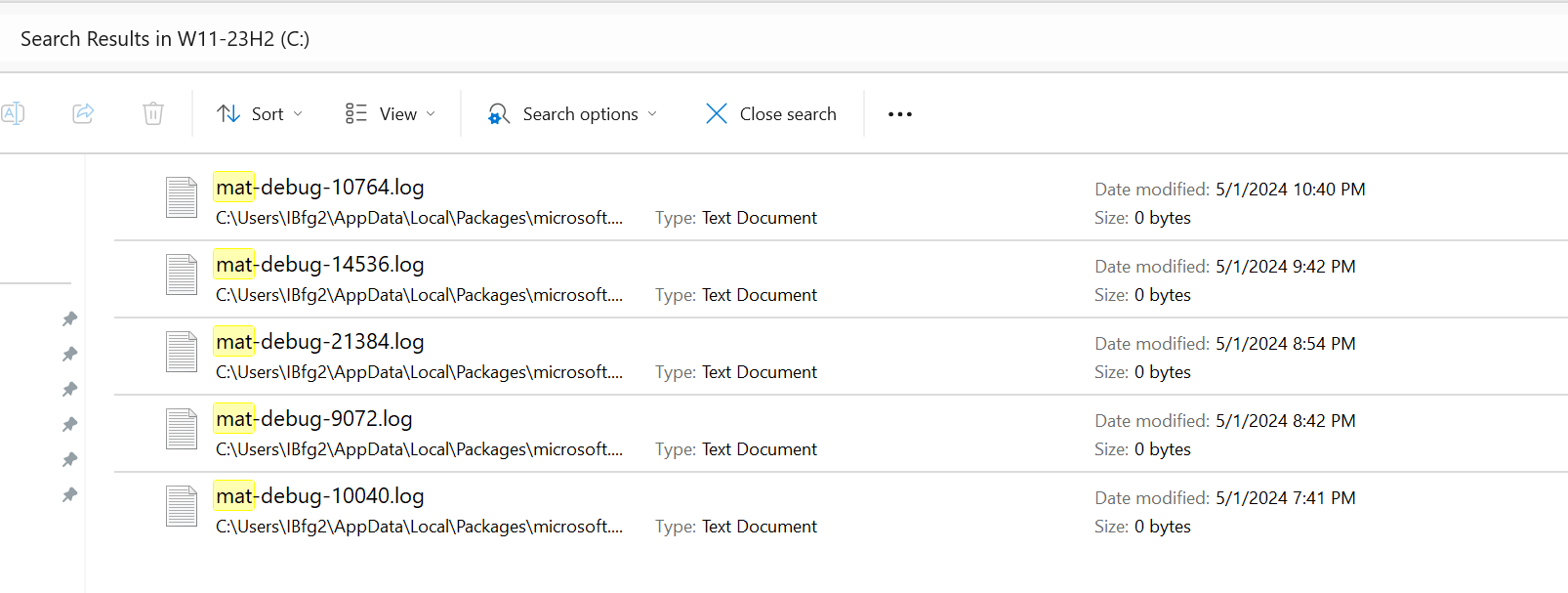
    I just did a search on the C: drive today for mat-debug*.* and found many on every machine. I have no clue how and why they are created.

    You could put a question on the MS FBH to see if they give a better explanation.

    You can try asking Copilot: "What are the mat-debug log files and why are they empty?" πŸ˜‚πŸ˜Ž

    These were just created after I deleted all the ones, I found a little earlier. πŸ˜ŽπŸ€·β€β™‚οΈ

    Image

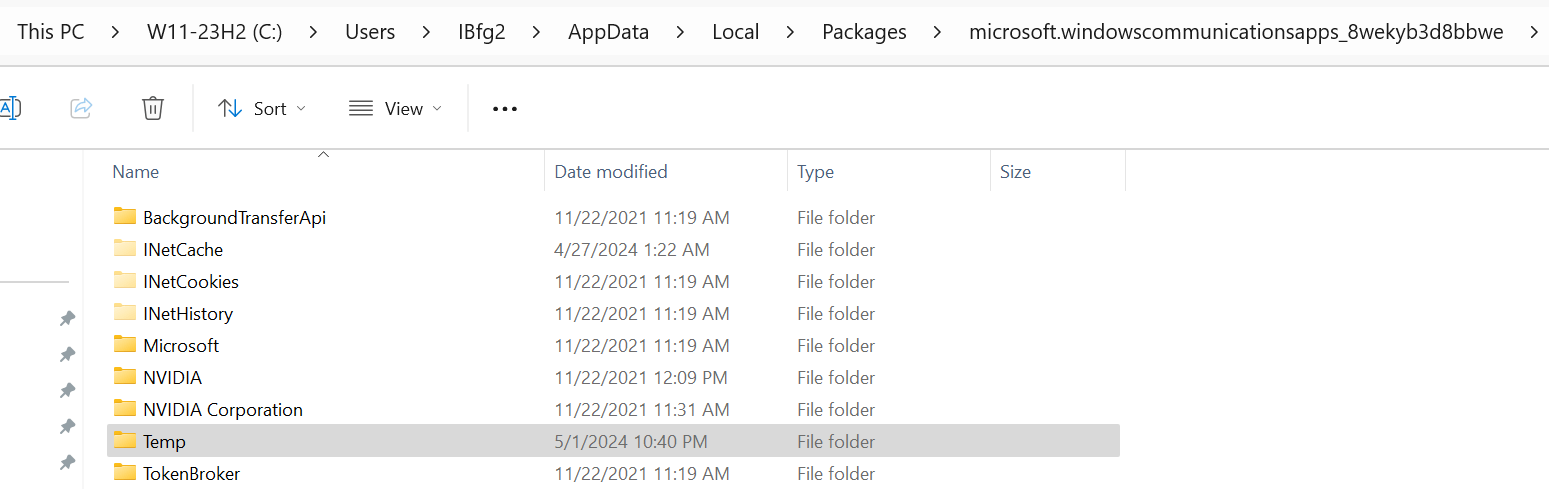
    Image

    Was this answer helpful?

    0 comments No comments
  3. Anonymous
    2024-05-02T05:07:39+00:00

    Ah, safe mode, thanks both of you!

    fg2001: the blasted file, this and similar, keep appearing in the windows\temp folder, I guess every single time you boot up more garbage accumulates. But usually, I can clean all that litter out with a .cmd script I wrote. I clean out the subfolders which accumulate under windows\temp, plus also the files in the root windows\temp.

    This time, while the newer .log files do get deleted properly, this one ending in 4012.log stays put. Really aggravating.

    I don't know why Microsoft is allowing that windows\temp folder to become so doggoned huge. Stuff accumulated there for years and years. It keeps getting bigger, unless you get proactive about cleaning it out. So, this was me getting proactive.

    Many thanks again, guys.

    Was this answer helpful?

    0 comments No comments
  4. Anonymous
    2024-05-02T04:32:06+00:00

    How can I clean out this refuse??

    Hi,

    You can safely delete that file in SAFE MODE but sooner or later will show up again with a different number.

    Was this answer helpful?

    0 comments No comments
  5. Anonymous
    2024-05-02T00:32:21+00:00

    Hey guys, I'm on build 22631.3527 of the RP channel. I'm trying to clean out all the junk in the Windows\temp directory.

    In the past couple of days, there's a nuisance empty file "mat-debug-4012.log" that won't allow itself to be erased, even with command prompt in admin mode. It says the file is being "used by another process."

    Attrib does not show anything interesting. The only attribute is A.

    When using File Explorer, it says the file is being used by "Microsoft Defender core service."

    All lies. The file is empty. How can I clean out this refuse?? Or will the next Defender engine update take care of this all by itself?

    Many thanks.

    Where are you seeing that file?

    Check out this link below.

    Mat-Debug FILES appearing in temp folders WHAT are these - Microsoft Community

    Was this answer helpful?

    0 comments No comments