Microsoft 365 and Office | SharePoint | For business | Windows
A group of Microsoft Products and technologies used for sharing and managing content, knowledge, and applications.

This browser is no longer supported.
Upgrade to Microsoft Edge to take advantage of the latest features, security updates, and technical support.
' cx='32' cy='32' r='32' /%3E%3Ctext x='50%25' y='55%25' dominant-baseline='middle' text-anchor='middle' fill='%23FFF' %3ESG%3C/text%3E%3C/svg%3E)
The site has restricted permission level for certain people. In order to access the shared documents, View Application Pages - View forms, views, and application pages. Enumerate lists permission is required. If we grant this, the restricted user gets site content option in the gear icon menu and the user can view all the lists and libraries. If this permission is removed (highlighted in the screenshot), the user cannot access the documents (access denied error comes). How to handle this ?

A group of Microsoft Products and technologies used for sharing and managing content, knowledge, and applications.
Using spfx extension, it is possible. Thanks for the help.
' cx='32' cy='32' r='32' /%3E%3Ctext x='50%25' y='55%25' dominant-baseline='middle' text-anchor='middle' fill='%23FFF' %3EJ%3C/text%3E%3C/svg%3E)
We met the same issue with PDF documents. It is about the sharing links of the documents you use. Search engine gives "old school" sharepoint links which are then redirected to URLs. Find details here https://github.com/microsoft-search/pnp-modern-search/issues/646

Hi @Sajith Gopalakrishnan Hema ,
Per my test, I create a new group with the permission you mentioned, and the test user is added to this group only.
With the permission, he/she can see pages,document libraries,lists(all in classic experience) and don't have permission to edit them.
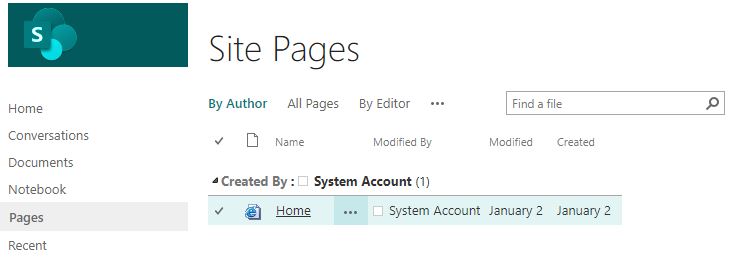
And yes they can see Site contents, however when click it, it's blank:
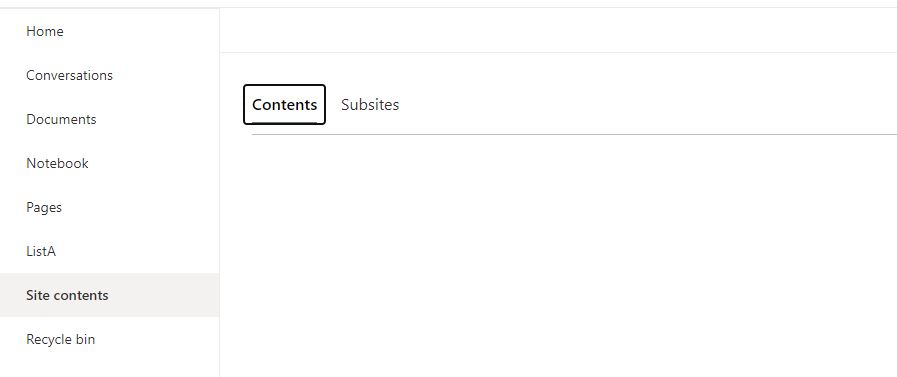
After I remove the View application pages permission, users really need to request permission to access the page.
=======================================
Is this consistent with your situation? If not, you could use the Check Permissions feature to check whether the user has obtained other permissions in other groups.
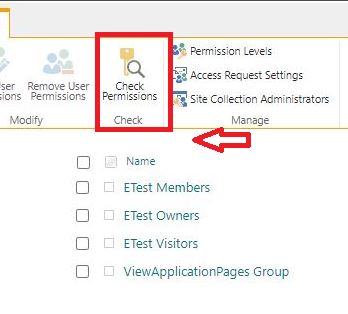
If this does not meet your needs, please describe in details the user permissions you want, and I will try my best to help you. :)
If the answer is helpful, please click "Accept Answer" and upvote it.
Note: Please follow the steps in our documentation to enable e-mail notifications if you want to receive the related email notification for this thread.
Thanks for the details. I am using Modern Team Site with Office 365 Group. If we remove View application pages permission, only site pages can be accessed. Other pages like /Shared%20Documents/Forms/AllItems.aspx cannot be accessed. So we have to give the permisson View application pages permission.
My requirement is user should not browse the site contents and Site Usage from the Gear Icon. Any option to hide these options. If we remove View application pages permission, the Gear Icon will have only Site Usage Menu. The Site Content is hidden in this case.

I'm looking into your needs now and I will reply you as soon as possible.
Thanks for your understanding and patience :-)
Please do the needful. It is very important.
Hi @Sajith Gopalakrishnan Hema ,
Thanks for waiting.
According to our testing and research, we would like to say that in modern experience there are too many restrictions and it is currently not supported to add .js globally in modern experience. Hidden gear icon is only supported in the classic experience.
I would suggest you go to the SharePoint UserVoice to make your suggestions.Thank you for your understanding and support. :)
Thanks,
Elsie Lu