Microsoft Edge | Microsoft Edge development
Developing and testing features or extensions for Microsoft Edge

This browser is no longer supported.
Upgrade to Microsoft Edge to take advantage of the latest features, security updates, and technical support.
' cx='32' cy='32' r='32' /%3E%3Ctext x='50%25' y='55%25' dominant-baseline='middle' text-anchor='middle' fill='%23FFF' %3EJ%3C/text%3E%3C/svg%3E)
I tried to use server opened exe file on edge, but it doesn't work. Server can't found the path of exe.
Please help me if this is possible to do.
Please guide me how can I implement this.
Developing and testing features or extensions for Microsoft Edge
A set of technologies in .NET for building web applications and web services. Miscellaneous topics that do not fit into specific categories.
' cx='32' cy='32' r='32' /%3E%3Ctext x='50%25' y='55%25' dominant-baseline='middle' text-anchor='middle' fill='%23FFF' %3EAK%3C/text%3E%3C/svg%3E)
Do you mean have the server side (code behind) launch a .exe on the server, or do you mean have the browser launch a .exe on the CLIENT side?
Launching a .exe on the client side from a browsser? No - that's not going to work or be allowed. If I could launch a exe on YOUR computer from a browser? Well then when you go to view my cat views on my site, I would behind the scene launch a .exe to grab your banking information, outlook contacts and who knows what else!!!
So you really can't launch .exe files from a browser with any much success - it simply a security hole the size of open barn door. You might get some success opening up some trusted locations for the browser - but it is a difficult challenge at best.
Regards,
Albert D. Kallal (Access MVP 2003-2017)
Edmonton, Alberta Canada
' cx='32' cy='32' r='32' /%3E%3Ctext x='50%25' y='55%25' dominant-baseline='middle' text-anchor='middle' fill='%23FFF' %3EA%3C/text%3E%3C/svg%3E)
@Jiroju ,
I am not sure how actually you had tried to launch the exe file from the Edge browser.
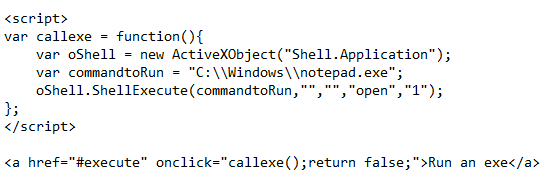
We can launch the 'Exe' file using ActiveX but modern browsers do not support ActiveX due to security reasons.
So if you are directly trying to launch the exe from the Edge browser then it is not going to work.
At present, ActiveX is only supported by the IE browser.
You can try to visit the site in the IE mode in the Edge browser. IE mode supports the Activex.
So in this way you can try to launch the exe from Edge browser.
Example:
Output:
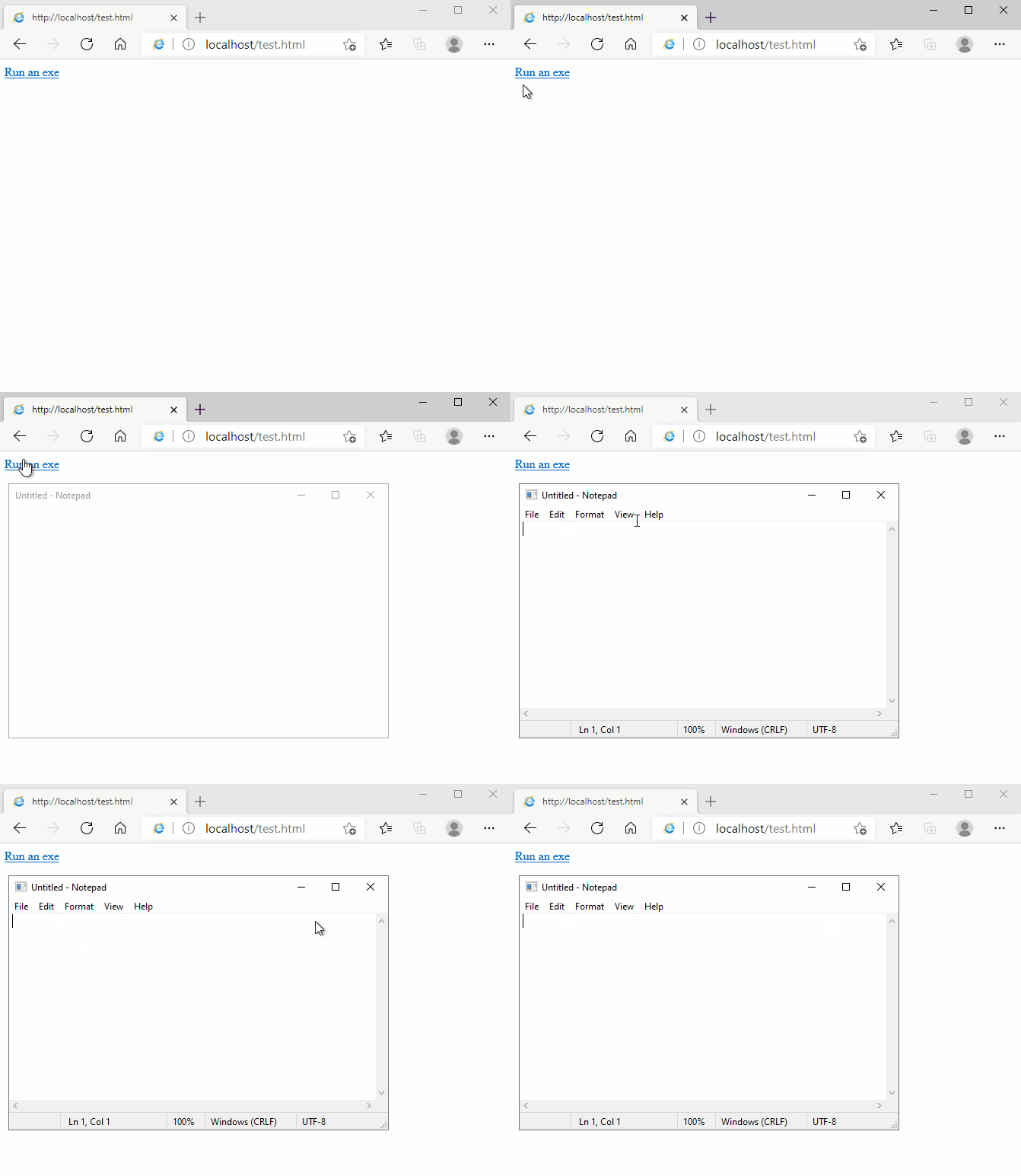
In the above test result, you can notice that the web page is open in IE mode in the Edge browser. It uses the IE browser engine to render the page.
You need to place the exe file on the target machine and you need to provide the local path to that exe file.
Note:
I try to provide you this information for learning purposes. As launching the exe file from the browser can cause security-related issues, I would not suggest you do it on your production site.
----------
If the response is helpful, please click "Accept Answer" and upvote it.
Note: Please follow the steps in our documentation to enable e-mail notifications if you want to receive the related email notification for this thread.