Share via

How to change language Windows 7 Home Premium.

Anonymous
2011-11-26T21:38:15+00:00

original title: Changing language Windows 7 Home Premium.

Hi,

I would like to know how to set Dutch as my standard language on a Windows 7 Home Premium. I ask this because my hard disc crashed and because of that the restore partition on a Dell Studio 15 also. Now I have downloaded Windows 7 OEM x64 from the internet and installed it using my serial key found behind the battery, but Windows wants me to learn English.

Tnx in advance, Rik.

Windows for home | Previous Windows versions | Accessibility

Locked Question. This question was migrated from the Microsoft Support Community. You can vote on whether it's helpful, but you can't add comments or replies or follow the question.

0 comments No comments

Answer accepted by question author

  1. Anonymous
    2011-11-26T22:18:15+00:00

    You will need to do an Anyime Upgrade to Windows 7 Ultimate, then download the Dutch Language through Windows Update:

    Upgrade to another edition of Windows 7 by using Windows Anytime Upgrade

    http://windows.microsoft.com/en-us/windows7/Upgrade-to-another-edition-of-Windows-7-by-using-Windows-Anytime-Upgrade

    Here is an example how to download a language pack, install and configure it:

    Before you can start using a language in Windows 7 Ultimate, you must first download and install it. Microsoft offers up to 35 different multi-lingual user interfaces through its Windows Update service. Lets take a look at how to install and configure one. For the purposes of this review, we are gonna install Spanish.

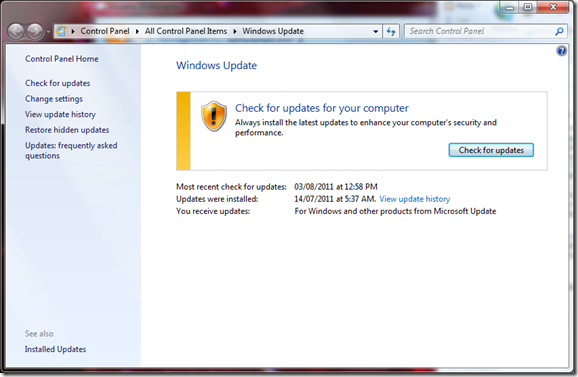
    First, launch Windows Update.
    ![](http://notebooks.com/wp-content/uploads/2011/08/image_thumb29.png)

    Click Check for updates.

    ![](http://notebooks.com/wp-content/uploads/2011/08/image_thumb30.png)

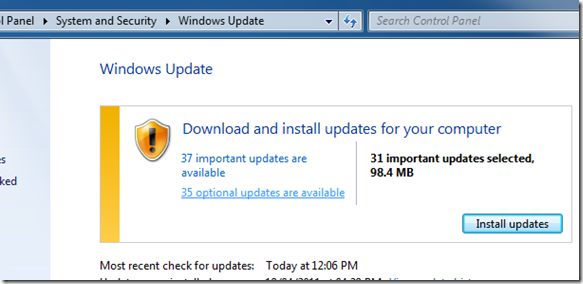
    Click the optional updates are available link.
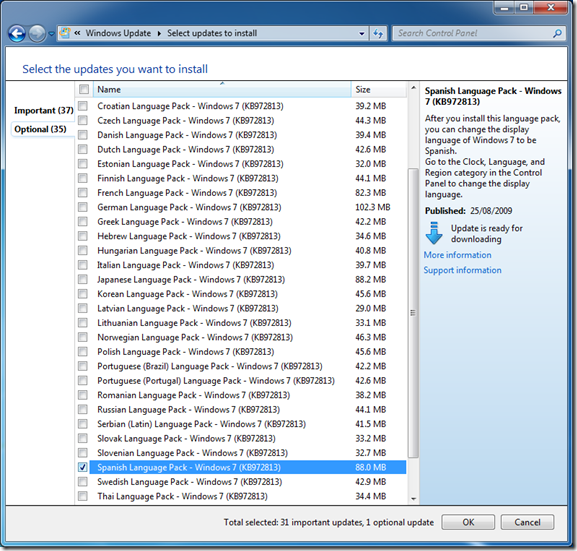
    ![](http://notebooks.com/wp-content/uploads/2011/08/image_thumb31.png)

    Here you will see a list of available languages for download. Check the desired language you would like to have installed, then click OK.
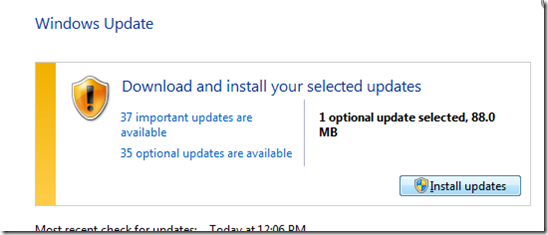
    ![](http://notebooks.com/wp-content/uploads/2011/08/image_thumb32.png)

    You will be taken back to the main screen, click Install update.
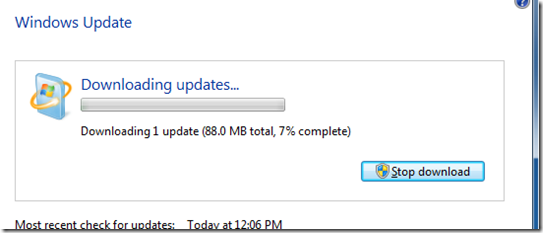
    ![](http://notebooks.com/wp-content/uploads/2011/08/image_thumb33.png)

    Wait while the update is downloading.
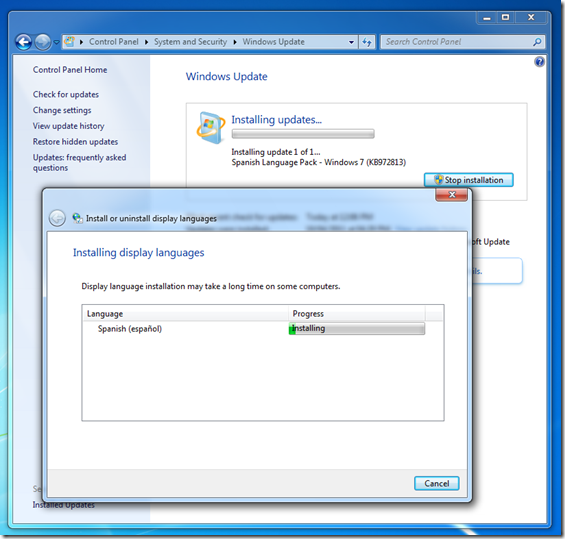
    ![](http://notebooks.com/wp-content/uploads/2011/08/image_thumb34.png)

    Installing the Language Pack

    ![](http://notebooks.com/wp-content/uploads/2011/08/image_thumb35.png)

    After the installation has completed, we will now enable the language pack.

    ![](http://notebooks.com/wp-content/uploads/2011/08/image_thumb36.png)

    Click Start, then type: language.

    ![](http://notebooks.com/wp-content/uploads/2011/08/image_thumb37.png)

    Hit Enter on your keyboard.

    ![](http://notebooks.com/wp-content/uploads/2011/08/image_thumb38.png)

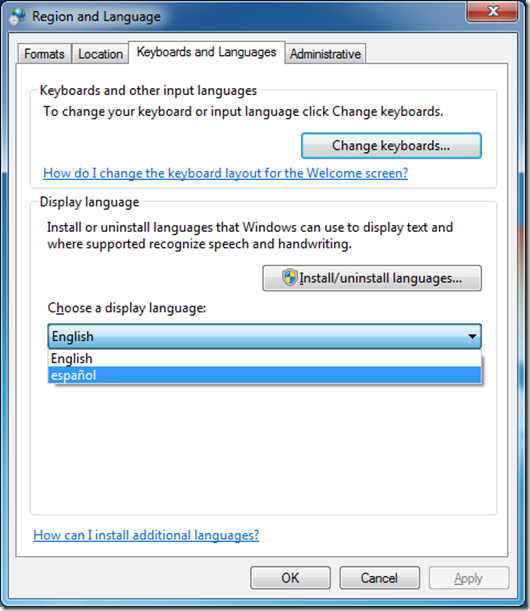
    Click on the Keyboard and Languages tab.

    Under Choose a display language, click in the list box and select the language you want to have displayed.

    Click Apply and then OK.
    ![](http://notebooks.com/wp-content/uploads/2011/08/image_thumb39.png)

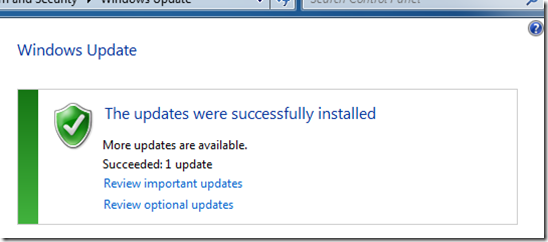
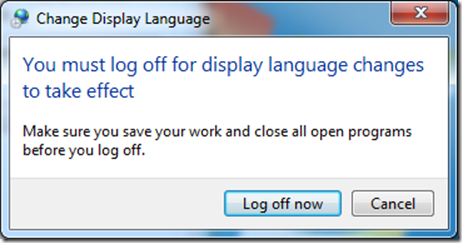
    You will be prompted to Log off now. Do so then log back in.
    ![](http://notebooks.com/wp-content/uploads/2011/08/image_thumb40.png)

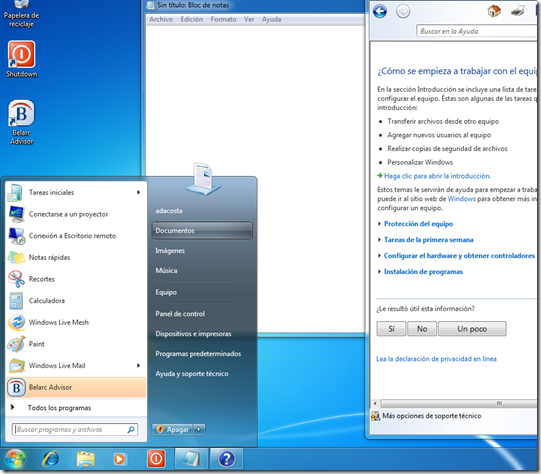
    That’s it, you are now operating in Windows 7 using a different language.

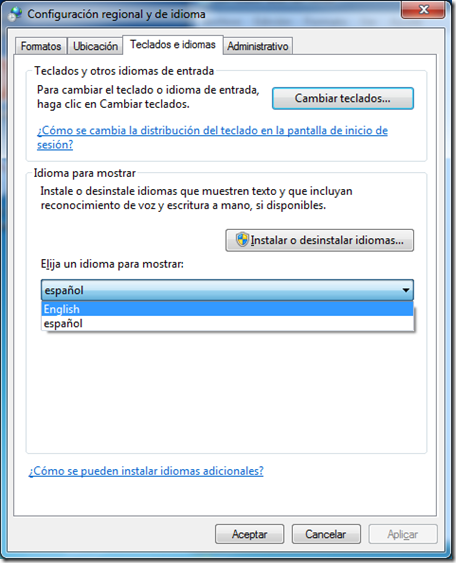
    When you are ready to change back to another language, just reopen the Region and Language dialog and select your default language.
    ![](http://notebooks.com/wp-content/uploads/2011/08/image_thumb41.png)

    That’s It!

    Was this answer helpful?

    7 people found this answer helpful.
    0 comments No comments

4 additional answers

Sort by: Most helpful
  1. Anonymous
    2012-01-11T19:18:49+00:00

    sheesh Microsoft.  I'm sitting here in Ukraine trying to convince people not to steal your software.  But man, no language pack?  You sure are making it hard for me to make this argument.  I bought a computer for my friend, but he needs Russian.  I convinced him to pay for windows because it was the right thing to do, yet now I have to tell him (on his very limited budget) that MS is going to ask for more money for their subpar program.  Microsoft - Breeding Piracy by any means possible.

    Was this answer helpful?

    5 people found this answer helpful.
    0 comments No comments
  2. Anonymous
    2011-12-08T15:15:28+00:00

    Thank you all for your reactions, very easy to follow. Still the sulution offered is <inappropriate language removed> because I'm not going to pay for something I already should have. So I'm going to chose for plan B and following your guide but change Anytime upgrade to piratebay download. It's time for linux or apple to support more applications so that we can say microsoft goodbye.

    Was this answer helpful?

    3 people found this answer helpful.
    0 comments No comments
  3. Anonymous
    2011-12-02T19:10:22+00:00

    Hello Carb0neum,

    This thread was created in the Windows 7 Install, Upgrade and Activate forum; the Microsoft Moderation team has moved this thread to the Windows 7 Desktop and Personalization forum.

    Was this answer helpful?

    0 comments No comments
  4. Anonymous
    2011-11-26T21:50:41+00:00

    To install Dutch you need Windows 7 Ultimate.

    Install complete language with a Language Pack (LP) - MUI

    Language Packs (or MUI - Multilingual User Interface)

    • Language packs provide a translated version of Windows dialog boxes, menu items, and help content. Switching to certain languages with a Language Pack, such as English, Spanish, French, German, Dutch, Chinese, and others, requires your computer to be running Windows 7 Ultimate. You can download any of the available language packs by using Windows Update. If you don't have Ultimate you can do an Anytime Upgrade to Ultimate.

    http://go.microsoft.com/fwlink/?LinkId=125894

    Anytime Upgrade to Windows 7 Ultimate

    Type Anytime Upgrade in the Search programs and files box in the Start menu and click on the Windows Anytime Upgrade icon.  From there, you can buy an Anytime Upgrade to Windows 7 Ultimate. Then your can enter your Anytime Upgrade product key and perform a simple upgrade to Windows 7 Ultimate so you can install a different language. All programs and files will stay on the computer. If you're unable to buy online in your area a local store may sell Anytime Upgrades, or you can buy the version of Windows 7 you want.

    http://windows.microsoft.com/en-us/windows7/products/windows-anytime-upgrade

    Install New Multilingual User Interface (MUI) in Windows 7 Ultimate:

    1. Start -> All Programs --> Windows Update --> Optional Updates.
    2. Open optional Updates and go to the section Windows 7 Language Packs.
    3. Tick the Multilingual User Interface (MUI) you want and click OK
    4. Proceed with Install Updates

    How to change the Windows 7 Display Language:

    1. Go to Start -> Control Panel -> Clock, Language, and Region / Change the display language
    2. Switch the display language in the Choose a display language drop down menu.
    3. Click OK
    4. Restart for the changes to take effect (this will affect only the user profile under which you are currently logged on).

    Have Questions About Installing Windows 7?

    FAQ - Common Windows 7 Installation Questions & Answers

    Was this answer helpful?

    0 comments No comments