Share via

I get an error, "the program can't start because api-ms-win-core-registry-l1-1-0.dll is missing" when I start a program.

Anonymous
2012-09-28T17:27:13+00:00

hello friends , 

i am cva  ,i am  new to this windows forum . today i am getting a big issue in windows 7 .

i am rec error like this

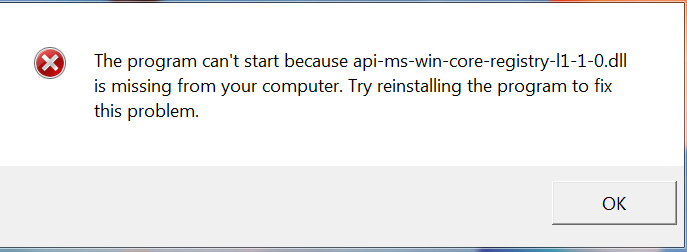
the program can't start because api-ms-win-core-registry-l1-1-0.dll is missing from your computer .try to reinstalling the problem to fix this problem

see the imabe to see my problem

https://lh4.googleusercontent.com/-HpqwN-pzCn8/UGXFSxGPB8I/AAAAAAAABds/LGer0mh-wro/s687/Capture.PNG

please help me by solving this problem

thanks

Original title: the program can't start because api-ms-win-core-registry-l1-1-0.dll is missing

Windows for home | Previous Windows versions | Windows update

Locked Question. This question was migrated from the Microsoft Support Community. You can vote on whether it's helpful, but you can't add comments or replies or follow the question.

0 comments No comments

Answer accepted by question author

Anonymous
2012-10-01T13:00:35+00:00

Hi cvaoops,


  1. When do you get this error message?
  2. What is the name of the program?
  3. Have you made any changes on the computer?

I would like more information regarding the issue.


Method 1-

You need to Run a System File Checker (SFC) scan to repair damaged System Files and check for integrity violations.

Refer the article–


**How to use the System File Checker tool to troubleshoot missing or corrupted system files on Windows Vista or on Windows 7**

Method 2-

I would recommend you to perform Clean Boot.

Putting your system in Clean Boot state helps in identifying if any third party applications or startup items are causing the issue.

Refer the article-

**How to troubleshoot a problem by performing a clean boot in Windows Vista or in Windows 7**

Note: You need to follow Step 7 from the article to get the computer back to Normal Startup after you follow all the troubleshooting steps.

Hope this helps!!!

Was this answer helpful?

2 people found this answer helpful.
0 comments No comments

5 additional answers

Sort by: Most helpful
  1. Anonymous
    2017-12-30T19:05:00+00:00

    I got the same error message while doing a Windows 7 to Windows 10 upgrade (using Windows10Upgrade24074.exe). I found a solution that worked for me at WinHelpOnline:

    1. Open File Explorer and browse the Windows\System32 folder
    2. Find the wimgapi.dll file. Right-click and select copy.
    3. Browse the C:\Windows10upgrade folder
    4. Right-click on the folder background area, and click Paste.
    5. You’ll then be asked if you wish to replace the wimgapi.dll file with the new one. Select Yes.
    6. Close the folder(s) and re-launch the upgrade assistant.

    I then re^4-ran the Windows 10 upgrade program and everything seems to be working now.

    Was this answer helpful?

    1 person found this answer helpful.
    0 comments No comments
  2. Anonymous
    2012-10-01T13:26:32+00:00

    So what program was it?

    Was this answer helpful?

    0 comments No comments
  3. Anonymous
    2012-09-29T16:19:25+00:00

    yes i had make it in to use compatibility

    Was this answer helpful?

    0 comments No comments
  4. Anonymous
    2012-09-28T22:48:37+00:00

    Have you set a program to use compatibility options?

    Was this answer helpful?

    0 comments No comments