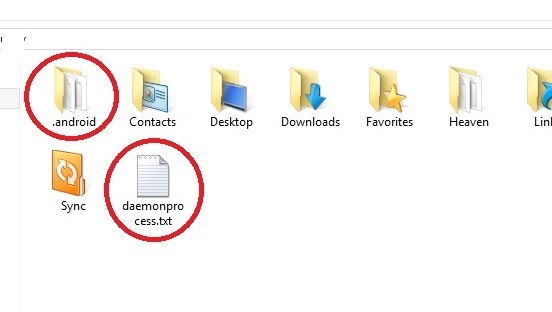
Wow, that's interesting. Try scanning it with whatever anti-virus/malware scanner you have access to and see what it says about it. I like to also use virus total; a website that scans items against a library of multiple anti-virus/malware software databases. Good luck figuring out what that's about. I've deleted and haven't seen it back since, though our details are quite different as mine did not show any such information like you've posted.
.android folder and daemonprocess.txt found in user folder
Hey guys,
I'd appreciate some help figuring out a few things. I don't usually check my user folder but I found this:
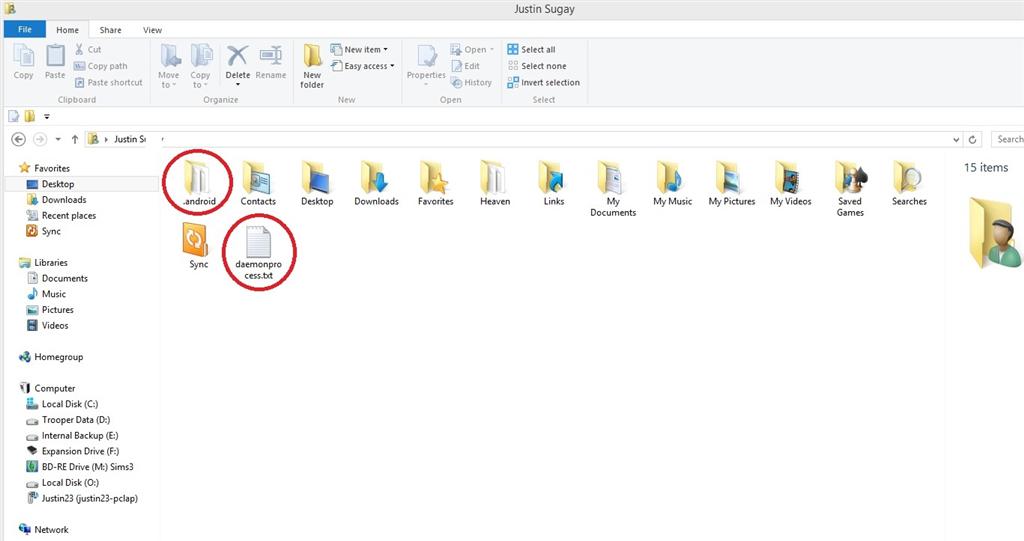
Is this safe or normal? Why is it there? Is it okay to delete them and if so what will I lose, gain, benefit from doing so?
My computer is working fine but I'm always leery about anything that "just pops up".
Thanks,
Justin S.
Windows 8 OEM 64bit
PS I've double clicked the daemonprocess.txt and it shows empty. I haven't connected my android to this pc. The only thing close to an app that I've used recently is Onedrive. So, please don't answer you're okay there's nothing in there. I could have drawn that conclusion by myself. If anything, please theorize at least why this would occur and why it's okay to delete. I don't want to get rid of something that can have a negative effect but I don't want to ignore a potentially well hidden virus, trojan, etc. and yes I've already scanned it with norton, malwarebytes and even virustotal. Again, thanks!
Windows for home | Previous Windows versions | Files, folders, and storage
Locked Question. This question was migrated from the Microsoft Support Community. You can vote on whether it's helpful, but you can't add comments or replies or follow the question.
7 answers
Sort by: Most helpful
-
Anonymous
2014-05-17T07:45:04+00:00 -
Anonymous
2014-05-11T08:19:26+00:00 I have the same folder/file, but I don't own an android phone. I have a Lumia 521, Win Phone 8 OS.
There are two files in the ".android" folder:
adbkey - File - 2KB
adbkey.pub - PUB File - 1KB
The first one, when opened in Notepad displays this:
-----BEGIN PRIVATE KEY----- <br><br>MIIEvgIBADANBgkqhkiG9w0BAQEFAASCBKgwggSkAgEAAoIBAQDC8Vnp7Wt4k+Sf <br><br>GX5yOQtqOItY1VzgmETE+THlphMcgTRpP0I9aao4o9PGoGPPfCeCrxQUJSeMZm8y <br><br>qFr5bJIUvCgGaZlP59UebEwZcfP+Gi3V/TidacRbFIWoO1Ntf/6tNhnddu+WyQdJ <br><br>vxx73eXHTk+cQFjTMCrUC/GrTOEIeZFgPxeLQj2nNUrV/LfEGtO3kLmSbLUMj8TU <br><br>xQgzpFoSSYwUQQ8ROZhf8i2zq3NWLw+ctASkkmDjYj65MIP+qS4fEWRr9vaA6L/J <br><br>MxhSrAyzq+Oc9LbW/NLBaFrNdue0rKm/shQZb3NNLvtWmgybO3vZZ1phktDxkFRD <br><br>RuPR0SclAgMBAAECggEARpIy16GQb2UytXn4MYd/H2P65hzPc6sL8ja4HofBkWcg <br><br>vx0ccLkI21pLdzNnDpzGfOO+pBBTQdtvU+pojLUGKSV4Y+Hkk2281DemUOvUxV9a <br><br>yoXR8gJxB/vk6uMXL6PPYYsdT/QXhgGeds8Nk7Xf0ggCf/E3drSQPJVaVoYNTRB7 <br><br>F6Gf0O0ltcFeW5XxNKXFTrS/1p0OCeK/FxGeedBk/HFzTL5KyVmysnE7Z1PV3lnJ <br><br>8Eb5IaD/T3Hs12rcBqcK2nQVKy6alT6TouT+C+EOjXVsmrDFraSNpHlt/WaHR/Ln <br><br>Z4n3RDe4PZtRCgd0ZPfSsOgNN1+U/GnQIf7jxvPYoQKBgQDxmPPMMBD/bvDq0pfE <br><br>kV7u04W22c2BT21i2Y1UNtb1qBJSUcFb4KUjv5/OppEkc9UlXiZLjprRTtWefkJf <br><br>9c5r8k2hG2fm6zSKKqZR9446Pfd0j+I81glKfmxPt64ccLyEAvWklxglFYIfSQR7 <br><br>/kuI+6MkGhrQUHDZB2pifo3XWXKBgQDOkGVm7igeTZlC27yaFeGFOAM20tqxXDUS <br><br>Yhs19n3LWGr1Bf8gtFXI83N3gbuLqfm/qkNtZWdkag33WPD5TKj6NB0UEQRlrqkC <br><br>qZTjyFAyh/ZXHe7wq8fqLvI4F+IDrsgcj4rS6E9AQxidioUVYhhtQ31L/BQ+ATO3 <br><br>1ZGqg3egrQKBgQDeespviwfsIX7Lz7ig9HmmlrT46GM9pCYINGzYU1Pqjqaolc7o <br><br>y9tnKyx/wZXBKsXqjmPXim/5NY60UHLRKWu4rj5ckP9Cf/A3GAVnT//ylGPPPDzL <br><br>ZxLRPdCCLJSybgK70nng4p8Cb2cPZk8x28A1Wf0m3r84fAsfYJvQLdhyqQKBgQC9 <br><br>utuo429uBhCT3IkrbpWqa3xoStwctHj63anosvNwZ1I2pL9mJr30ychxKHQ/IG0J <br><br>ozYzsUR6cv9JBiSwl71Ns7hRyh+j1f3fOCxN3JvtDf0yn4fs/5uselp5M1ah01Rz <br><br>B1WXy1Gf0QE3ExiSP3v4QFlCBdQB79C1NjGJ0R98MQKBgGGMw2+hfbhnsjIhI1gq <br><br>QXj7hrUHkQFa26BhLlnC50tST3qgumoJ3k8/fkuFz70fQcZKC4rULDiWrHphmEAR <br><br>k0OOkTGv1Y2055xFukgpjdCYKfGiwN3C6ZSH7Gn2OQUHsrAEUAP8ssJ5YQ8ko6A/ <br><br>t/4l7K+0PRwubY32kmYcg/84 <br><br>-----END PRIVATE KEY----- I don't have MS Publisher, so I can't open the .pub file.
-
Anonymous
2014-03-10T07:05:58+00:00 There was, I can't recall anymore as I've since gone ahead and just deleted the files and they have not returned. Still a mystery though as to how they even ever got there...
-
Anonymous
2014-03-04T11:30:51+00:00 I've moved your question to the File/Folders category under Windows.
What is that "Sync" icon in your images? That is not part of OneDrive and is most likely to be the reason for the folder and file you've highlighted.
-steve
-
Anonymous
2014-03-04T22:52:48+00:00 Good observation but no, it's from Acronis True Image (cloud synchronization). I've had that for about a year there and never saw these other files.