hello,
I purchased the LG GP50Nb40 external USB DVD writer and i am running Win 7 64 bit. i connected the device with the provided cable and windows said there was already a device and refused to read the DVD.
i have an internal HP DVD writer. so i assumed there was a conflict and disabled the HP device. Windows still refused to recognize the device.
so i enabled the HP and put the LG install disc in it and copied the whole thing to my hard drive.
then i opened up my desktop case and disconnected the power and sata cables from the internal HP DVD.
then i turned the computer back on and did the LG software install from disk.
then i downloaded a firmware update from LG as per their software.
it failed because it said i did not have the specified LG device.
but i do have the LG connected via USB 2.0 hub but i can not use it all all.
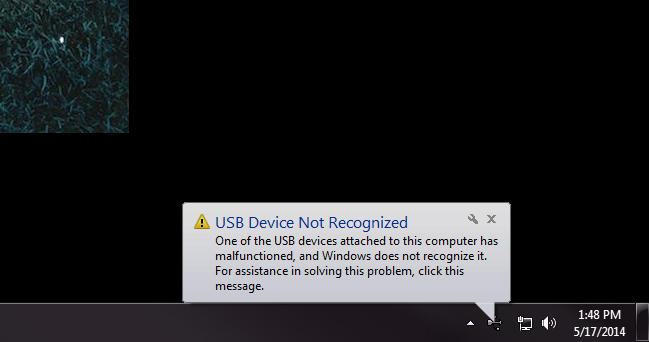
windows shows an unknown device.
is there anyway to get my LG external to work or do i have to return it to Fry's Electronics?
i have already spent over 2.5 hours on what should have been a very simple install, which is why i bought a USB device instead of an internal device.
' cx='32' cy='32' r='32' /%3E%3Ctext x='50%25' y='55%25' dominant-baseline='middle' text-anchor='middle' fill='%23FFF' %3EA%3C/text%3E%3C/svg%3E)

' cx='32' cy='32' r='32' /%3E%3Ctext x='50%25' y='55%25' dominant-baseline='middle' text-anchor='middle' fill='%23FFF' %3EL%3C/text%3E%3C/svg%3E)