MUI (I thought) stands for Multilingual User Interface but not sure how that relates to MUICache, but every registry cleaner I have used (and that's most all) will report "errors" or things that need attention from the MUICache and MRUCache (Most Recently
Used).
That is just a section in the registry where Windows keeps track of things that have been happening on your system so it can remember things...
Read some about it here:
http://windowsir.blogspot.com/2005/12/mystery-of-muicachesolved.html
It is just an accumulation of what you have been doing on your system and you can disable it and clear/empty it but as soon as you perform any operation (click something), stuff is going to get put into the MUICache and MRUCache. It doesn't hurt anything
or slow you down.
If you look at this tool from NirSoft you can read about the MUIcache, view, edit, clean your MUICache withour using a registry cleaner:
http://www.nirsoft.net/utils/muicache_view.html
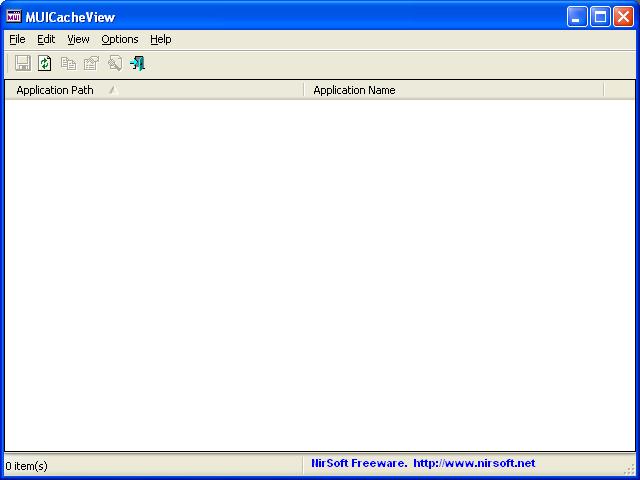
For an experiment, run that tool, look through the results and you will see what you have been doing on your system lately then you can select all the items and delete them all so the MUICache is empty:
Then do something simple like Ctrl-Alt-Del to bring up Task Manager and run the tool again (or refresh):
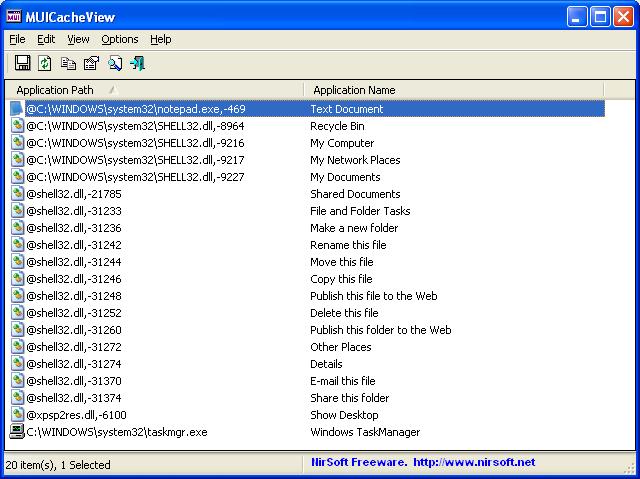
All that stuff for put into your MUICache just from opening Task Manager and everything you do on your system after that is going to put more stuff in the MUICache until it gets to a predetermined size.
So every registry cleaner is likely to report the contents of MUIcache as something that needs attention and you can sure have the cleaner empty the MUIcache for you but as soon as you perform any operation on your system it is going to start to fill up
again.
' cx='32' cy='32' r='32' /%3E%3Ctext x='50%25' y='55%25' dominant-baseline='middle' text-anchor='middle' fill='%23FFF' %3EA%3C/text%3E%3C/svg%3E)

' cx='32' cy='32' r='32' /%3E%3Ctext x='50%25' y='55%25' dominant-baseline='middle' text-anchor='middle' fill='%23FFF' %3EL%3C/text%3E%3C/svg%3E)