Share via

Xerox DocuMate 510 scanner

Anonymous
2013-01-07T18:44:47+00:00

Has anyone had any success finding a driver for this scanner so that it works with Windows 8.  the Xerox site says that it will work for windows 8 but i jhave had no luck.

Windows for home | Previous Windows versions | Performance and system failures

Locked Question. This question was migrated from the Microsoft Support Community. You can vote on whether it's helpful, but you can't add comments or replies or follow the question.

0 comments No comments
Answer accepted by question author
  1. Anonymous
    2015-02-03T23:08:18+00:00

    HI Bret

    I am sorry its not working for you.

    As luck would have it I have just rebuilt my laptop with a fresh w8.1pro install and installed the scanner.  I cannot remember the exact details of how I installed the drivers.  I think it was just a case of installing the drivers and I think I had the scanner plugged in and turned on when I did it from memory.

    Here are some screen shots showing it installed and operational in Device manager, the driver file details as installed and the Details of the driver package I used.

    I also got OneTouch 4.6 installed hoping I could scan to Evernote. Whilst OneTouch will scan to the defaults I havent got it scanning to Evernote yet.

    Hope something here helps you.

    3 people found this answer helpful.
    0 comments No comments

14 additional answers

Sort by: Most helpful
  1. Anonymous
    2015-02-03T22:12:52+00:00

    Hello WEBPC,

    I believe your post here may be in error. 

    I have test installed "DM510_4.6.10.1101.EN.msi" (the Xerox DocuMate 510 Driver for Win7.0) as a user with administrative privileges. Here's the package details:

    Yes, it will install :

    You can turn on your scanner now, and press OK here. You will then hear Windows 8.0/8.1 recognize the scanner.

    At this point, you start to feel the joy :

    but alas, it's premature . . .

    Device Manager lets you know it's a FAIL :

    So now we will right click and try to update the driver automatically :

    FAIL :

    Driver Properties confirm the FAIL :

    We just tried to update the driver, so no use to press the button again.

    The only positive point of this fruitless exercise, is that the driver appears to uninstall without issue. Here's how it looks in Windows "Programs and Features" before selecting to uninstall it:

    So my friend, be a good sport and and member of the Community, and document for us exactly how you accomplished this seemingly impossible task. I challenge you to provide us with real documentation and screen shots depicting exactly how you were able to get that Windows 7 driver to work with Windows 8.0/8.1 64bit.

    The ball is in your court WEBPC .

    Regards . . .

    P.S. I concur with Katmeat's 4/4/2013 thread above:

    "I can assure you that if I cannot get my 510 to work with W8, I will not be shopping Xerox/Visioneer for the replacement."

    :-)

    2 people found this answer helpful.
    0 comments No comments
  2. Anonymous
    2015-02-04T19:16:38+00:00

    HI WEBPC,

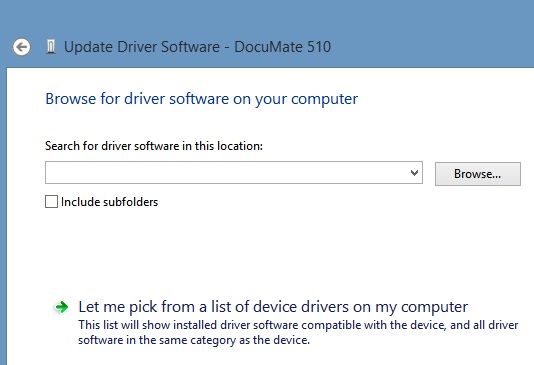
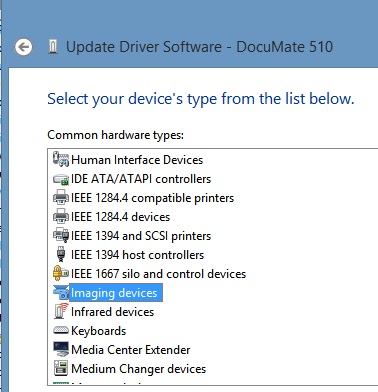
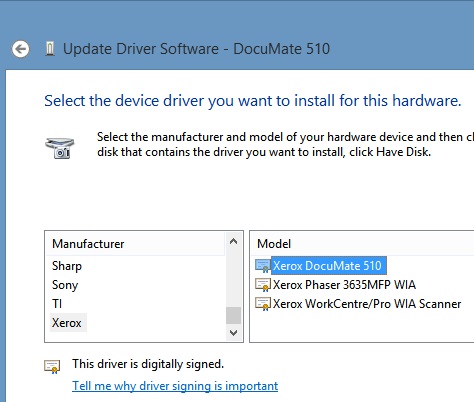
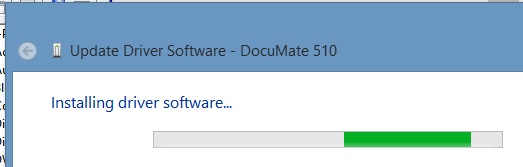
    Thank you for posting the screen shots. They reaffirm that your driver installation was successful. So, I thought, either I'm missing something (that never happens :-> ), or possibly this is an issue where one motherboard/chipset combo works, and another doesn't.  That lead me to try installing the Xerox driver another way. I was successful this time, but only partially. Here's what I did:

    Install the driver via the DM510_4.6.10.1101.EN.msi package. For me, as before, the install completes 100%, but Device Manager is not happy:
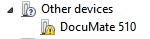
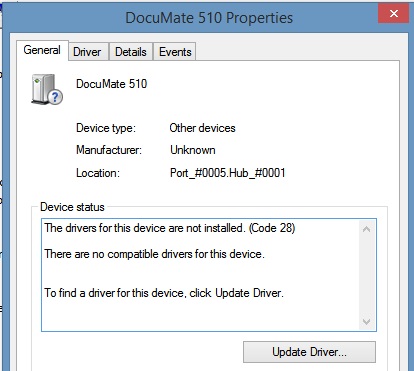
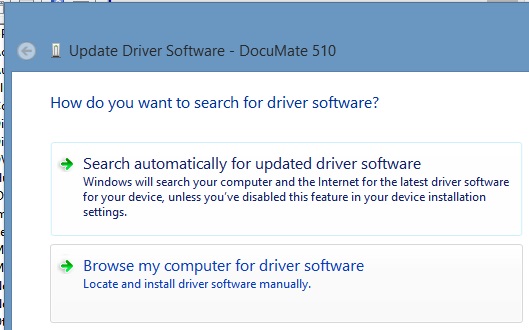
    Now, the PC has the Xerox/Visioneer driver files installed, even if they are not working properly. So time to try it the old fashioned way:

    Browse for it:
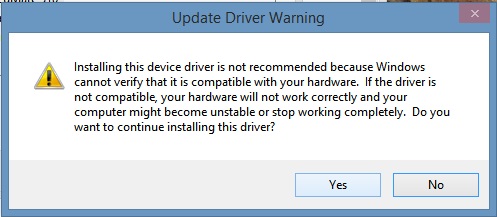
    Click Yes:
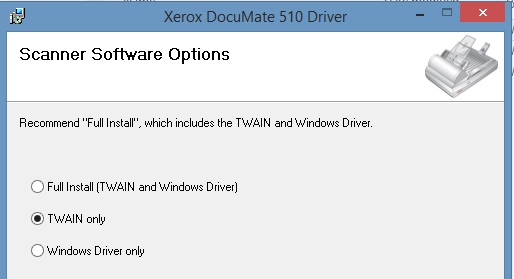
    XP and forward use the TWAIN driver :
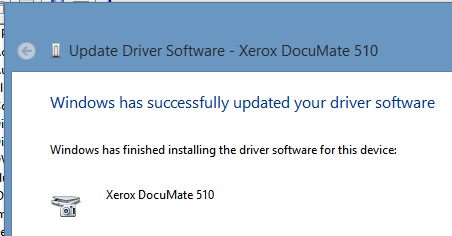
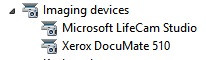
    Whoppe! Now I've got it!
    Read on . . .

    I test it, but immediately lose my newfound joy :-( 
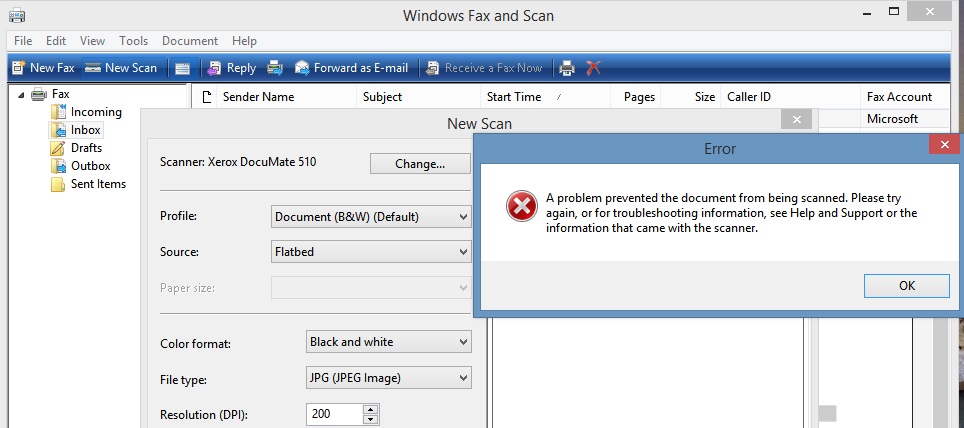
    More red ink:
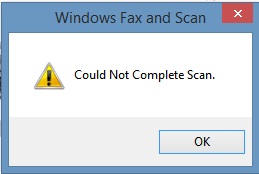
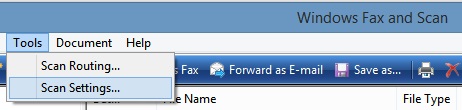
    Try a diagnostic:
    This just doesn't make any sense:
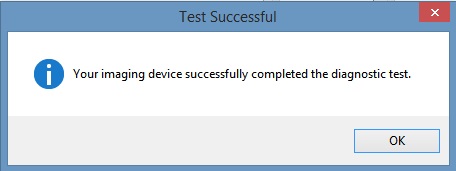
    Maybe that test thinks it's working, but the scanner lamp hasn't lit up or moved an inch yet.

    So try MSpaint.exe's scanning facility :
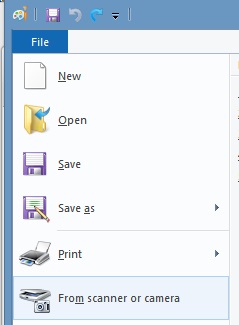
    I get the driver's dialog form, I'm starting to feel some joy again :
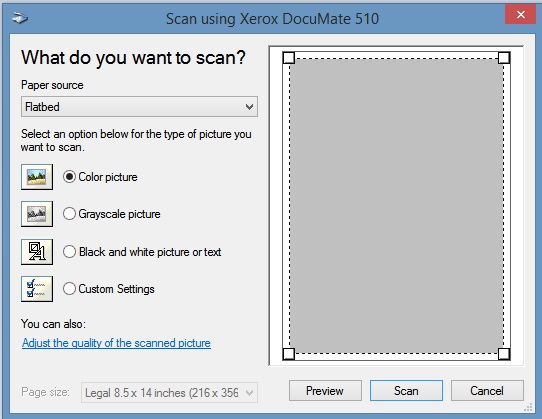
    but MSPaint filed to acquire the image :
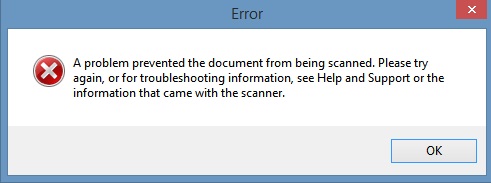
    Now I'm really miffed! I finally get the driver to install in Win8.1, and the scanner still doesn't work. (Oh, btw, I am certain that the scanner works because there is a Win7 VM on this machine (via VMware Workstation), and the scanner works fine as frog hair in that VM.)

    So like I said, "I was successful this time, but only partially". And we all know that being close only counts in horseshoes and handgrenades.

    Time to drop back and punt . . .

    Maybe the driver I downloaded is corrupted. After all, I did have to install it manually to get it to install at all. I uninstall the driver again via Programs and Features :

    Go back and download the driver again:
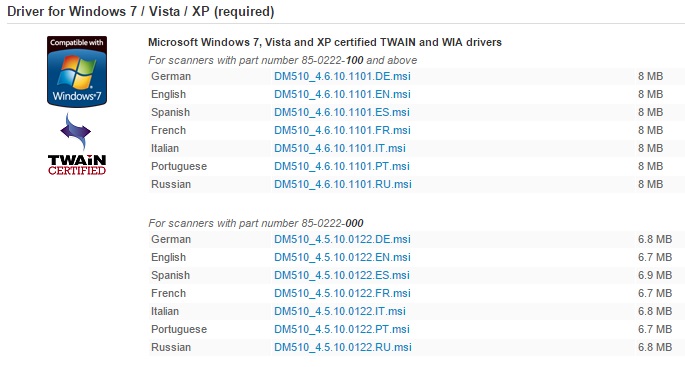
    OMG, did I download the wrong driver?

    D'oh!

    I have the "000" scanner and I've been trying to force feed the PC with the "100". No wonder it's not working. D'oh! to me again!

    Short end of the story: The "DM510_4.5.10.0122.EN.msi" driver (specifically for the "000" scanner) installed without issue and the scanner works as advertised in both "Windows Fax and Scan" and MSPaint.exe .

    Even though a little embarrassing, I decided to post the entire resolution to my particular problem here to benefit the community. I suspect that the other posters who can't get their Xerox DocuMate 510 scanner up and running in Windows 8.x may also be downloading the wrong driver. Btw, that part number can be found on the bottom of the scanner.

    I'm glad it's working now. I really like this scanner.

    Thanks again for your screen shots and helpful comments.

    Regards . . .

    P.S. I haven't installed the currently available One Touch version OT4.6.2014.9305.EN, so I can't attest to it's proper operation. I heard you mention your problem with it. If it helps you, I have the earlier version that was posted as of September 2014. It's version OT4.6.1913.12093.EN.msi. PM me if you'd like to test that version.

    1 person found this answer helpful.
    0 comments No comments
  3. Anonymous
    2013-01-09T15:46:23+00:00

    Hello.

    I am a Support Engineer with Xerox Scanners.

    If you are inquiring about a Windows 8 driver for the DM 510, there is NO Windows 8 driver but in theory the Windows 7 driver available on website should work. Please verify and download the driver compatible with the part number listed underneath your scanner (85-0222-x00).

    If after installing lastest driver on website and scanner still doesn't work, you may need to look for an actual Windows 8 compatible scanner.We also have an extensive support site and knowledgebase at http://www.xeroxscanners.com/en/en/support/

    If you continue to experience trouble, please feel free to contact us by calling 800-648-0410.

    Regards,

    Xerox Scanners Support

    0 comments No comments
  4. Anonymous
    2013-01-07T21:02:01+00:00

    Go to this webpage: http://www.xeroxscanners.com/en/us/products/DM510/drivers.asp.  Download and install the Windows 8 driver.  Go to the Windows Fax and Scan feature and scan from there.  The driver need to be installed so the computer can communicate with the scanner, but this is where you scan from.

    0 comments No comments