Share via

WIndows 10 Store Not Installed

Anonymous
2015-08-23T04:09:19+00:00

Hello,

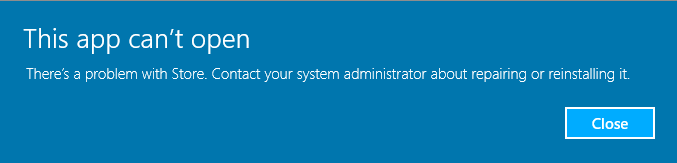
Whenever I try to open Windows Store, it gives me the error message, "This app can't open. There's a problem with Store. Contact your system administrator about repairing or reinstalling it."
When I go to C:\Windows, there's no Winstore folder. Therefore, there is no AppxManifest.xml to guide Powershell in reinstalling everything.

The SFC and DISM are in progress, and I am just about to close Edge to try the "Get-AppXPackage -AllUsers |Where-Object {$_.InstallLocation -like "*SystemApps*"} | Foreach {Add-AppxPackage -DisableDevelopmentMode -Register "$($_.InstallLocation)\AppXManifest.xml"}" command. I don't think I'll have much luck, though, because it calls for the C:\Windows\Winstore\AppXManifest.xml file as well.

EDIT:

Alrighty then, the aforementioned command worked but not to fix Store. It apparently just reinstalled some of the apps, or updated their AppXManifests or something.

So, as I said, nothing. Yay. A little help here?

EDIT:

Neither SFC nor DISM found anything wrong.

Windows for home | Windows 10 | Microsoft Store

Locked Question. This question was migrated from the Microsoft Support Community. You can vote on whether it's helpful, but you can't add comments or replies or follow the question.

0 comments No comments

Answer accepted by question author

Anonymous
2020-12-04T21:25:41+00:00

I HAVE ULTIMATE FIX FOR THIS I GOT NO MS FOR 2 YEARS NOTHING HELPED:

1.install xbox app:

https://aka.ms/XboxInstaller

2.log in

3.click on your avatar->settings

in second tab there should be something telling u ,,u need microsoft store to xbox app work good'' and u just simply click ,,install''

No problem guys.

Was this answer helpful?

0 comments No comments

68 additional answers

Sort by: Most helpful
  1. Anonymous
    2015-08-23T17:45:07+00:00

    Hello,

    I did as you said. The CMD windows popped up, and then a second later, a 'default program' window popped up to tell me that I'd need a new program to open ms-windows-store.

    Was this answer helpful?

    60+ people found this answer helpful.
    0 comments No comments
  2. Anonymous
    2015-09-21T17:53:14+00:00

    I cannot register SystemRoot\WinStore\AppxManifest.XML

    ****SystemRoot\WinStore\AppxManifest.XML does not exist

    As I said in my first post

    Remember that?

    Right there

    So really, getting this message isn't all that surprising:

    Was this answer helpful?

    10+ people found this answer helpful.
    0 comments No comments
  3. Anonymous
    2015-08-30T01:28:49+00:00

    Hello,

    I did as you said. The CMD windows popped up, and then a second later, a 'default program' window popped up to tell me that I'd need a new program to open ms-windows-store.

    I am having exactly the same problem. Same popup saying need a new app to open this ms-windows-store. I search for Store on my SP3 and nothing. Please help, very frustrating.

    Was this answer helpful?

    7 people found this answer helpful.
    0 comments No comments
  4. Anonymous
    2015-08-23T08:54:08+00:00

    Hi Christopher,

    Thank you for posting in Microsoft Community.

    I regret the inconvenience caused to you.

    I appreciate that you have tried a few troubleshooting steps. Let me help you resolve the issue.

    Please note, to access the Windows Store and to download and run apps, you need an Internet connection, a screen resolution of at least 1024 x 768, and a Microsoft account.


    I suggest you to perform Windows Store reset and check if it helps.

    Please follow the steps given below

    Reset the Store.

    I request you to follow the steps below to reset the Windows store:

    1. Press the Win Logo + R
    2. Type: WSReset.exe and press Enter.
    3. Restart the computer and check.

    I hope the issue will be resolved. If not, please reply with the updated status and details. We will be happy to assist you accordingly.

    Thank you.

    Was this answer helpful?

    6 people found this answer helpful.
    0 comments No comments
