Server Machine:
Dedicated Server VM provided by a provider (similar to an amazon ec2 powered system) - All ports are opened
OS: Windows 7 Professional - Fresh install (+newest windows updates (as of start of this month) preapplied)
Firewall: Only windows firewall (turned it all off in : Control Panel\All Control Panel Items\Windows Firewall\Customize Settings)
Since it is not behind a router, DHCP is done through windows and I have disabled on the main network adapter (I have manually configured the IPv4 ip/gw/subnet).
Tried enabling it so it auto gets it, no difference.
Fyi: I have contacted one of the tech support responsible for maintaining the vms on site and assured me that everything is open and nothing is blocked. Any sort of firewall is the client’s responsibly
to setup on their system.
Fyi2: I do have a second dedicated server provided by the same provider but on a completely different system (not the same place as the windows 7 machine being hosted… I hope this makes sense) but with
Ubuntu installed. I have pptpd installed, configured and running on the same ip range [10.0.0.10 – 10.0.0.20] that I have setup for the windows VM. VPN clients that connect gets the correct 10.0.0.* ip and are able to access the web fine using the VM’s vpn
connection. And no, I don’t run both vpn connections at same time.
Following most examples on the web on how to setup a vpn server (which all show exact same way) and supposedly it just
works is my struggle here.
eg) howtogeek to setup vpn server
I have already setup an incoming connection on the server. For properties, see image-1: IP4 range: 10.0.0.10 - 10.0.0.20
Client
- Setup a new vpn connection (pptp) and unchecked the 'use default gateway on remote network'
- Connecting through the vpn works fine but the status says 'no internet connection' (see image2)
- Although I can still browse the web, checking my IP confirms I am on my normal connection (given by ISP) and
not going through the VPN
- I am also unable to ping the dedicated server’s computer name (Ping request could not find host adminpc. Please check the name and try again.)
-- ‘adminpc’ being then name of the dedicated windows 7 server.
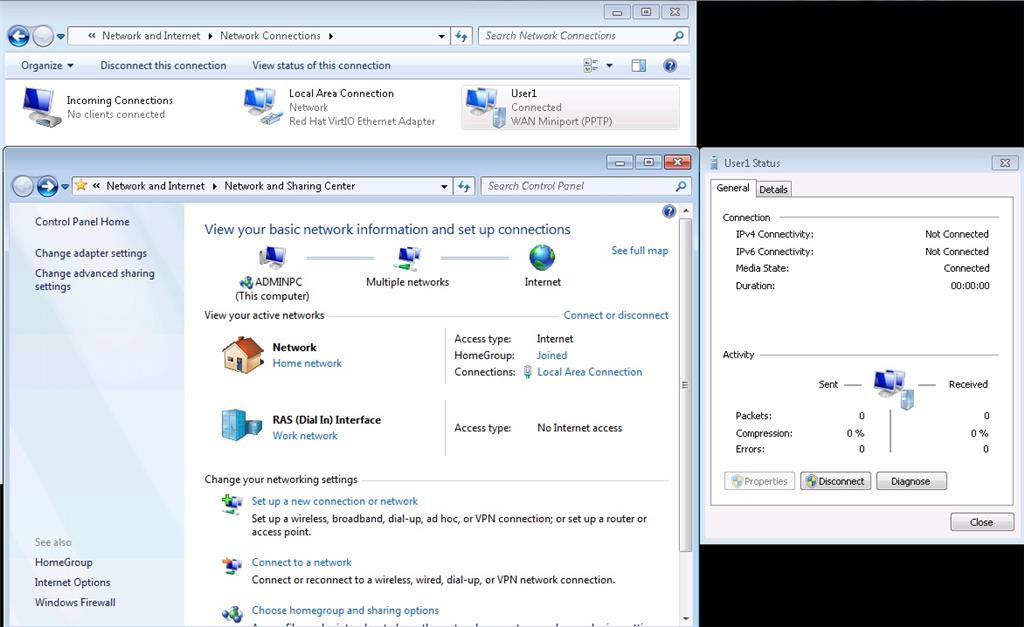
On the server side, the RAS (dial in) interface says it has no internet access. See image3
So what exactly am I missing here?
Image1 - Incoming connection properties seen from server
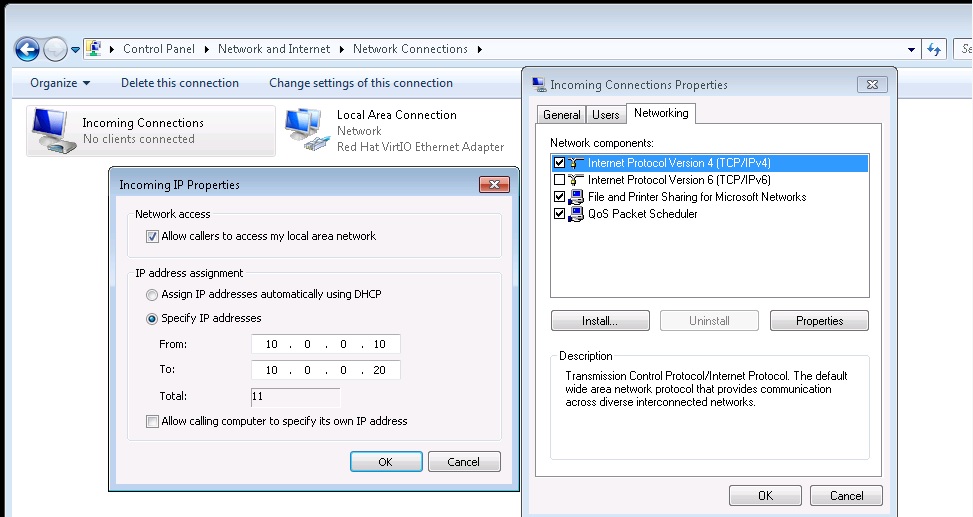
Image2 - Client connected status to server's VPN
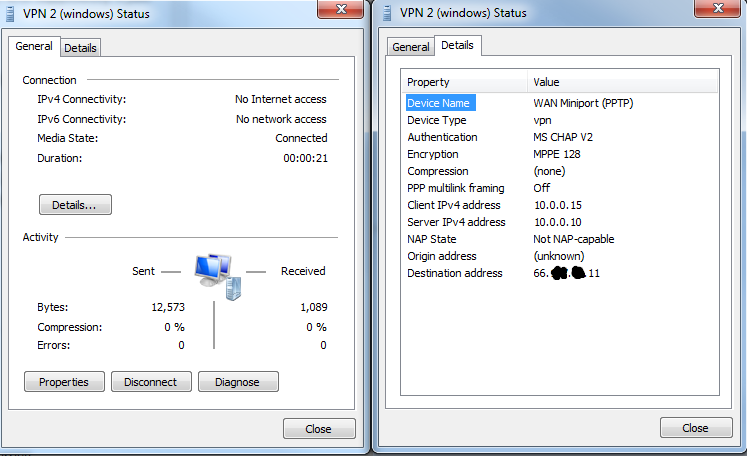
Image3 - Seen from server, connected user has no internet access nor does the server's ras (dial in) interface
' cx='32' cy='32' r='32' /%3E%3Ctext x='50%25' y='55%25' dominant-baseline='middle' text-anchor='middle' fill='%23FFF' %3EA%3C/text%3E%3C/svg%3E)
