Share via

snipping tool

Anonymous
2016-07-23T12:20:10+00:00

I use the snipping tool all the time and love it.  Some friends of mine say you can snip pages by scrolling down, I cannot get this to work.  Does anyone else know how to do this.

Windows for home | Previous Windows versions | Apps

Locked Question. This question was migrated from the Microsoft Support Community. You can vote on whether it's helpful, but you can't add comments or replies or follow the question.

0 comments No comments

4 answers

Sort by: Most helpful
  1. Anonymous
    2016-07-23T15:51:06+00:00

    I'm not sure what you mean.  Do you mean you want to snip a picture of a webpage and include the parts you can't see? 

    There's no way to do that with the snipping tool, but if you use the Google Chrome browser there is a extension in the chrome web store called "full page screen capture" that can do it.

    8 people found this answer helpful.
    0 comments No comments
  2. Anonymous
    2016-07-24T17:52:32+00:00

    As Shawn says, I don't think it's possible to do that with the Snipping Tool.

    As a somewhat cumbersome workaround, if I have something that I want to capture that requires screen scrolling, I use Snipping Tool to capture a piece of it, then scroll to see the remainder of the image and take another snip.  I don't bother saving the second snip, but just click "Copy" in Snipping Tool's Edit menu

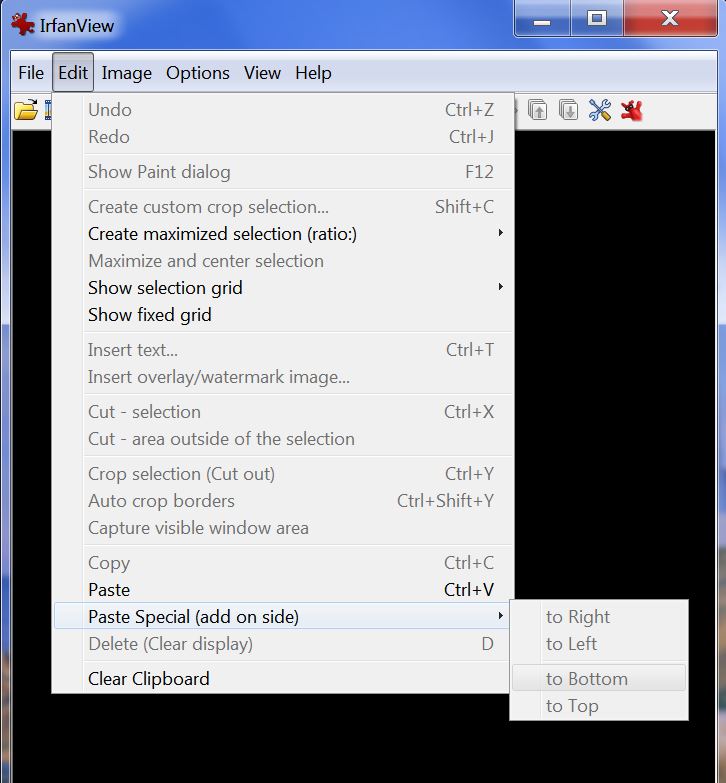
    I open the first snip in IrfanView (http://www.irfanview.com/) and then use IrfanView's "Paste special" feature to paste the second snip at the bottom, left, or right side of the first snip as appropriate.

    It actually is easier to do than to describe.
    5 people found this answer helpful.
    0 comments No comments
  3. Anonymous
    2016-07-24T17:33:07+00:00

    I mean any document or picture that is not visible on the screen, they say you can scroll down with the mouse and capture the whole document, I can't get it to work

    3 people found this answer helpful.
    0 comments No comments
  4. Anonymous
    2016-07-24T17:38:14+00:00

    That's certainly not a feature built-in to the Snipping tool, no.   If you want to capture the whole document as one big picture, you could "print to PDF" to get a Adobe PDF version of it. 

    Here's how the snipping tool works

    0 comments No comments
