That depends on the disk.... which should be marked on it. There are disks that contain multiple versions of Windows and the product key determines which is installed. Other might only have one version.
Rob - SpiritX
Here's the update...
I was able to find a new unopened copy of the Windows 2000 Professional CD-ROM on Amazon.com recently....it cost 80 bones (wince), but I figured it kept the "this-is-an-old-preowned-version" excuse off the table if it didn't work somehow. I finally got the
CD-ROMs (two disks in the packet) in the mail earlier today and referenced the link you gave me, along with another online tutorial I found in a Bing search.
It took some doing, but I eventually figured it out to get to the Recovery Console, as you can see below.
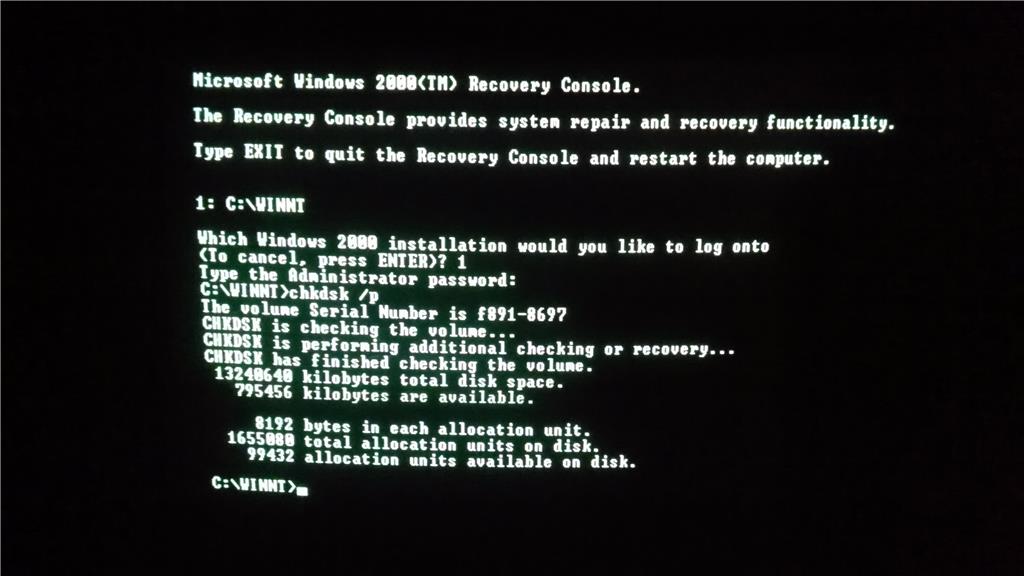
Referencing Step 1 from your link, I did a grand total of 4 "chkdsk /p" commands earlier this evening, but sadly, no improvement on the blue screen error. It doesn't seem as though the console
detected anything, but it seems to have just did a scan without really fixing anything. Did I do something wrong, or is this to be expected?
Another odd thing: the first CD-ROM boot of the program had a bizarre fail, in which a message something along the lines of "ultra.sys is corrupt - boot has failed" appeared before the computer restarted. However, the message hasn't appeared since,
and every following CD-ROM boot has worked successfully. Wish I'd thought to take a photo so I could ask if that were at all relevant. I've tried Step 2 (Load Last Good Version) without success, but haven't tried Step 3 yet. I'll have to make an attempt at
that some other time. I feel close to a breakthrough, but I'm clearly not there yet at all.
One other thing: during the repair process, I took note of the other repair option on the page.
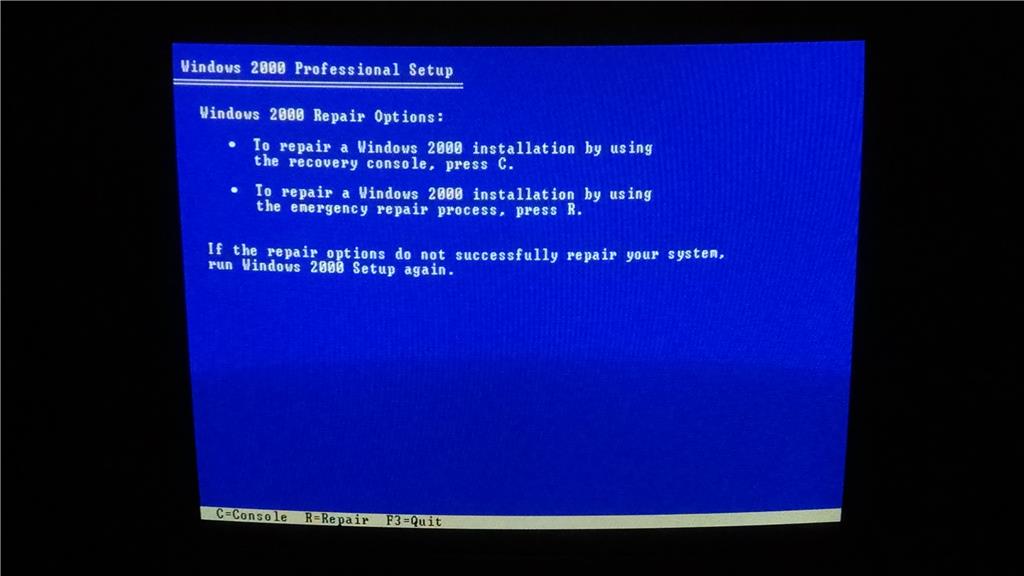
I took a peek at the "Emergency Repair" option, and it made reference to an emergency repair disk. I'm not sure if it is another purchase I'd have to make, especially after another eighty dollars spent made little to no difference here, but I'm still open
to whatever that can fix the error. Feel free to reply and educate me if I'm off at all.
At the very least, I have a copy of the program now, so hopefully I can figure something out with it pretty soon. And as always, I'm willing to take any tips, advice or corrections the forum can provide.
' cx='32' cy='32' r='32' /%3E%3Ctext x='50%25' y='55%25' dominant-baseline='middle' text-anchor='middle' fill='%23FFF' %3EA%3C/text%3E%3C/svg%3E)
