Hello!
I have been experiencing this problem after I reinstalled windows 10 many times. I do this because I've had some very serious viruses that wouldn't go away no matter what. So if I mess up and catch another serious virus I usually reinstall windows using a usb.
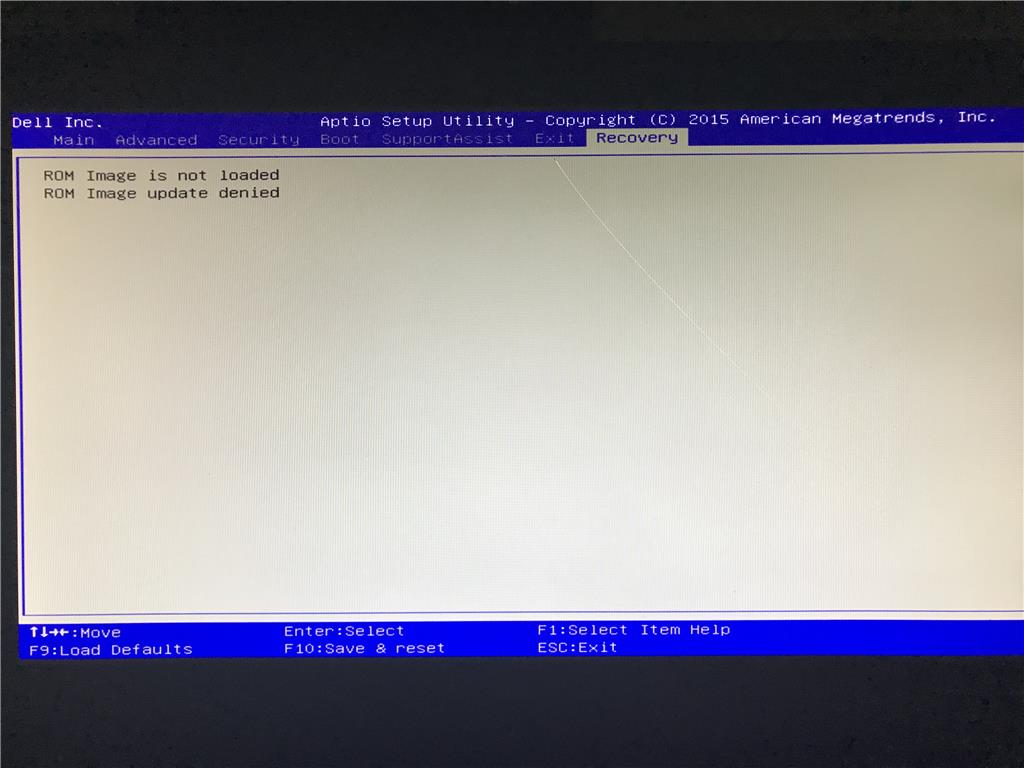
The exact problem is when I try to put my PC to sleep and changing any boot options (msconfig). Whenever I put my PC to sleep and then wake it, it always brings BIOS up and reads
ROM image is not loaded
ROM image update denied
( I don't need to reinstall all the time when this happens since I can exit BIOS and it will start up normally and work properly again. The only catch is I've had work and data lost when I put it to sleep because it basically restarts my pc instead of
putting it to sleep now).
Another problem is when I edit any of my boot options (such as increasing maximum ram and number of processors) save those settings and then restart my PC, it won't start up properly anymore and it wont let me back into windows, making me lose all of the
data since my only choice was to reinstall windows again.
I want to be able to put my pc to sleep again and edit my boot options, can this issue be solved? if not, I understand.
Note:
-I upgraded from 4GB DDR3 ram to 8GB DDR3 ram.
-I recently plugged back in my CD/ROM device since it was unplugged inside my PC the whole time but still doesn't solve issues.
-My windows 10 version is from the download media at this page:
https://www.microsoft.com/en-us/software-download/windows10?tduid=(4e6e5b5aaabf2cdcf40a873f29804e0d)(259740)(2542549)(UUwpUdUnU49825)(dwp)
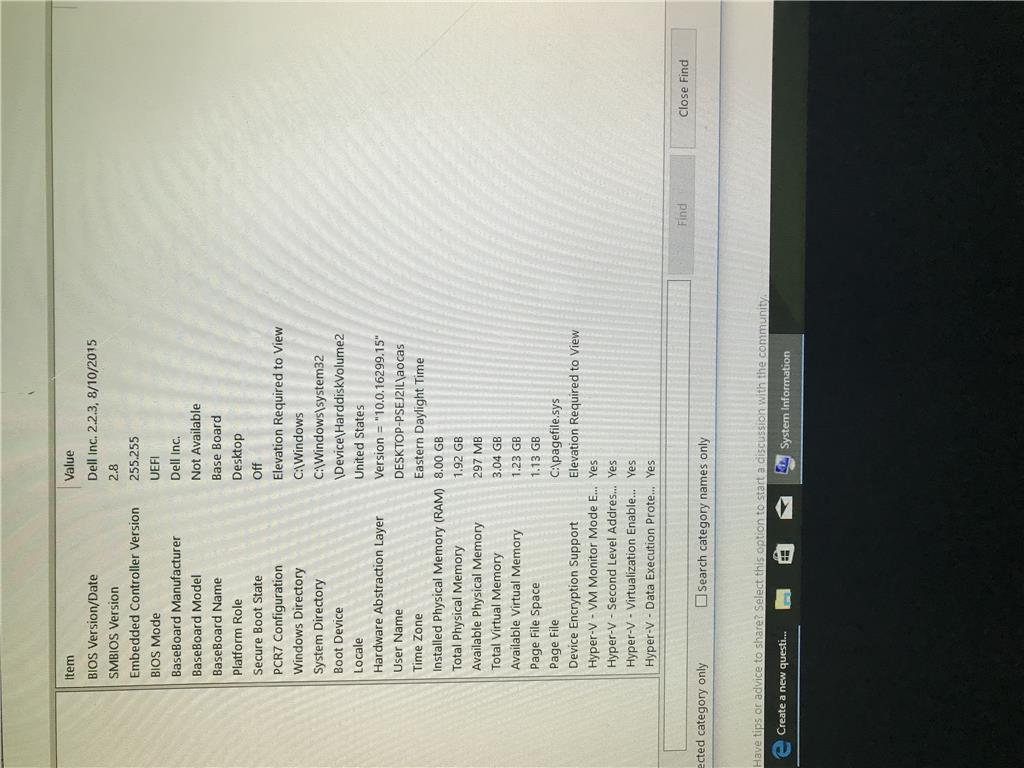
-I have also included my PC information.
Error:
My PC info (terribly sorry if it appears flipped):

Thank you!
' cx='32' cy='32' r='32' /%3E%3Ctext x='50%25' y='55%25' dominant-baseline='middle' text-anchor='middle' fill='%23FFF' %3EA%3C/text%3E%3C/svg%3E)
