Hi Jennifer,
Thank you for your reply.
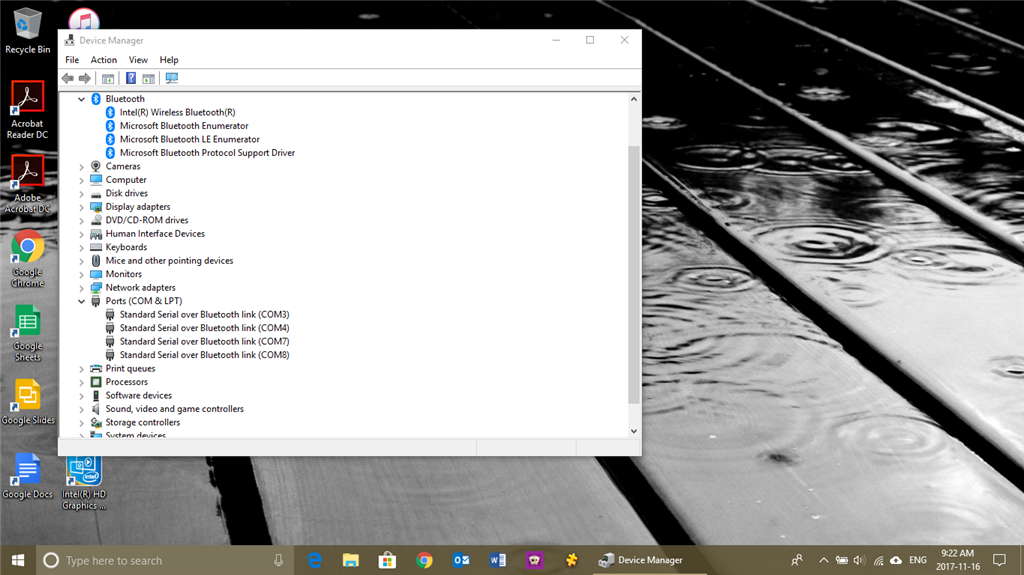
Picture #1 was taken before I scanned and paired my Bluetooth headset.
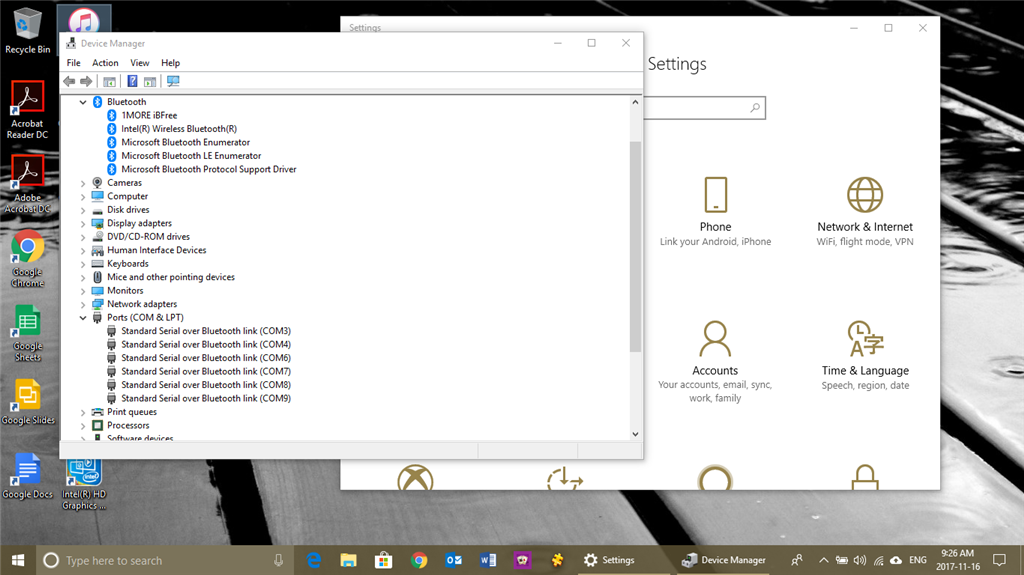
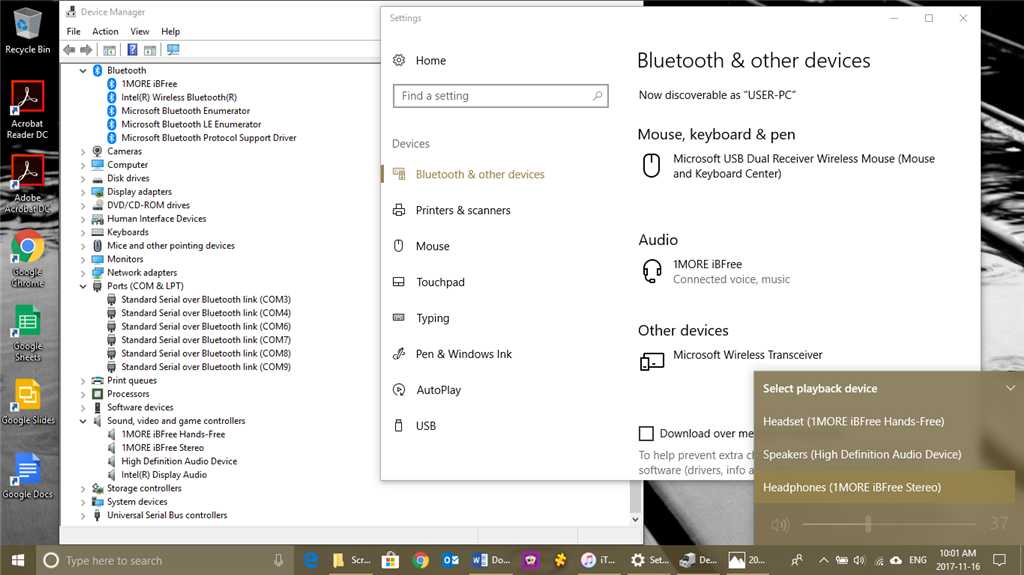
Picture #2: After I paired and connected it. Even though it shows that I only have one new Bluetooth device I’m confused why it shows 2; one headset and one stereo. Is that normal?
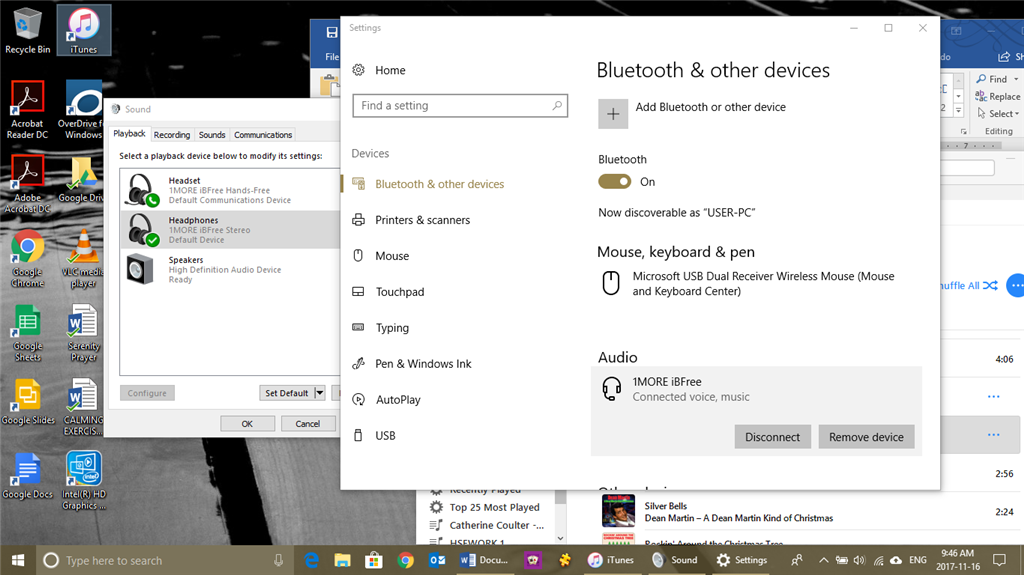
I can hear the music through my headset, but I can’t pause it using the buttons on my headset. So no controls from headset. What is strange is I can hear it through my headset no matter what playback
device I choose from my speaker playback device list.
When I power off my headset the sound window goes back to Speakers High Definition Audio device which is my notebooks system speakers. However, when I try to play music I can’t hear it. When I go
into Sound and click on configure I test the speakers and I can hear the sounds then.
This is all so crazy because now I powered up my headphones again and have tried all 3 (1More headset, 1 More headphones and high definition audio device and I can’t hear the music from my iTunes at
all. The only one that I can configure is Speakers High Definition Audio Device (even though it tests ok, but I can’t hear my music). The other 1More devices show configure grayed out. So I am unable
to test them that way.
I don’t even want to pair and connect my Sharkk mini portable speaker and see if that works. It hasn’t before so I can’t
see it doing it now.
The thing is I could hear and control both my Sharkk and 1More 2 weeks ago.
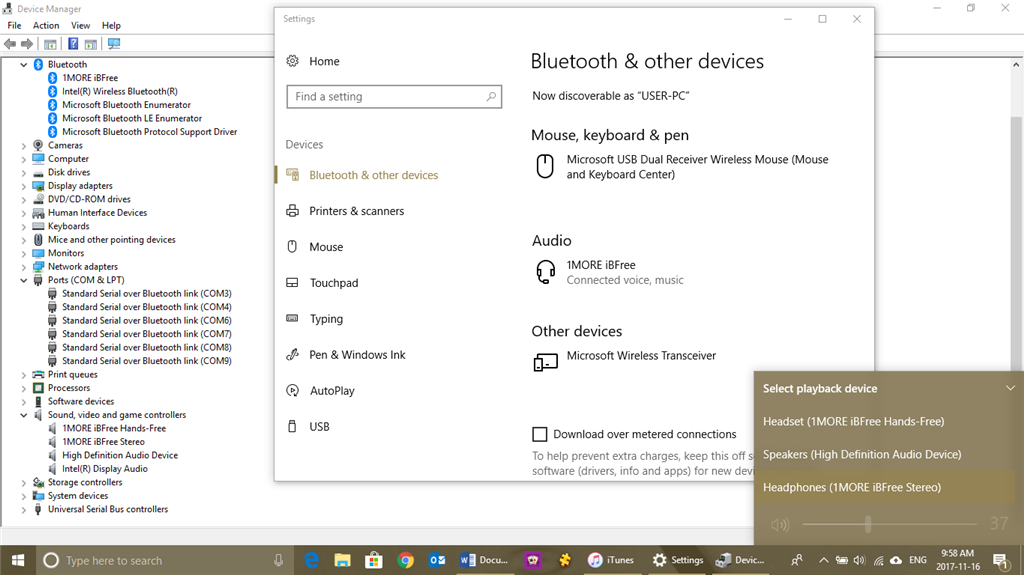
Pic #5: I’ll go back into device manager now to see if anything has changed.
I have lost track of Pic 3 and 4, but I have taken the screen shots in that order.
Does this help at all? Would this be due to the Microsoft update? If so, how do I uninstall that update and then re-install it? Obviously, I need the update
– don’t I?
Answers to your questions:
- No error messages when connecting my Bluetooth devices
- Edition: Windows 10 Pro, Version: 1709, OS Build 16299.64
- I’ve done a few screen shots. I hope this helps.
- I go into Bluetooth, then Add a Bluetooth device. Then I click on add Bluetooth and other devices. Then I have 3 choices; Bluetooth, Wireless display or dock and Everything else. I choose the first one. I then make sure my Bluetooth device is on and
signalling then when it shows up from the scanning I click on it.
Thank you
' cx='32' cy='32' r='32' /%3E%3Ctext x='50%25' y='55%25' dominant-baseline='middle' text-anchor='middle' fill='%23FFF' %3EA%3C/text%3E%3C/svg%3E)
