Share via

Minecraft for Windows 10 does stops during the starting process

Anonymous
2018-01-17T23:45:53+00:00

For some reason, Minecraft for Windows 10 does not start anymore. It stays in the startup window (see below) and then close

The error from event logs is:

  • System 

  - Provider 

   [ Name]  Application Error 

  - EventID 1000 

   [ Qualifiers]  0 

   Level 2 

   Task 100 

   Keywords 0x80000000000000 

  - TimeCreated 

   [ SystemTime]  2018-01-17T21:53:36.560846800Z 

   EventRecordID 6156 

   Channel Application 

   Computer Icarus-Computer 

   Security 

  • EventData 

   Minecraft.Windows.exe 

   1.2.9.1 

   5a5929c9 

   Minecraft.Windows.exe 

   1.2.9.1 

   5a5929c9 

   c0000005 

   000000000091a1de 

   34b4 

   01d38fdd9f0d00cc 

   C:\Program Files\WindowsApps\Microsoft.MinecraftUWP_1.2.901.0_x64__8wekyb3d8bbwe\Minecraft.Windows.exe 

   C:\Program Files\WindowsApps\Microsoft.MinecraftUWP_1.2.901.0_x64__8wekyb3d8bbwe\Minecraft.Windows.exe 

   7ca471f4-90d9-4a34-ad55-b72f892c4a9d 

   Microsoft.MinecraftUWP_1.2.901.0_x64__8wekyb3d8bbwe 

   App 

I tried to uninstall it and reinstall it. Did not change anything

I checked if I am running the latest driver for my video card. Did not change anything.

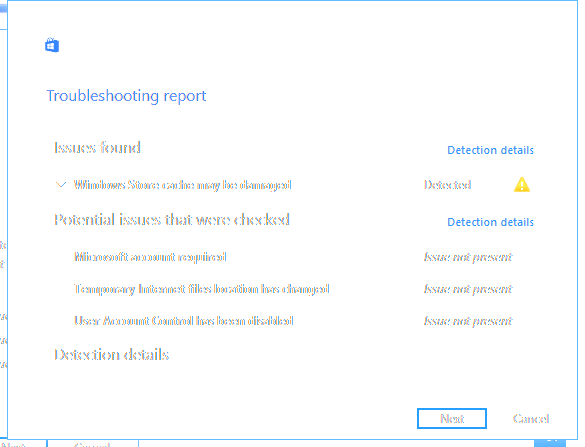
I tried the 'Run the troubleshooter for Windows apps'. It says there is something corrupted

"Windows Store cache may be damaged"
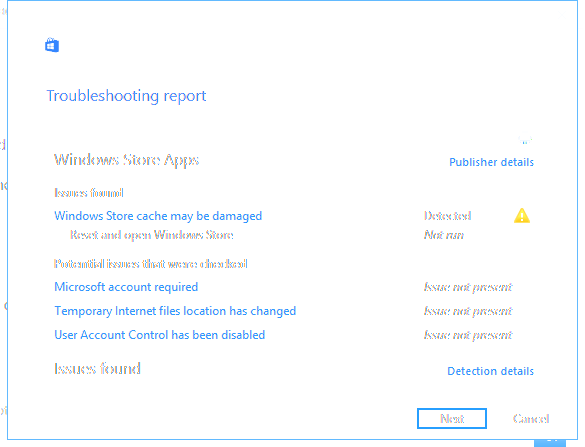
But even after the fix, nothing changed.

I also tried to create a 'cache' directory into the Windows Store directory like suggested by someone, but it did not change anything.

Now, what else can I try?

Moved from: Windows / Windows 10 / Microsoft Store

Windows for home | Windows 10 | Gaming

Locked Question. This question was migrated from the Microsoft Support Community. You can vote on whether it's helpful, but you can't add comments or replies or follow the question.

0 comments No comments

10 answers

Sort by: Most helpful
  1. Anonymous
    2018-01-27T18:32:33+00:00

    Finally find a solution based on this comment by @JD9999Minecraft 

    https://answers.microsoft.com/en-us/windows/forum/apps\_windows\_10-winapps/minecraft-windows-10-edition-doesnt-work-anymore/a35a7e13-c486-4633-b3ce-7dadad24a76f

    1. Disable your graphics driver (Search "computer management" and open it. On the left sidebar, you will see "Device manager". Go to that. Under display adapters, disable the Nvidia driver
    2. Restart your computer
    3. Re-enable it
    4. Start Minecraft
    3 people found this answer helpful.
    0 comments No comments
  2. Anonymous
    2018-01-29T19:05:53+00:00

    Thank you for responding. Did the solution of JD9999Minecraft resolved your issue?

    1 person found this answer helpful.
    0 comments No comments
  3. Anonymous
    2018-01-19T19:43:00+00:00

    Thank you for your reply. Have you tried clearing your Windows Store cache?

    0 comments No comments
  4. Anonymous
    2018-01-18T23:59:08+00:00

    Hi @Jomari Arc,

    Thanks for the suggestion. I think the 'Run the troubleshooter for Windows apps' tool does the same thing, but I tried it anyway. You know, just in case.

    Unfortunately, without success. Still have the same issue.

    Other suggestions?

    0 comments No comments
  5. Anonymous
    2018-01-18T18:10:23+00:00

    Hi,

    A corrupted data may cause your game not to work properly. 

    Here are steps on how to reset Windows Store to clear store cache:

    1. Press Windows key + X on your keyboard.

    2. Click on Command prompt (Admin).

    1. Type wsreset.exe, and then hit Enter.
    2. Restart your computer and reinstall the games.

    Let us know how it turns out.

    0 comments No comments